Copy Study
Copying a study duplicates the selected study with all of its configuration, so a second variant (a different body set, say, or a wider orb) starts from the first rather than from an empty study.
The copy arrives unlocked, so you can adjust its settings and generate its events without disturbing the original or its results.
Copy the Selected Study
To duplicate a study:
- Click the study to copy in the Studies list.
- Open the Edit Menu.
- Click Copy Study in the Edit menu.
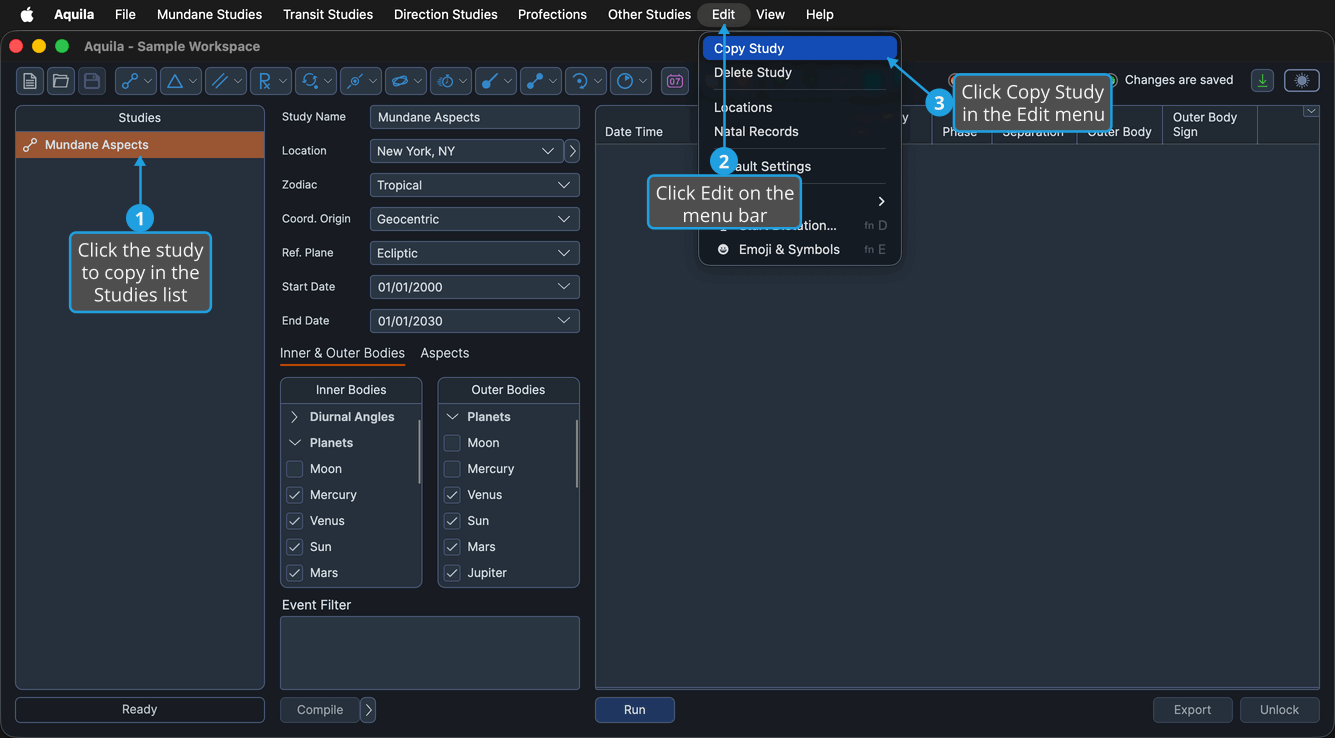
The copy appears in the Studies list and is selected, ready to be adjusted.
tip
The Copy Study button on the toolbar and the Copy item on the Studies list right-click menu run the same command on the selected study.
note
The command acts on generator studies only. A Timeline study draws its events from other studies rather than generating any of its own, so Aquila does not copy a selected Timeline study.