Reorder Studies
Studies arrive at the bottom of the Studies list in the order you created them. Reordering the list groups related studies together so the workspace reads in the order that suits the research.
The order is part of the workspace and is preserved when you save it, so the arrangement you settle on comes back with the file.
Move a Study by Dragging
Dragging is the quickest way to move a study several positions at once.
To reposition a study with the pointer:
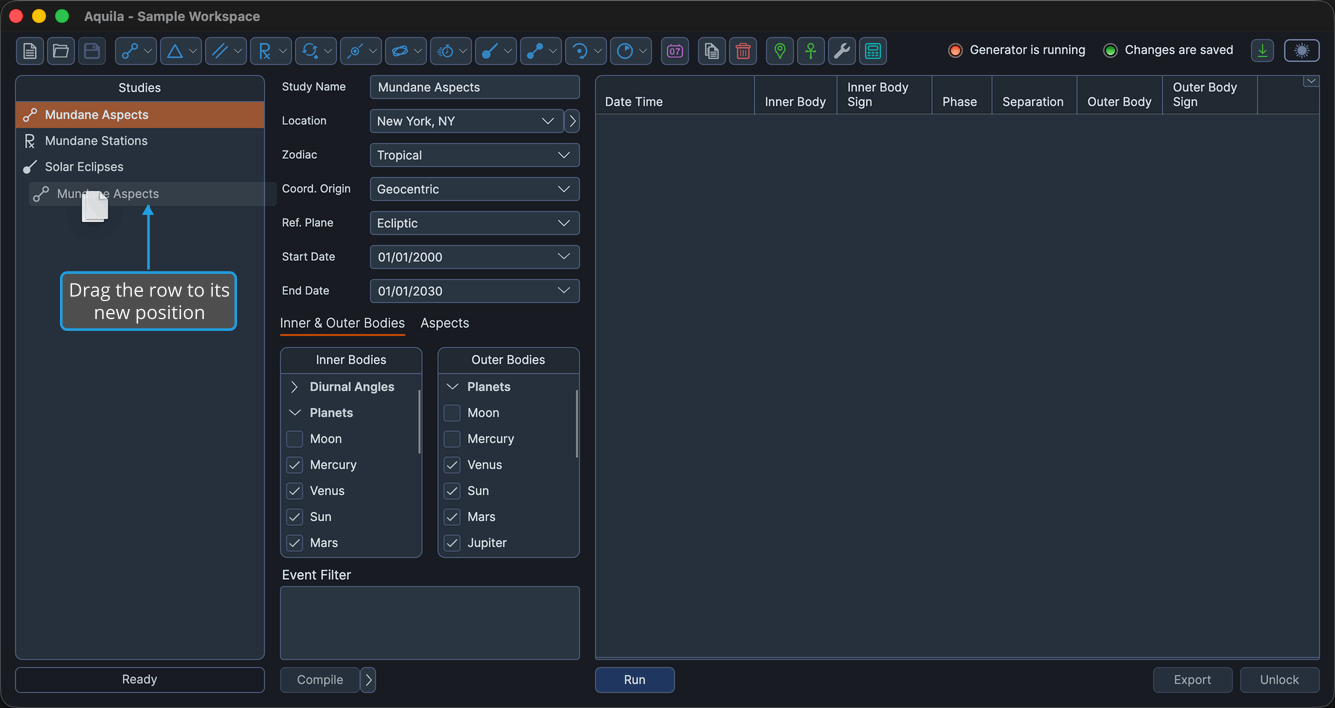
- Drag the study's row to its new position in the Studies list and drop it.
The drag begins once the pointer has moved about 4 pixels from the point you pressed, and a translucent ghost of the row follows the pointer until you drop it. The study takes its new position and Aquila marks the workspace as changed.
Move a Study with the Keyboard
Nudging a study one position at a time is often easier than dragging when the move is short.
To move a study without the pointer:
- Click the study's row in the Studies list to select it.
- Press Option+Up to move the study one position toward the top of the list.
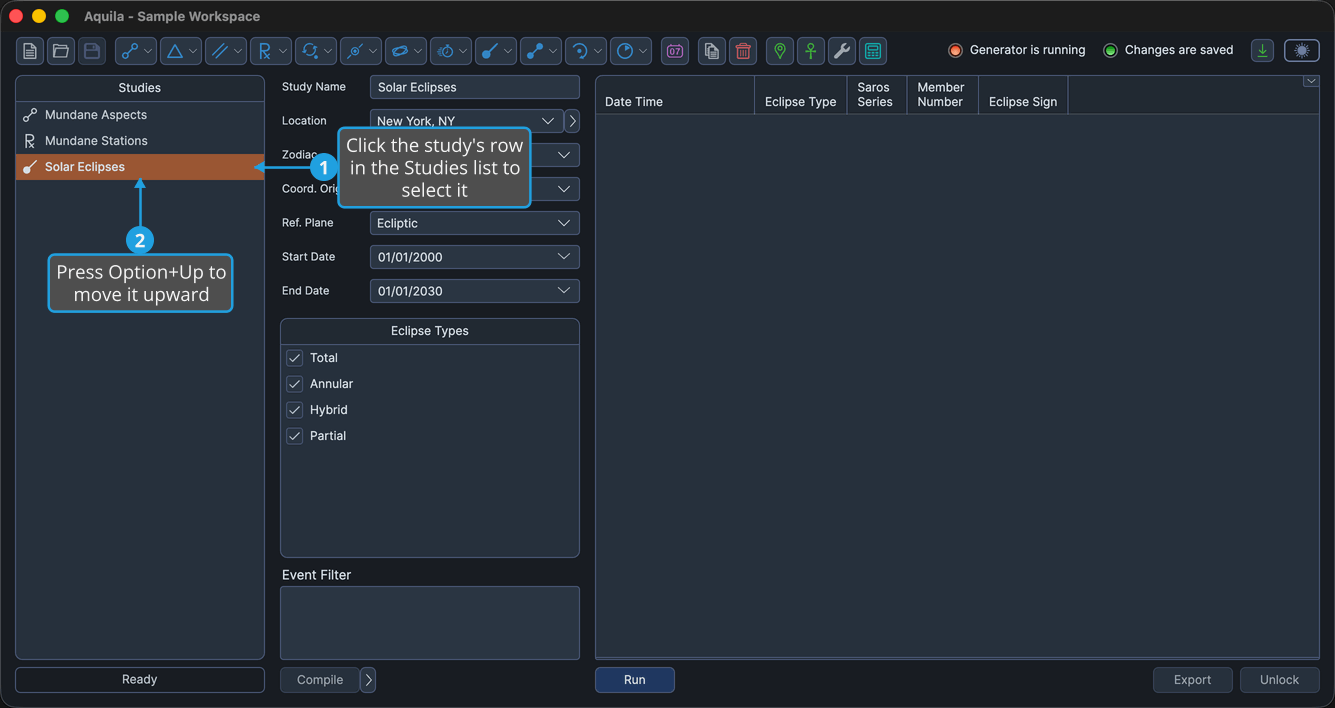
Option+Down moves the study one position toward the bottom. The study stays selected as it moves, so repeated presses walk it up or down the list.
On Windows the Option key is Alt, so the shortcuts are Alt+Up and Alt+Down. The modifier is required: the arrow keys on their own move the selection rather than the study.