Import Natal Records
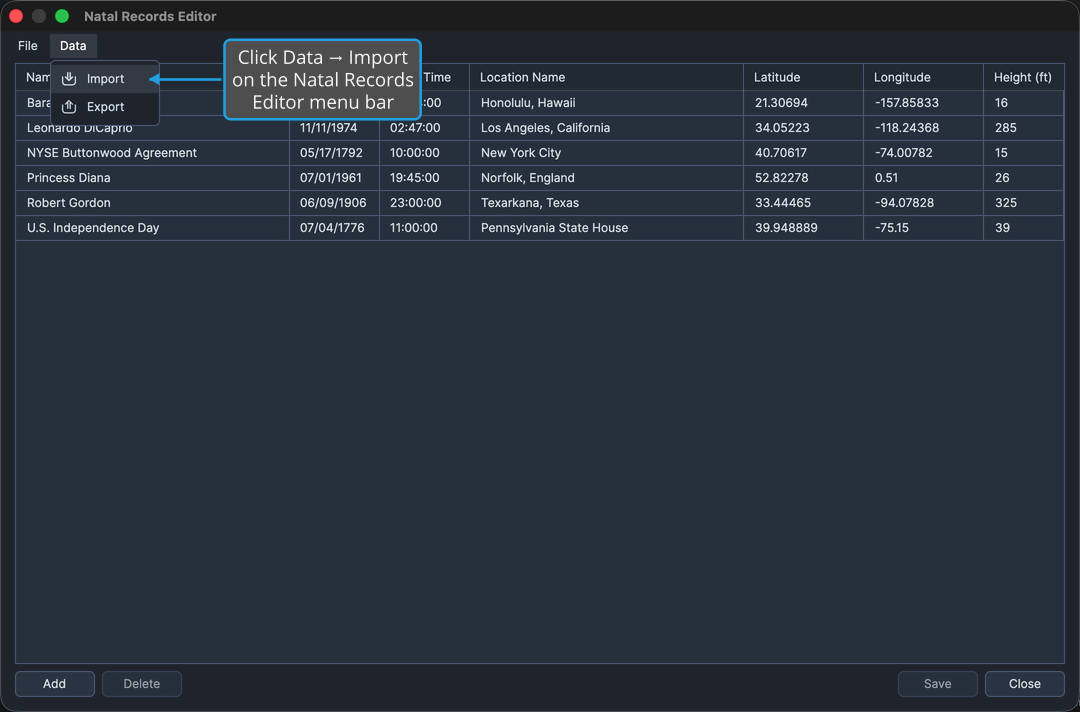
Practitioners accumulate large record collections, and those collections need to move with them between machines and applications. Import reads natal records from a CSV file into the Natal Records Editor, and is reached from the editor's Data menu.
Import always adds to the collection already in the editor; it never replaces it.
Import Natal Records from a File
Open the Natal Records Editor first, as described in Open the Natal Records Editor. Then:
- Click Data → Import on the Natal Records Editor menu bar.
- Select the file to read, as described in Choose a File in the Open File Dialog. The picker offers CSV files by default, with an all-files fallback for a collection saved under a different extension.
Aquila appends the rows to the Natal Records table, reports how many records it added, and marks the editor as holding unsaved changes. To back out without reading anything, see Cancel the Open File Dialog.
note
Imported rows sit in the editor only until the collection is written. Click Save to keep them. See Natal Records Editor.