Solar Arc Settings
Use the Directions tab of a Solar Arc Directions chart's settings panel to choose the rate and multiple your practice takes the solar arc by. Choose Rate, Day Type and Multiple; under User-Defined Rate, type your own rate in the User Rate box. The directed points and the directions list update as each setting changes.
The tab opens at the settings in Solar Arc Directions Defaults. It also carries the Year row, described in Year Reckoning, and the Max Years row, described in Max Years.
Choose the Rate
Choose the rate the chart advances by.
- Click the Directions tab.
- Select a rate from the Rate drop-down.
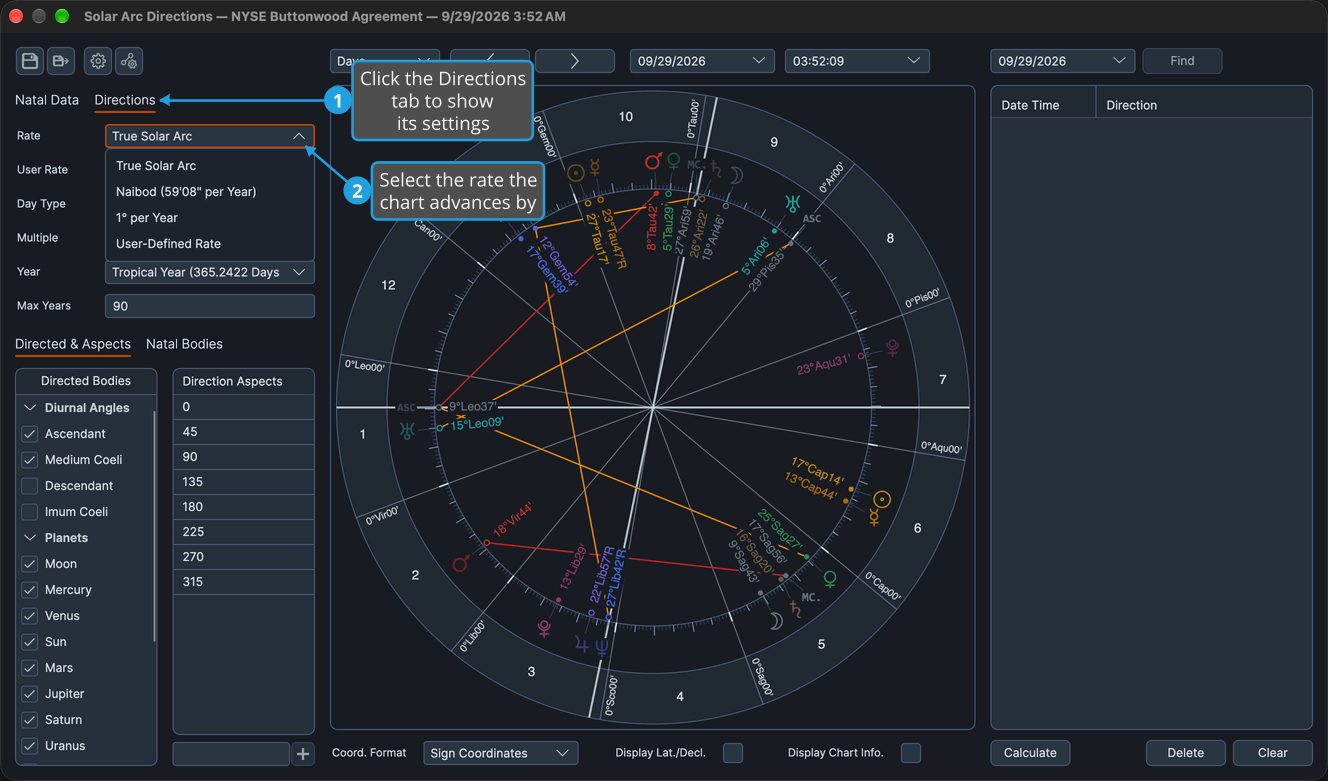
The directed points are recomputed at the new rate and the directions list re-dates. The rows that depend on the rate enable or disable with it: Day Type only under True Solar Arc, and User Rate only under User-Defined Rate.
Choose the Day Type
Choose whether a day of the rate is a standard solar day or a sidereal day. Day Type is enabled only while Rate is True Solar Arc.
- Click the Directions tab.
- Select a day type from the Day Type drop-down.
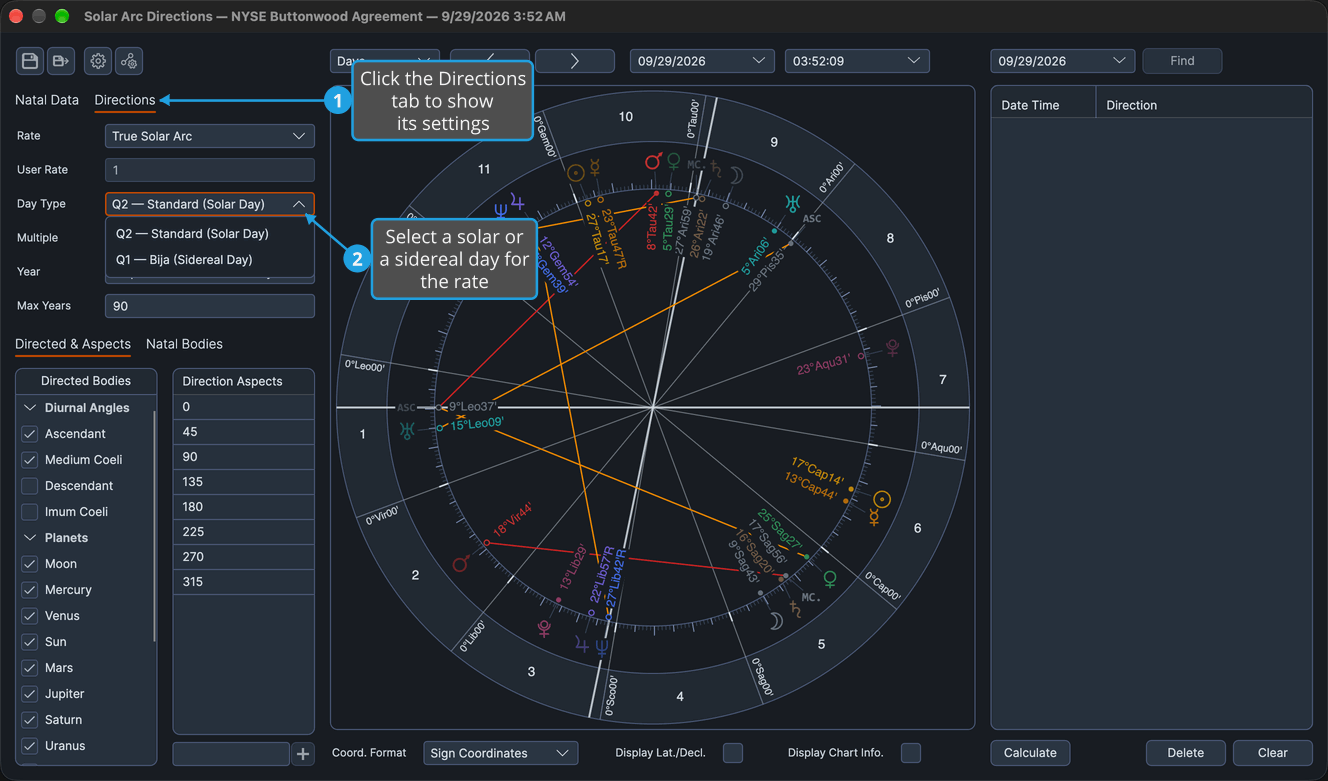
The directed points are recomputed with the chosen day and the directions list re-dates.
Set a User-Defined Rate
Advance the chart by a rate of your own, in degrees of arc per year of life.
- Click the Directions tab.
- Select User-Defined Rate from the Rate drop-down.
- Double-click the value in the User Rate box to select it.
- Type a rate from 0.01 to 10.
- Press Enter to commit the rate.
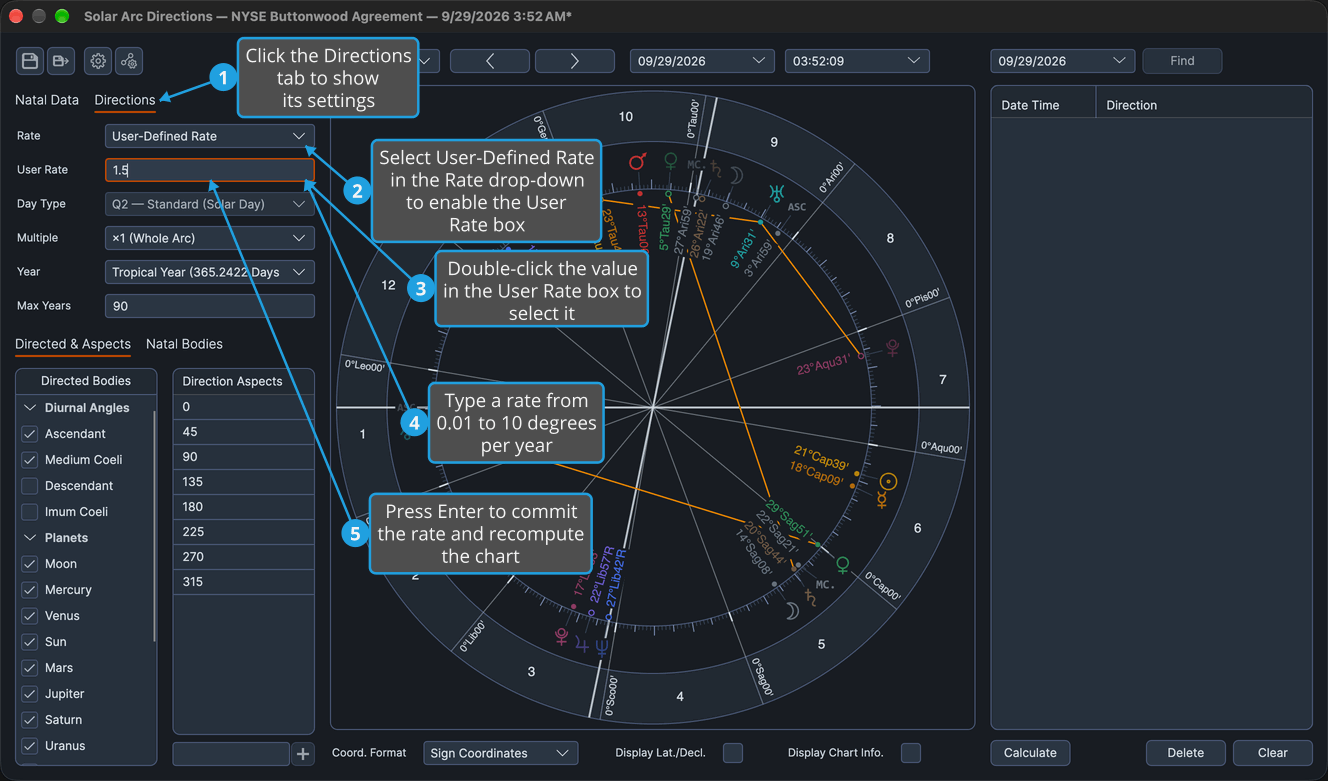
The directed points are recomputed at the typed rate and the directions list re-dates. A value outside 0.01 to 10 is clamped to the nearer end of that range. Moving focus out of the User Rate box commits the typed rate as Enter does.
Choose the Multiple
Choose the factor applied to the solar arc.
- Click the Directions tab.
- Select a multiple from the Multiple drop-down.
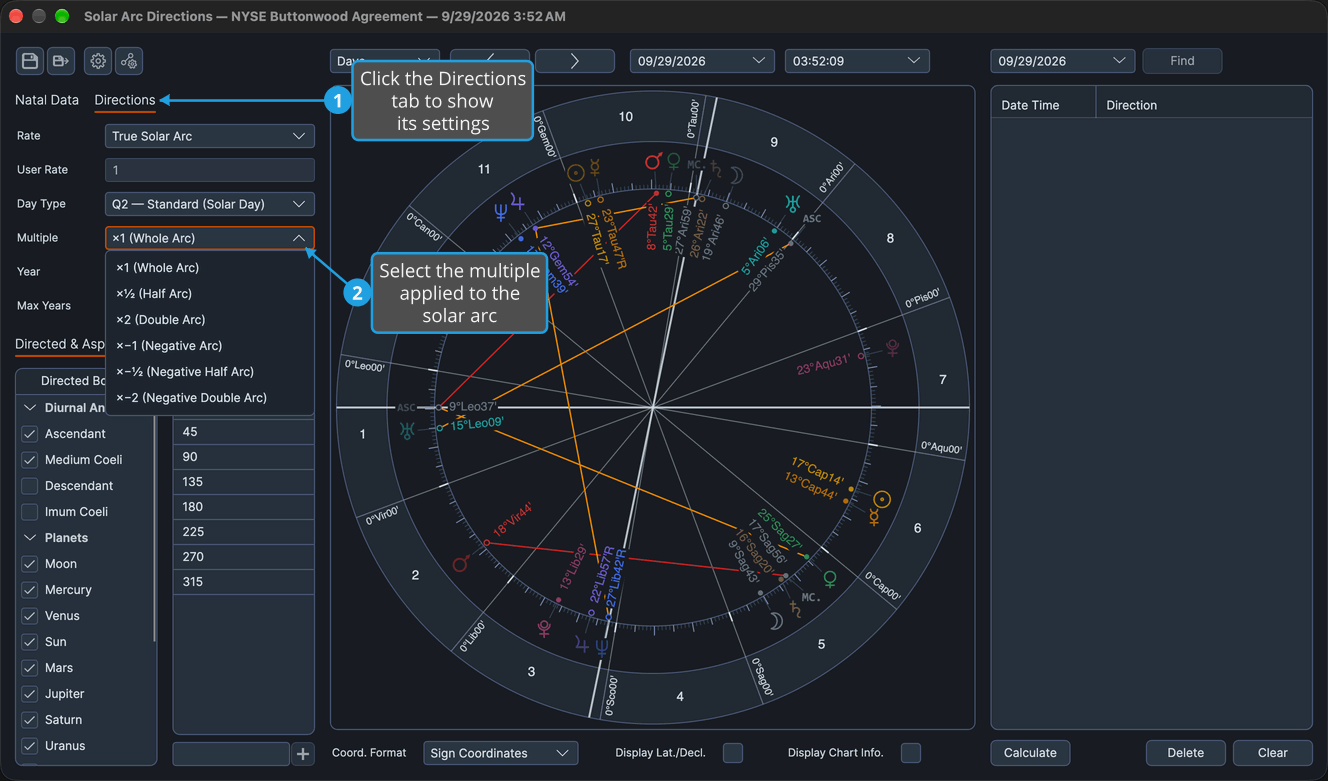
The directed points move by the solar arc times the chosen multiple, and the directions list re-dates. A negative multiple runs the directed set backward through the zodiac.
Directions Tab Rows
Each drop-down below offers a fixed set of options, and the User Rate box takes a number. Changing a row redraws the directed points and re-dates the list.
Rate
The rate is how much arc accrues per year of life.
- True Solar Arc
- Naibod (59'08" per Year)
- 1° per Year
- User-Defined Rate
True Solar Arc enables the Day Type row, and User-Defined Rate enables the User Rate box beneath the Rate row.
User Rate
The User Rate box holds the user-defined rate, in degrees of arc per year of life. It accepts 0.01 to 10, ships at 1.0, and is used and enabled only while Rate is User-Defined Rate.
Day Type
The Day Type row is enabled only while Rate is True Solar Arc; its options stay the same either way.
- Q2 — Standard (Solar Day)
- Q1 — Bija (Sidereal Day)
Multiple
The multiple is the factor applied to the arc. A negative multiple runs the directed set backward through the zodiac.
- ×1 (Whole Arc)
- ×½ (Half Arc)
- ×2 (Double Arc)
- ×−1 (Negative Arc)
- ×−½ (Negative Half Arc)
- ×−2 (Negative Double Arc)