Year Reckoning
Use the Year row to reckon a chart's dates in the kind of year your tradition uses. It sits on the Directions tab of the Primary Directions and Solar Arc Directions charts and on the Progressions tab of the Secondary Progressions chart. It sets how long a year of life is when elapsed years are turned into dates. Choose Tropical Year (365.2422 Days) or Prophetic Year (360 Days, 30-Day Month) in the Year drop-down, and the listed dates move accordingly.
The row opens at the Chart Settings default for the chart type: see Primary Directions Defaults, Solar Arc Directions Defaults and Secondary Progressions Defaults.
Choose the Year Reckoning on a Primary Directions Chart
Choose the length of a year of life used to date primary directions.
- Click the Directions tab.
- Select a reckoning in the Year drop-down.
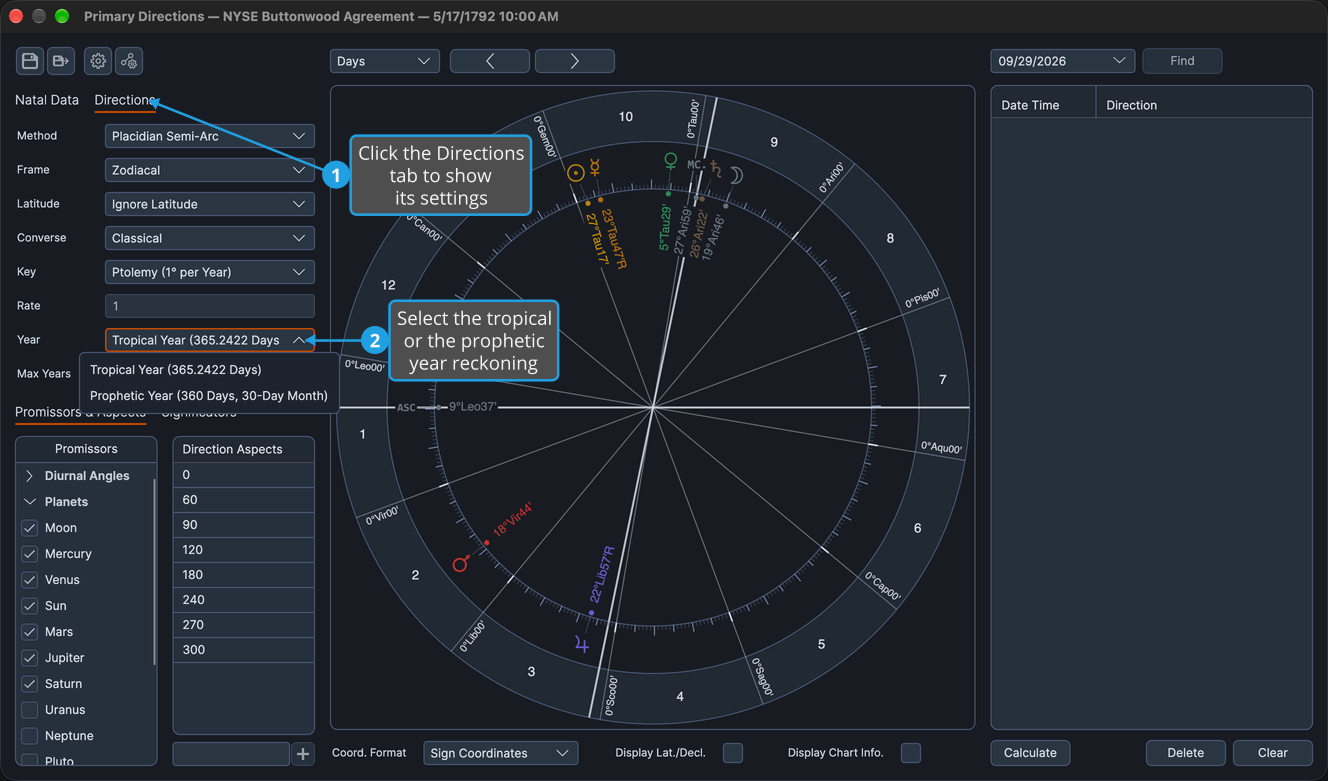
The listed dates move to the chosen reckoning.
Choose the Year Reckoning on a Solar Arc Directions Chart
Choose the length of a year of life used to date solar arc directions.
- Click the Directions tab.
- Select a reckoning in the Year drop-down.
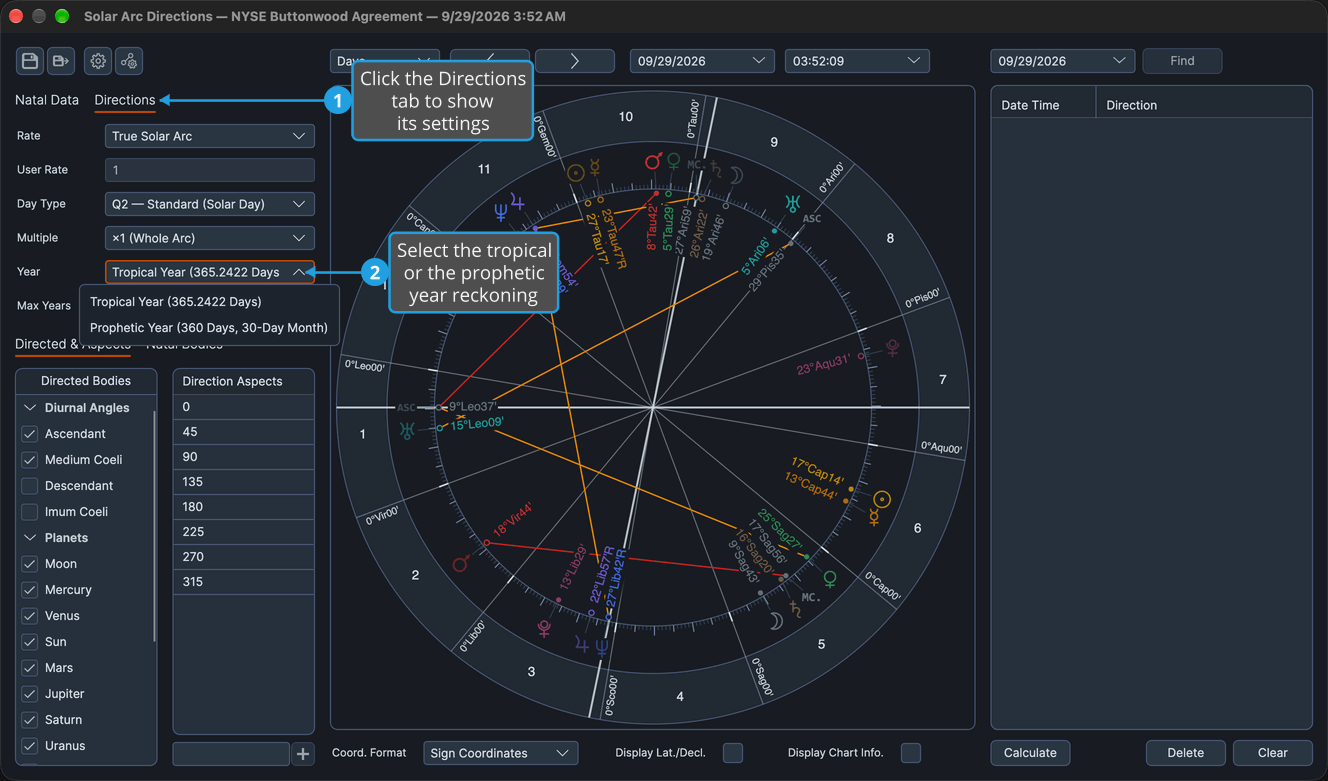
The listed dates move to the chosen reckoning.
Choose the Year Reckoning on a Secondary Progressions Chart
Choose the length of a year of life used by the progressions, and with it the month the Tertiary and Minor rates are built on.
- Click the Progressions tab.
- Select a reckoning in the Year drop-down.
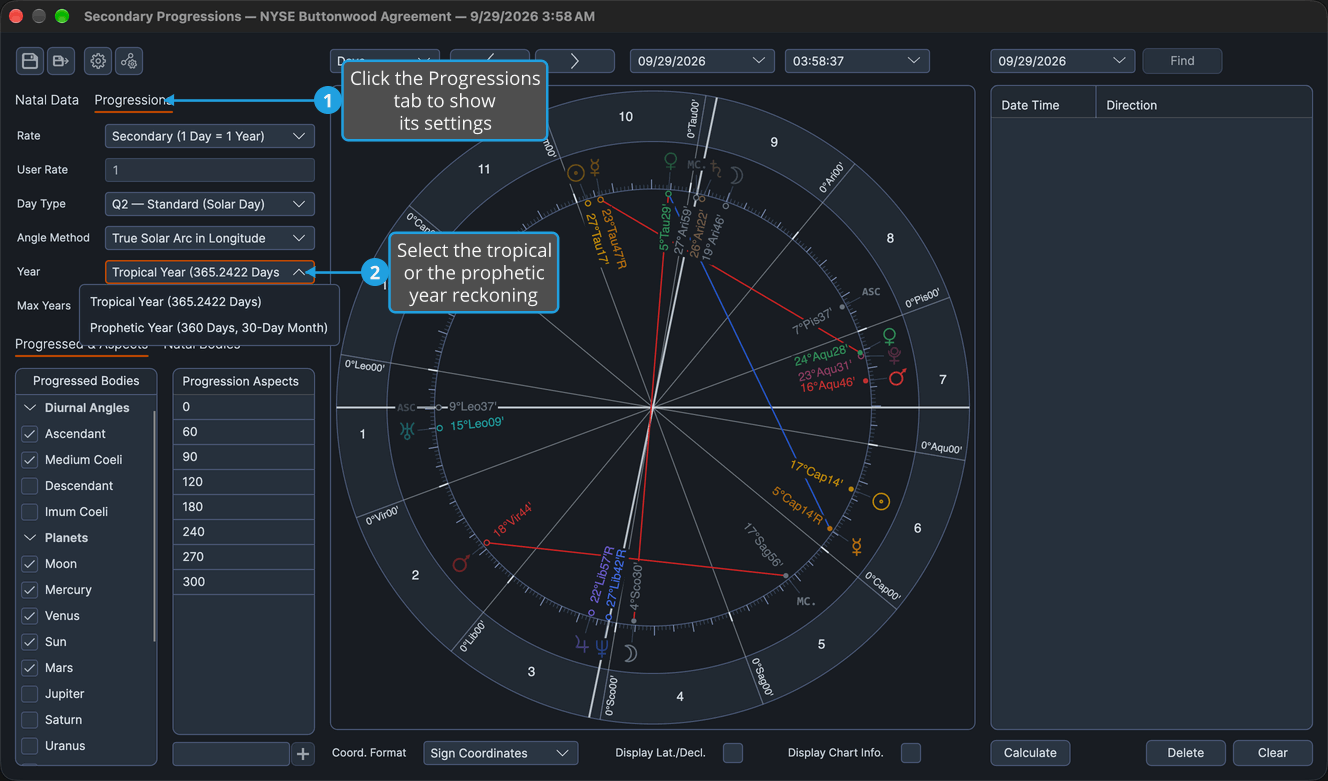
The listed dates move to the chosen reckoning.
Year Options
The Year drop-down offers the same two options on all three charts:
- Tropical Year (365.2422 Days)
- Prophetic Year (360 Days, 30-Day Month)
The reckoning fixes a month length as well as a year length. Under Prophetic Year (360 Days, 30-Day Month) the same arc falls about 1.5% earlier in life than under Tropical Year (365.2422 Days). Keys and rates that follow the Sun's real motion, such as True Solar Arc, are unaffected.