Max Years
The Max Years row lets Calculate list only the directions within the span of life that interests you. It is the last row of the Directions tab on the Primary Directions and Solar Arc Directions charts and of the Progressions tab on the Secondary Progressions chart. Type a number of years in the Max Years box, then click Calculate, or let a list already armed by Calculate re-populate on its own; see Calculate Directions.
Set Max Years on a Primary Directions Chart
Bound the span of life the Primary Directions chart's Calculate lists.
- Click the Directions tab.
- Double-click the number in the Max Years box to select it.
- Type a whole number of years.
- Press Enter to commit it.
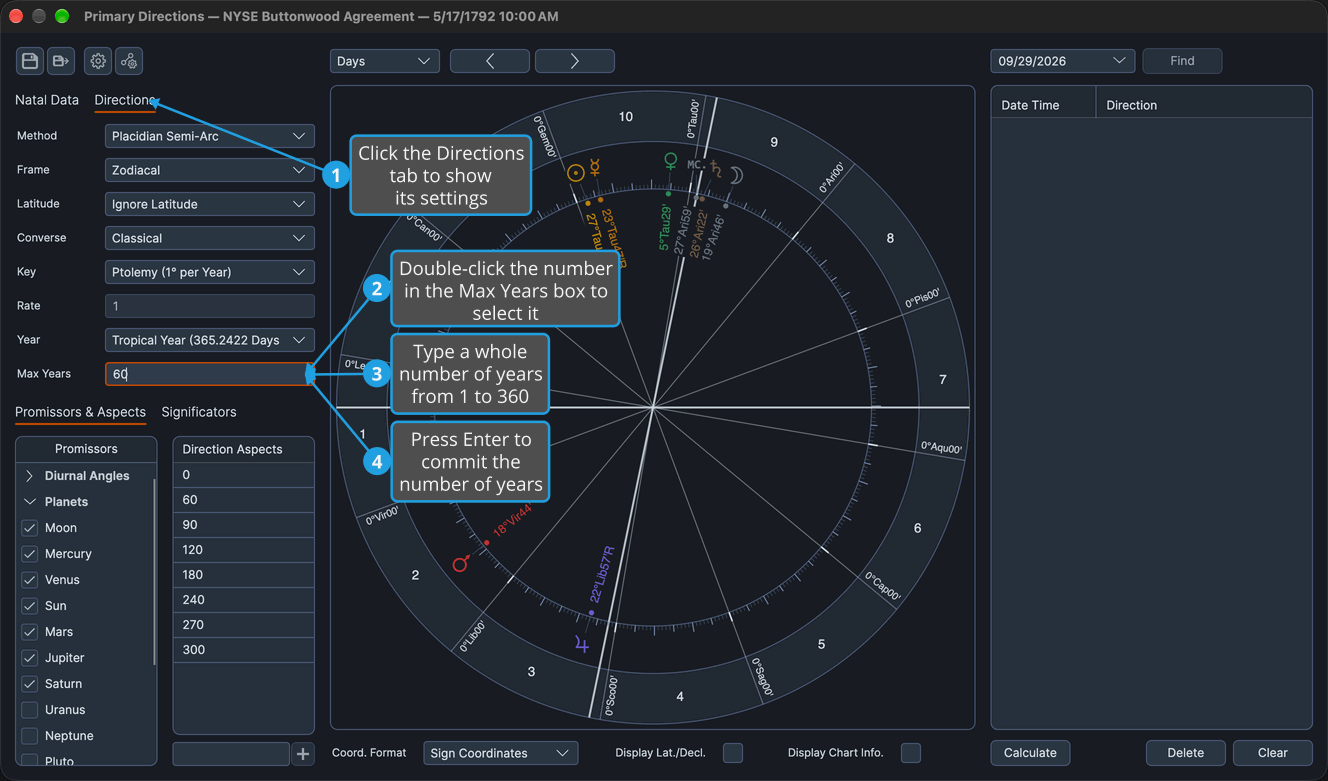
Calculate lists only the directions perfecting within the typed number of years of the birth. An armed list re-populates at once, and a disarmed list is left as it is.
Set Max Years on a Solar Arc Directions Chart
Bound the span of life the Solar Arc Directions chart's Calculate lists.
- Click the Directions tab.
- Double-click the number in the Max Years box to select it.
- Type a whole number of years.
- Press Enter to commit it.
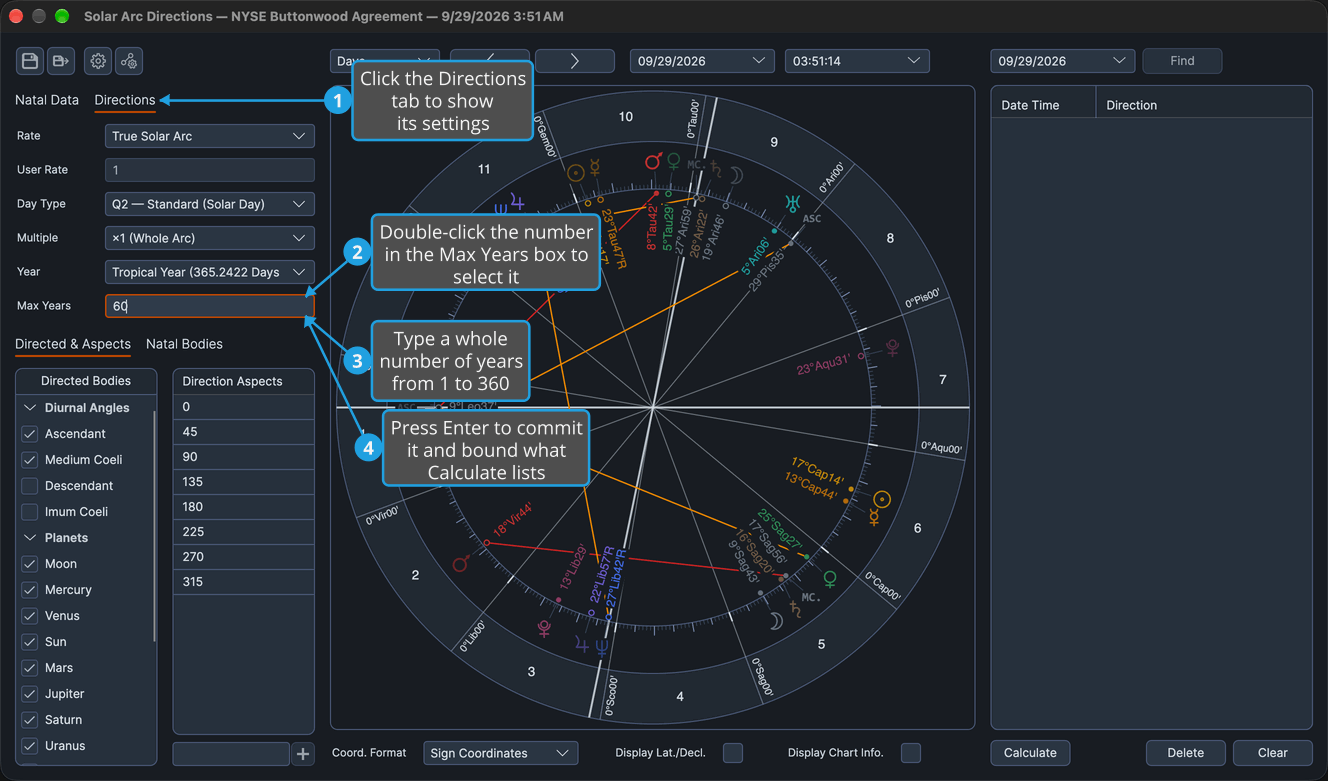
Calculate lists only the directions perfecting within the typed number of years of the birth. An armed list re-populates at once, and a disarmed list is left as it is.
Set Max Years on a Secondary Progressions Chart
Bound the span of life the Secondary Progressions chart's Calculate lists.
- Click the Progressions tab.
- Double-click the number in the Max Years box to select it.
- Type a whole number of years.
- Press Enter to commit it.
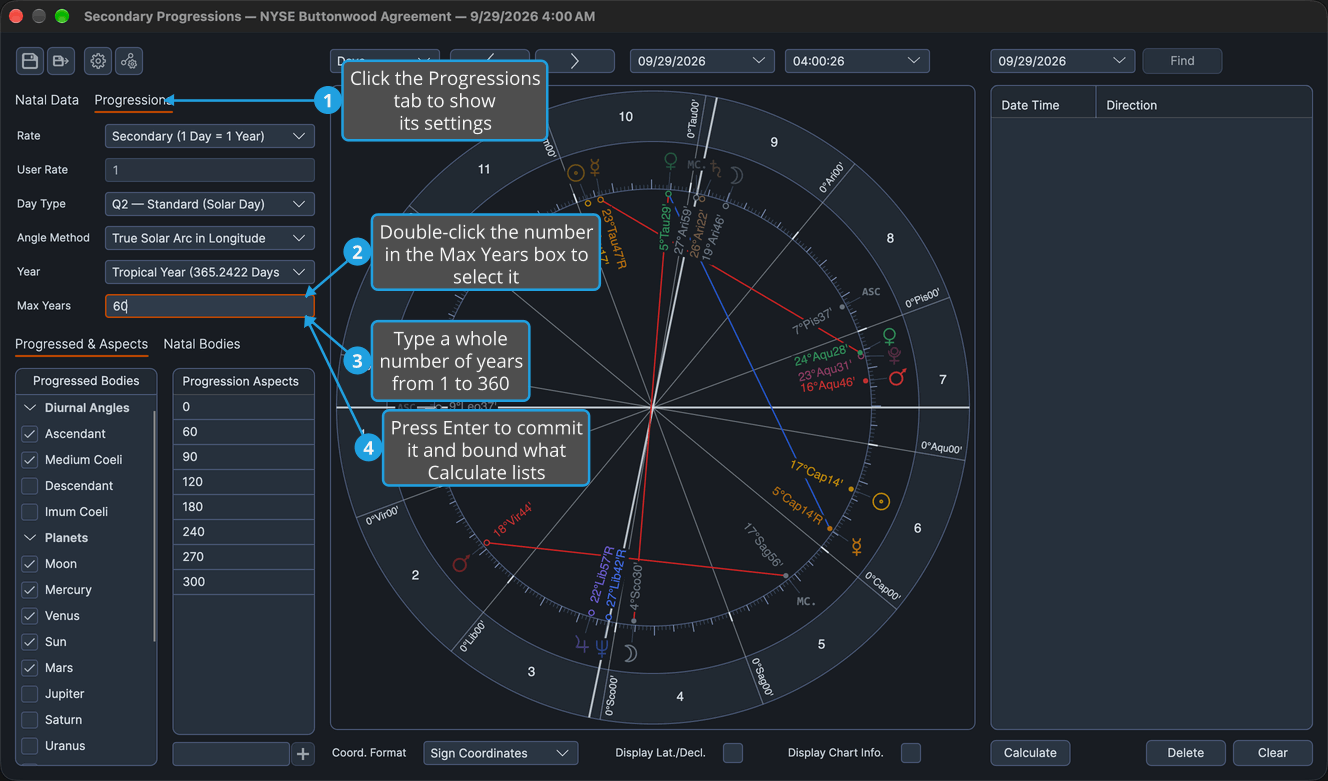
Calculate lists only the directions perfecting within the typed number of years of the birth. An armed list re-populates at once, and a disarmed list is left as it is.
Max Years Rules
Max Years follows the same rules on all three technique charts.
- Range: a whole number from 1 to 360, with a default of 90. The value commits on Enter or when focus leaves the box.
- Scope: Max Years bounds which directions Calculate lists, those perfecting within that many years of the birth, and nothing else. A dragged direction is listed whatever its date; see List a Direction by Dragging.
- Armed lists: editing Max Years re-populates a list armed by Calculate.
- Saving: Max Years is saved with the chart, and editing it is an unsaved change: the chart differs from its file until you save it again; see Save Chart.