Primary Direction Settings
Use the Directions tab of a Primary Directions chart's settings panel to choose the method, frame and key your practice solves primary directions by. Choose Method, Frame, Latitude, Converse and Key; under the User-Defined Rate key, type your own rate in the Rate box. The listed directions re-date as each setting changes.
The tab opens at the settings in Primary Directions Defaults. It ends with the Year row, described in Year Reckoning, and the Max Years row, described in Max Years.
Choose How Directions Are Solved
Choose the method, frame, latitude handling and converse definition the chart solves its directions by. Choose the frame before the latitude handling: Latitude is enabled only while Frame is Zodiacal.
- Click the Directions tab.
- Select the method and frame in the Method and Frame drop-downs and, while Frame is Zodiacal, the latitude handling in the Latitude drop-down.
- Select the definition of a converse direction in the Converse drop-down.
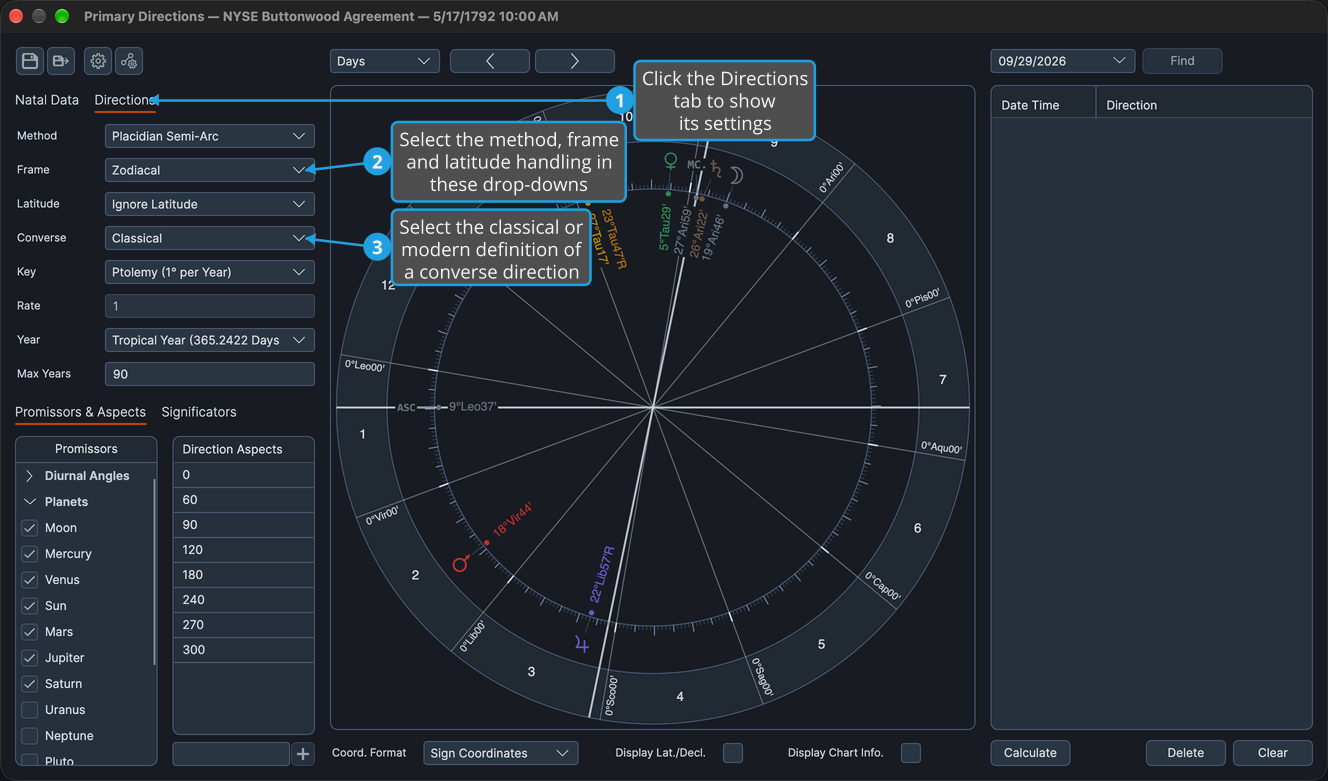
Every listed direction is re-solved and re-dated as each setting changes. In the Mundane frame, a drag can target only the significators' own places.
Choose the Time Key
Choose how an arc of direction is turned into years of life.
- Click the Directions tab.
- Select a key in the Key drop-down.
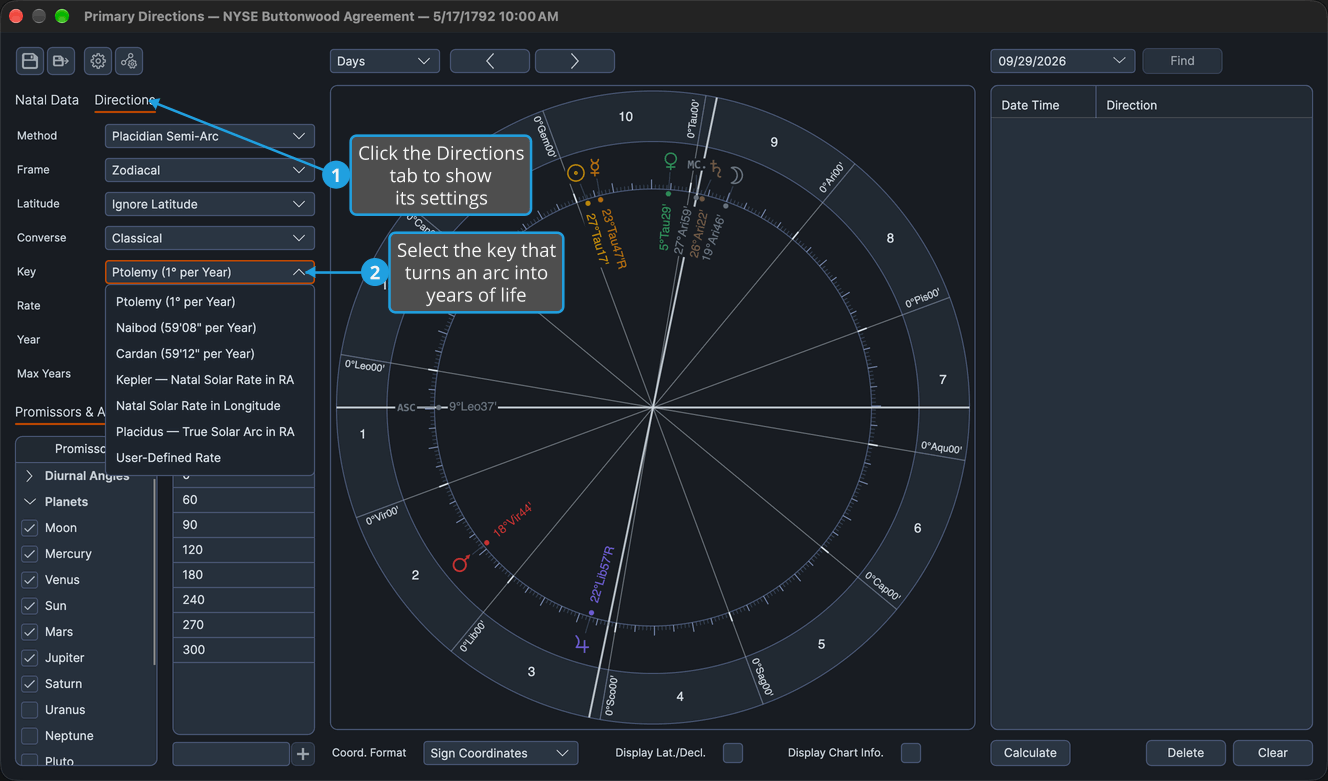
Every listed direction is re-dated by the chosen key.
Set a User-Defined Rate
Date directions by a rate of your own, in degrees of arc per year of life.
- Click the Directions tab.
- Select User-Defined Rate in the Key drop-down.
- Double-click the value in the Rate box to select it.
- Type a rate from 0.01 to 10.
- Press Enter to commit the rate.
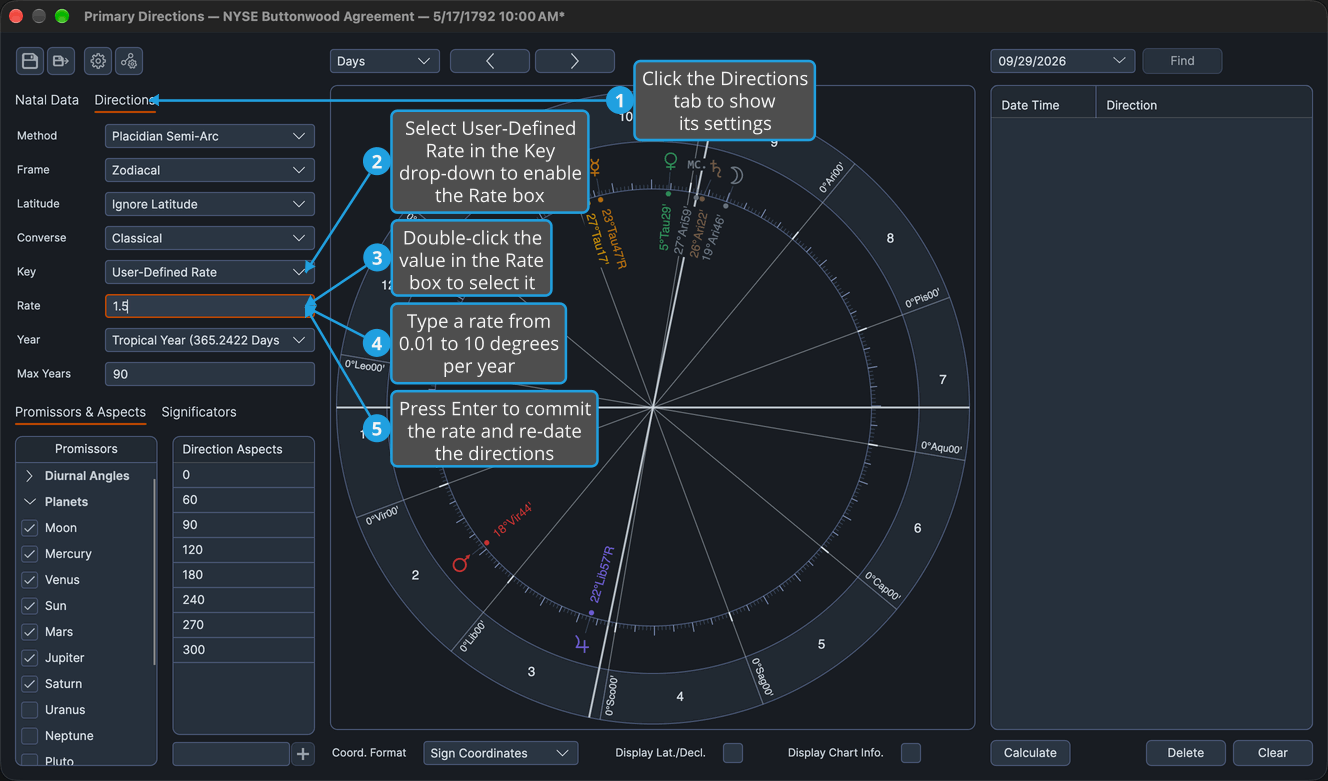
Every listed direction is re-dated at the typed rate. Moving focus out of the box also commits the rate.
Directions Tab Rows
Each drop-down below offers a fixed set of options, and the Rate box takes a number; changing any row re-dates every listed direction.
Method
The method decides how each direction is solved.
- Placidian Semi-Arc
- Regiomontanus Position Circle
Frame
The frame decides whether a direction is measured in the zodiac or in mundane degrees.
| Option | Description |
|---|---|
| Zodiacal | Directs through the zodiac, and a drag can target the significators' aspect points as well as their places. The Latitude row is enabled. |
| Mundane | Directs the promissor itself in mundane degrees, limits drag targets to the significators' own places, and disables the Latitude row. |
Latitude
The Latitude row is enabled only while Frame is Zodiacal; its options stay the same either way.
- Ignore Latitude
- Both Latitudes
- Significator Latitude Only
- Promissor Latitude Only
Converse
The Converse row chooses the classical or the modern definition of a converse direction. It is always enabled, since a drag can list a converse direction at any time.
- Classical
- Modern
Key
The key turns an arc into years of life.
- Ptolemy (1° per Year)
- Naibod (59'08" per Year)
- Cardan (59'12" per Year)
- Kepler — Natal Solar Rate in RA
- Natal Solar Rate in Longitude
- Placidus — True Solar Arc in RA
- User-Defined Rate
Choosing User-Defined Rate enables the Rate box beneath the Key row.
Rate
The Rate box holds the user-defined rate, in degrees of arc per year of life. It accepts 0.01 to 10, ships at 1.0, and is used and enabled only while Key is User-Defined Rate.