Find Nearest Record
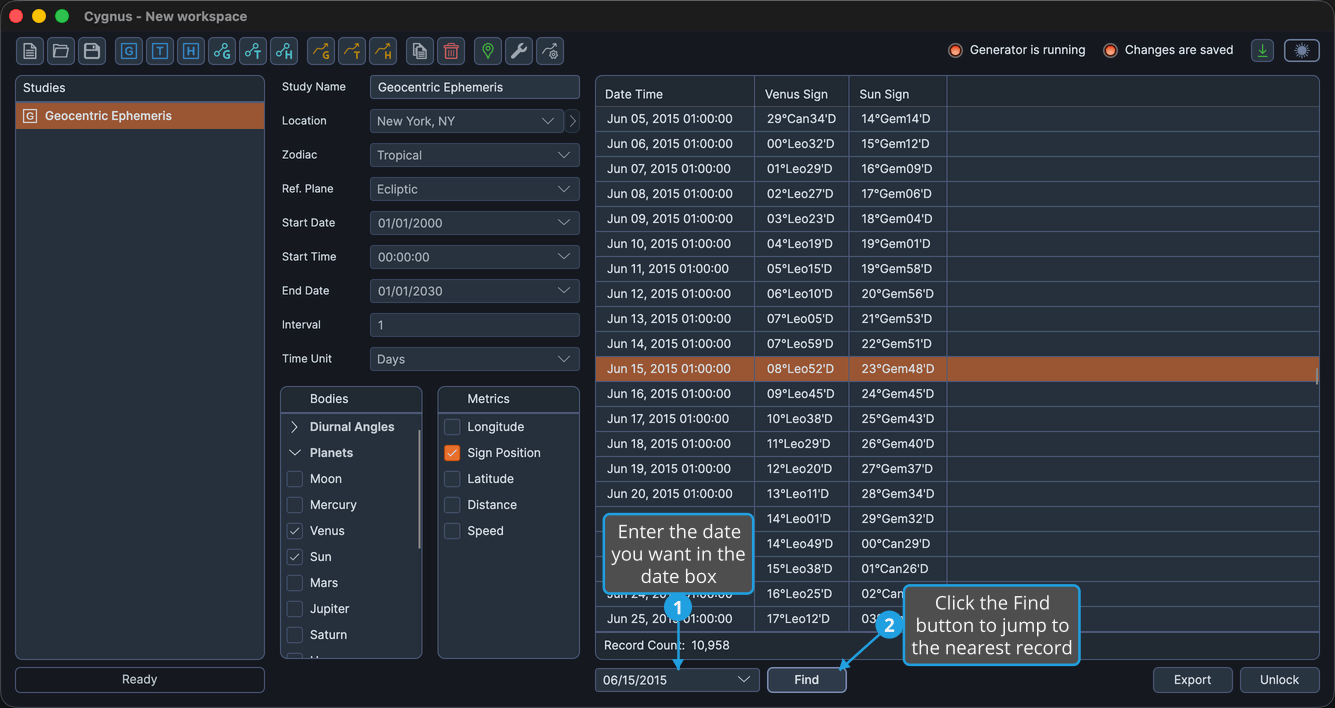
A study covering a century at an interval of 1 day produces tens of thousands of records. Find takes you straight to a date instead of scrolling for it: enter the date you care about, and the ephemeris table scrolls to the record closest to it and selects that record.
A date box and a Find button appear at the bottom left of the tabular study editors, in the button bar below the ephemeris table, once a generation has completed. They occupy the space the Run button vacates when the generation finishes. They are hidden entirely on the three graphic ephemeris studies, which have no ephemeris table.
Jump to the Record Nearest a Date
To land on a particular date:
- Enter the date you want in the date box at the bottom left of the study editor.
- Click the Find button.
The table scrolls to the record closest to the date you entered and selects it.
Pressing Enter inside the date box does the same thing as clicking Find, which is quicker when you are checking one date after another.
The Find command stays disabled until a date has been entered and the table holds records.