Copy Records to the Clipboard
Take a record's date, or a whole block of records, from the ephemeris table into another document or spreadsheet. Select one or more records, right-click a selected row and choose Date, Date and Time, As Markdown or As Tab-Delimited from the context menu. Then paste the result where you need it. Date and Date and Time copy a single record, so select only that record first; As Markdown and As Tab-Delimited copy every selected record.
The context menu is available once an Ephemeris or Aspect Ephemeris study has been generated, its ephemeris table shows records and at least one record is selected. It opens only on a record row: right-clicking a column heading opens the Column Visibility Menu instead. Graphic Ephemeris and Graphic Aspect Ephemeris studies have no ephemeris table, so these commands do not apply to them.
Copy a Record's Date
To copy the date of a record:
- Click a record row in the ephemeris table.
- Right-click the selected record row.
- Click Date in the context menu.
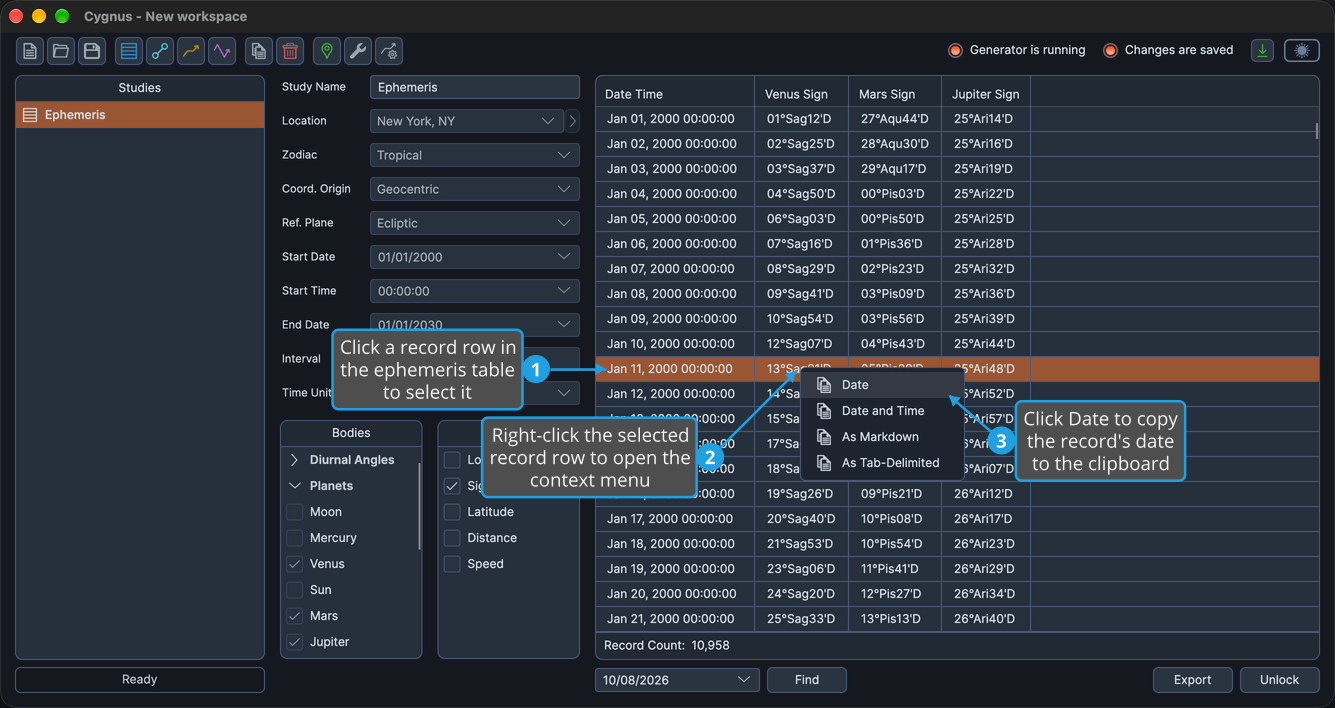
The record's date is on the clipboard, ready to paste into another document.
Copy a Record's Date and Time
To copy the date and time of a record:
- Click a record row in the ephemeris table.
- Right-click the selected record row.
- Click Date and Time in the context menu.
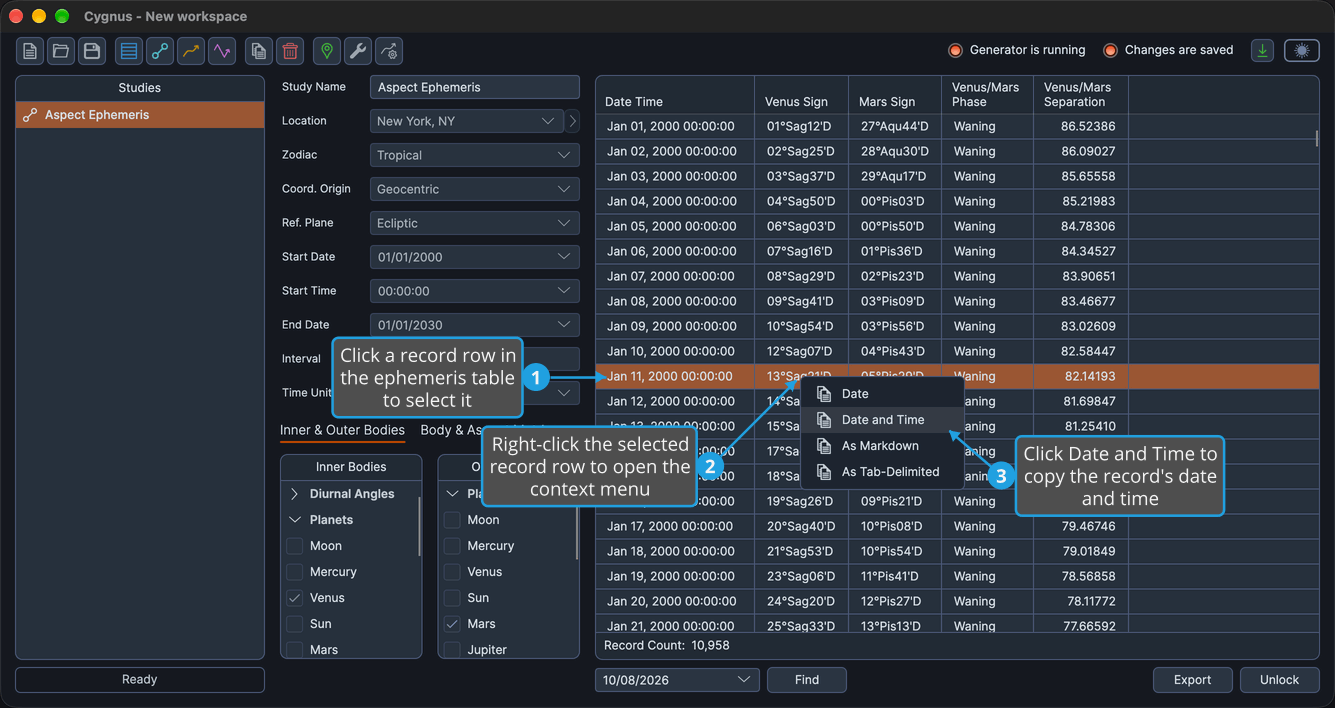
The record's date and time are on the clipboard, ready to paste into another document.
Copy Records as Markdown
To copy records as a Markdown table:
-
Select the records you want to copy in the ephemeris table.
tipClick the first record and Shift-click the last to select a block of adjacent records. To select records that are not adjacent, Cmd-click (Ctrl-click on Windows) each one.
-
Right-click one of the selected record rows.
-
Click As Markdown in the context menu.
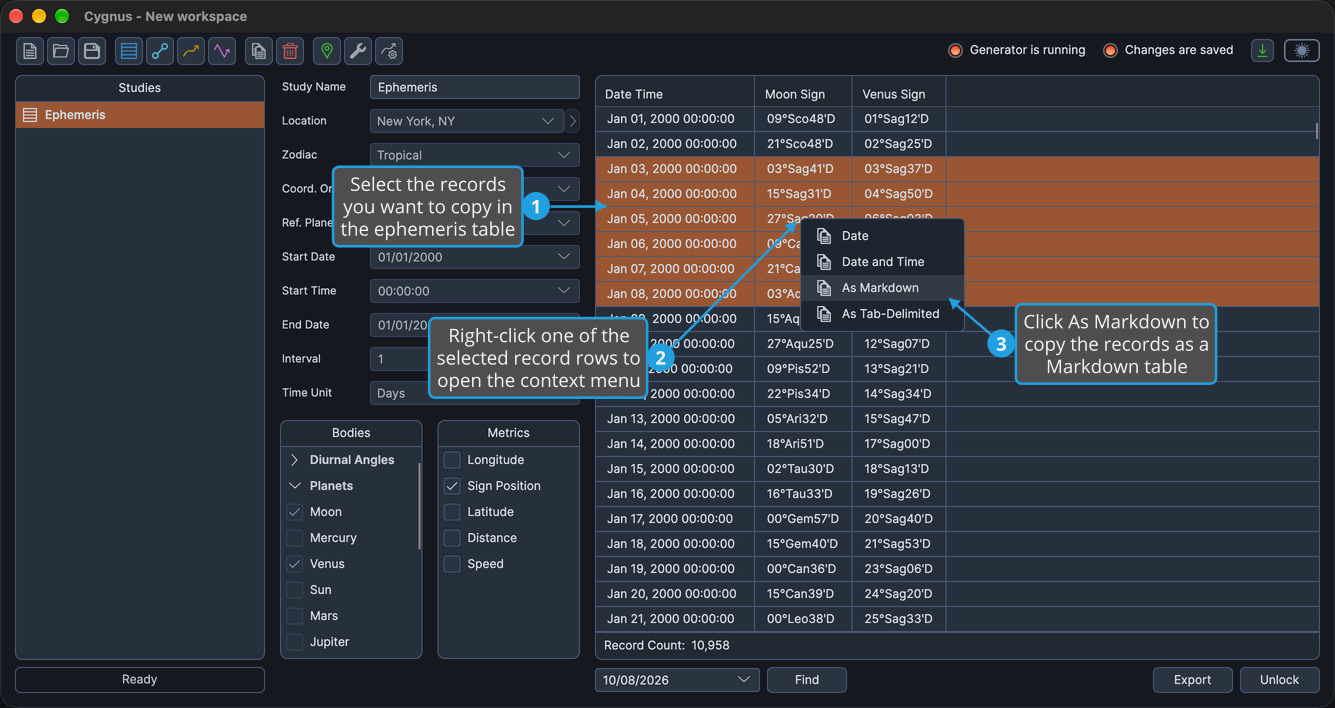
The selected records are on the clipboard as a Markdown table of the ephemeris table's visible columns, with a heading row.
Copy Records as Tab-Delimited Text
To copy records as tab-delimited text for a spreadsheet:
-
Select the records you want to copy in the ephemeris table.
tipClick the first record and Shift-click the last to select a block of adjacent records. To select records that are not adjacent, Cmd-click (Ctrl-click on Windows) each one.
-
Right-click one of the selected record rows.
-
Click As Tab-Delimited in the context menu.
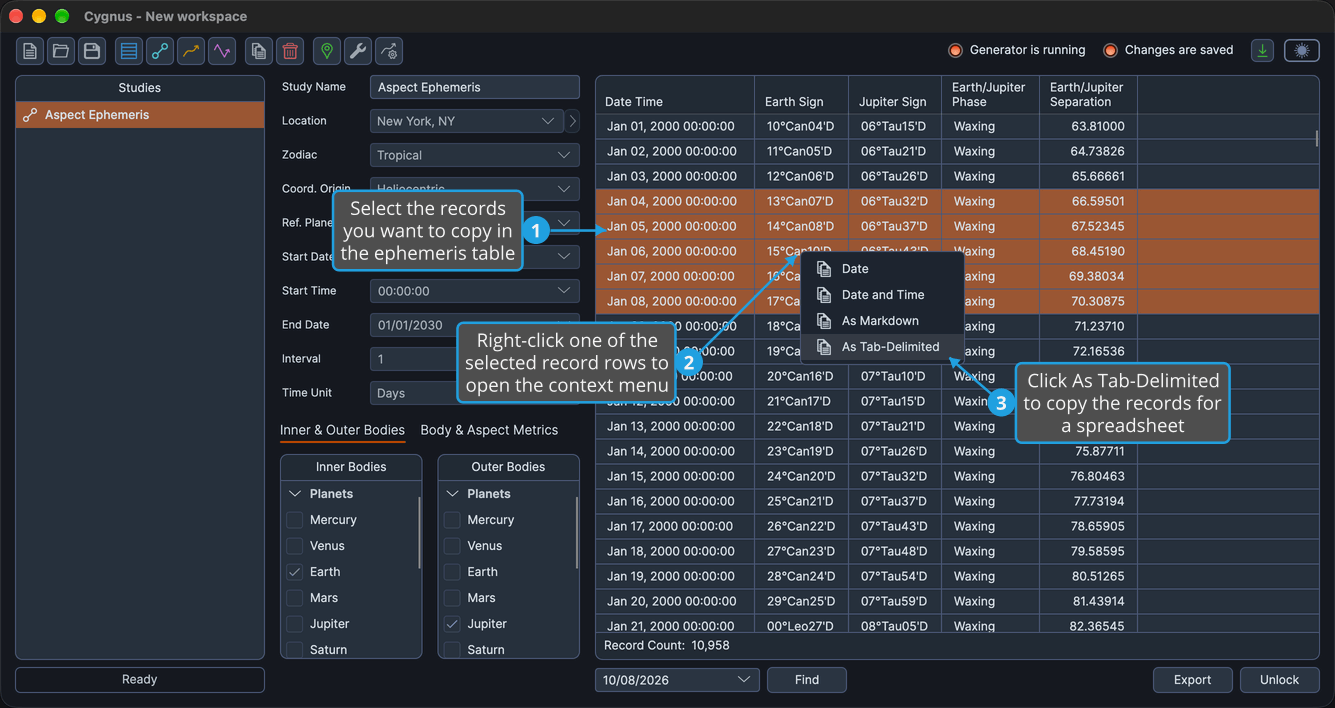
The selected records are on the clipboard as tab-delimited text of the ephemeris table's visible columns, with a heading row, ready to paste into a spreadsheet.
Context Menu Commands
The context menu of a record row holds four commands, the same on Ephemeris and Aspect Ephemeris studies. Each command shows a copy icon.
| Command | Description |
|---|---|
| Date | Copies one record's date. Select only that record first. |
| Date and Time | Copies one record's date and time. Select only that record first. |
| As Markdown | Copies the selected records as a Markdown table of the visible columns, with a heading row. |
| As Tab-Delimited | Copies the selected records as tab-delimited text of the visible columns, with a heading row, ready to paste into a spreadsheet. |
As Markdown and As Tab-Delimited copy only the columns the ephemeris table shows. The columns come from the metrics selected for the study (see Body Metrics List and, on Aspect Ephemeris studies, Aspect Metrics List), and you can show or hide individual columns from the Column Visibility Menu.
Related Topics
- Ephemeris Table: read and select the generated records.
- Column Visibility Menu: show or hide individual columns of the ephemeris table.
- Drag Records into Another Application: move selected records into another application by drag and drop.
- Export Records to CSV: save every record of the study to a CSV file.