Reorder Record Columns
Put related columns side by side, in the order you read them. Drag a column heading of the ephemeris table left or right and drop it in its new place.
You can move every column except Date Time, which always stays first: a drop that would push it out of first place is corrected. The new order is saved with the study, and the records export uses it (see Export Records to CSV).
Move an Ephemeris Table Column
You need an Ephemeris or Aspect Ephemeris study whose ephemeris table shows at least two columns besides Date Time. The gesture is the same on both study types.
To change the position of a column:
- Drag a column heading of the ephemeris table left or right and drop it in its new position.
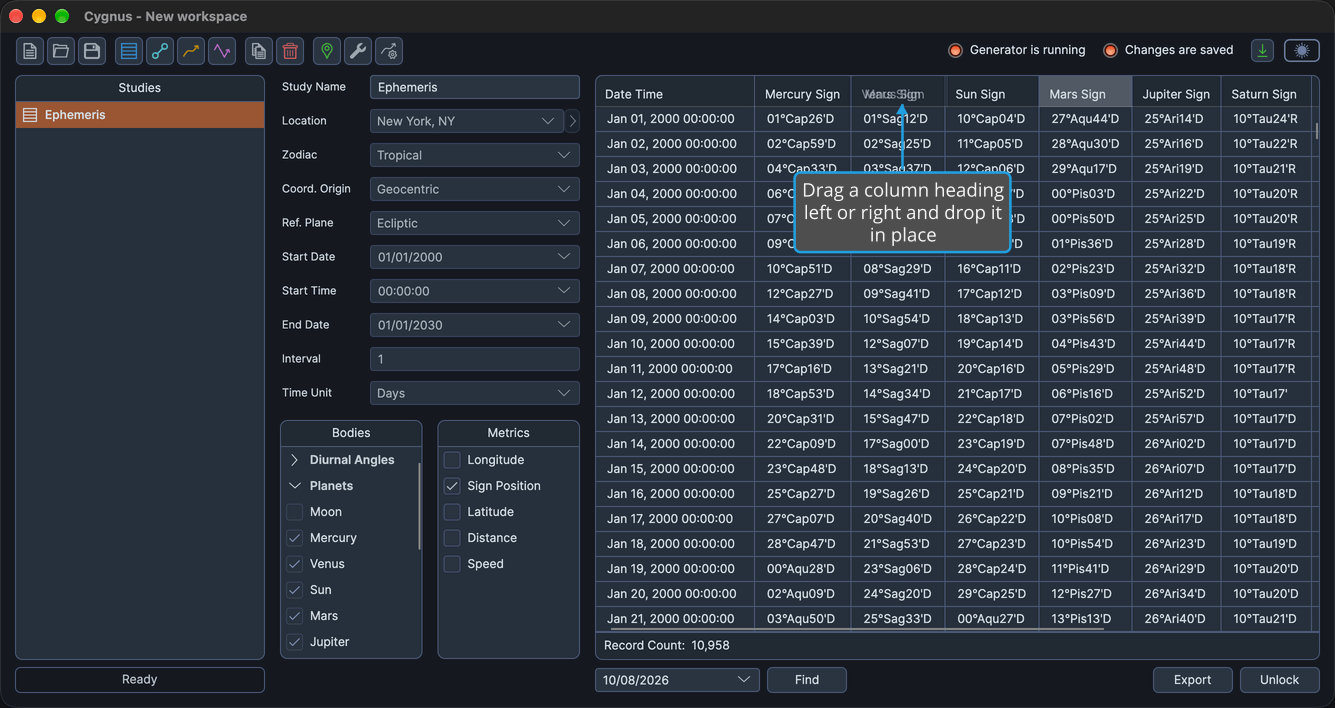
The column moves to where you dropped it, and the Date Time column stays first.
note
Clicking a column heading does not sort the rows. The ephemeris table cannot be sorted.
Related Topics
- Ephemeris Table: read and select the records of a study.
- Column Visibility Menu: show or hide individual columns.
- Export Records to CSV: save the records with the visible columns in their displayed order.