Ephemeris Table
Read the positional and aspect data your study generated, record by record. Generate the study, then scroll the ephemeris table. Click a row to select it, and Cmd-click (Ctrl-click on Windows) or Shift-click to select several.
The ephemeris table holds the records of Ephemeris and Aspect Ephemeris studies, one row per sample time, and is read-only. Graphic Ephemeris and Graphic Aspect Ephemeris studies have no ephemeris table: they plot their results on the Ephemeris Graph.
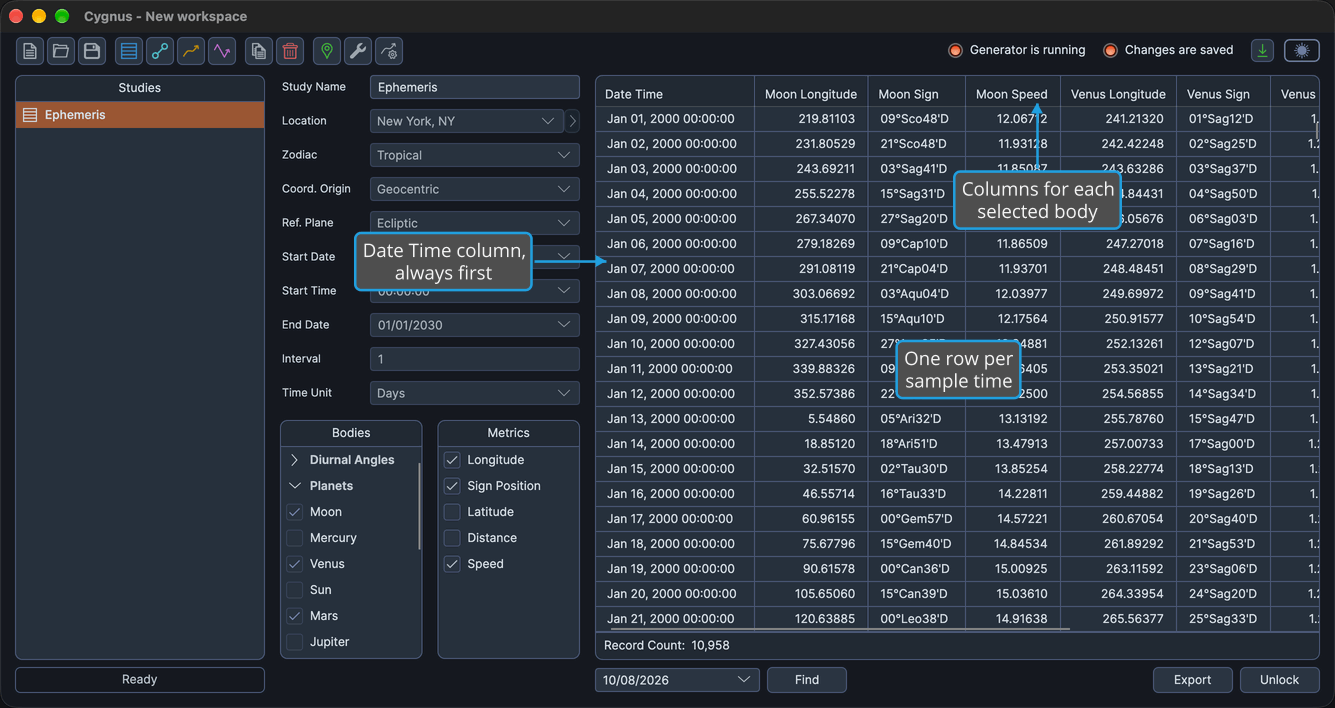
- The first column, Date Time, gives each record's date and time in the time zone of the study's location. It always stays first.
- The other columns are generated from your selections: a set of columns for each selected body and, on Aspect Ephemeris studies, a set for each pair of bodies. See Column Structure.
- Distances are in AU and speeds are in degrees per day.
- You can resize and reorder the columns, but you cannot sort the table: clicking a column heading does not sort the rows.
- Which columns are shown, and their order, are saved with the study.
Select records to copy them, drag them into another application or open a record's chart: see Copy Records to the Clipboard, Drag Records into Another Application and Open a Record's Chart in Compass.
Select a Record
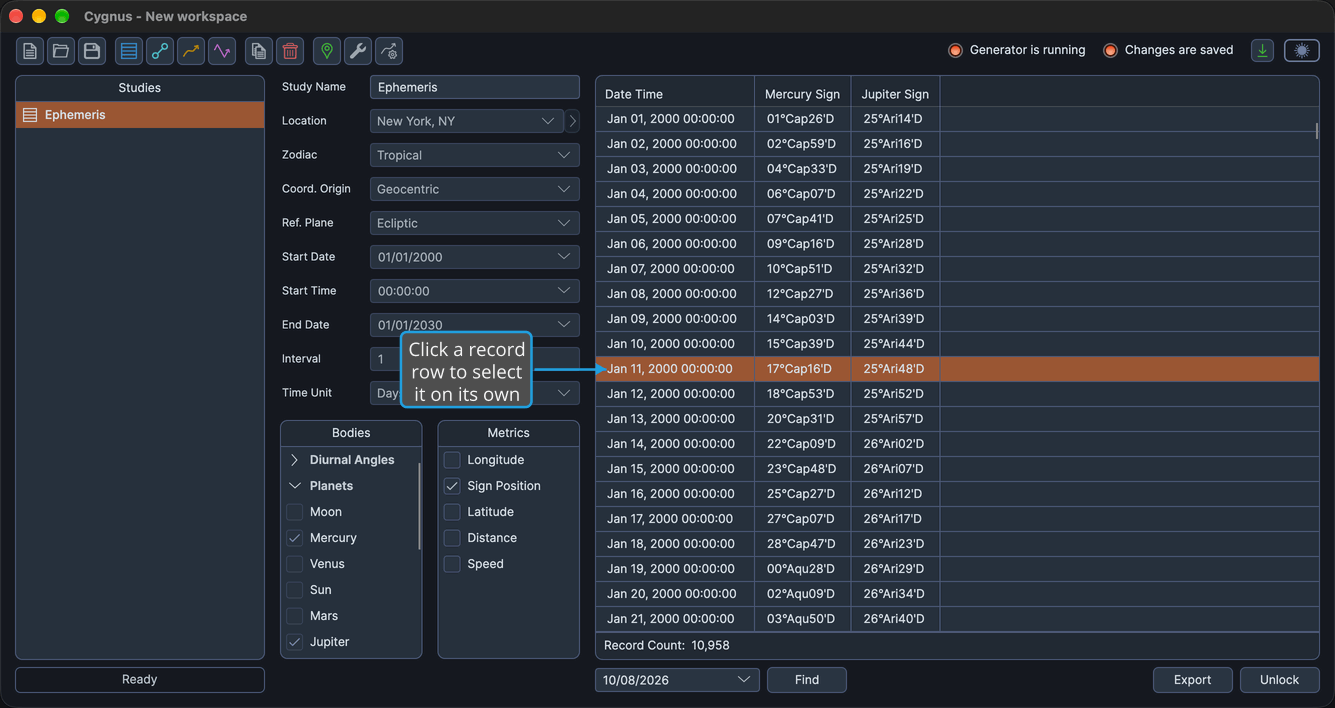
To pick out one record:
- Click a record row in the ephemeris table.
The row is highlighted as the only selected record.
Select a Range of Records
To select a block of consecutive records in one action:
- Click the first record row of the range.
- Shift-click the last record row of the range.
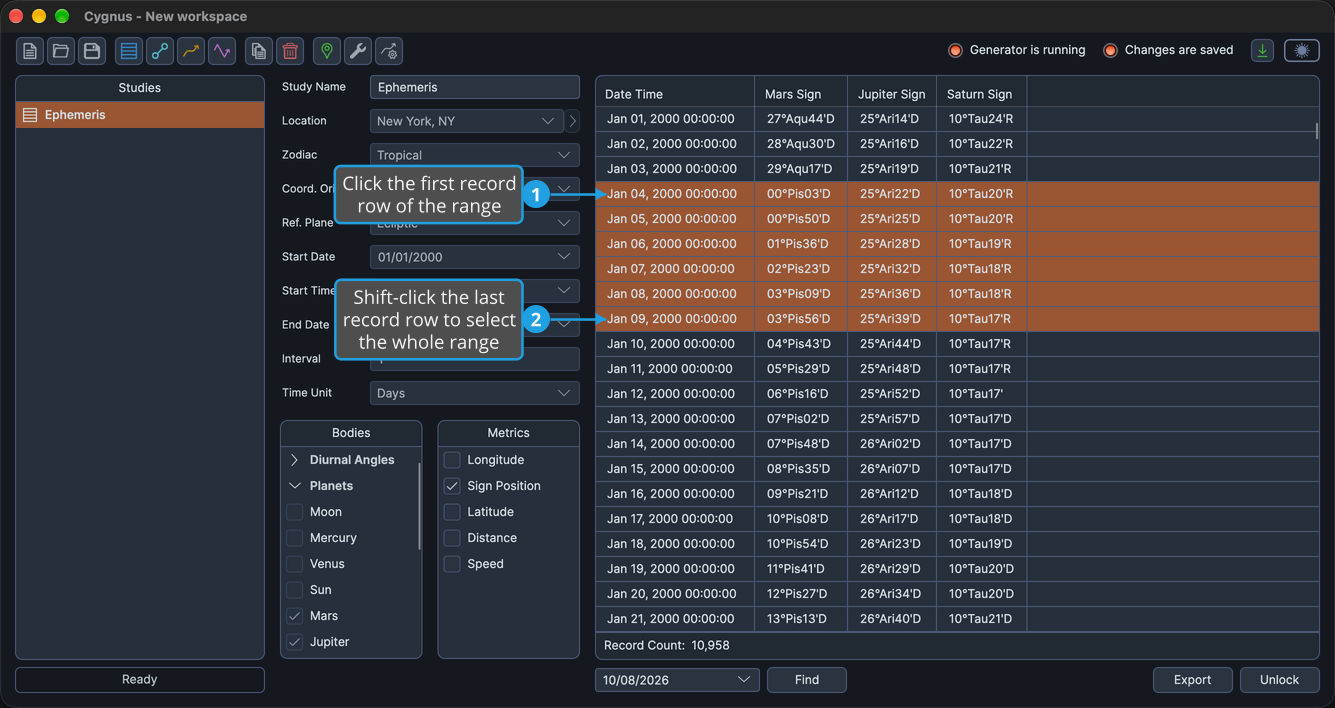
Every row from the first record to the last is selected.
Add a Record to the Selection
To select records that are not next to each other:
- Click a record row in the ephemeris table.
- Cmd-click (Ctrl-click on Windows) another record row.
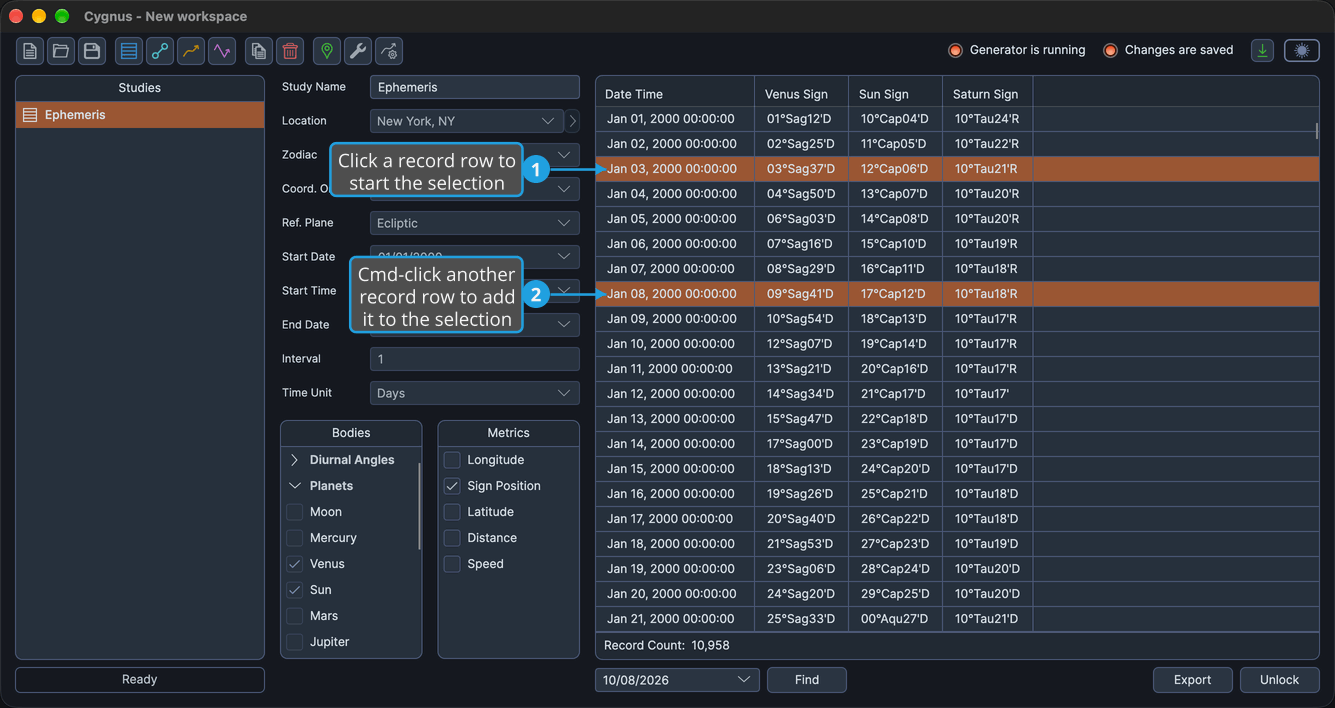
The second row is added to the selection, and the rows already selected stay selected.
Cmd-click (Ctrl-click on Windows) a selected row to remove it from the selection.
Resize a Column
To widen or narrow a column:
- Drag the right edge of a column heading left or right.
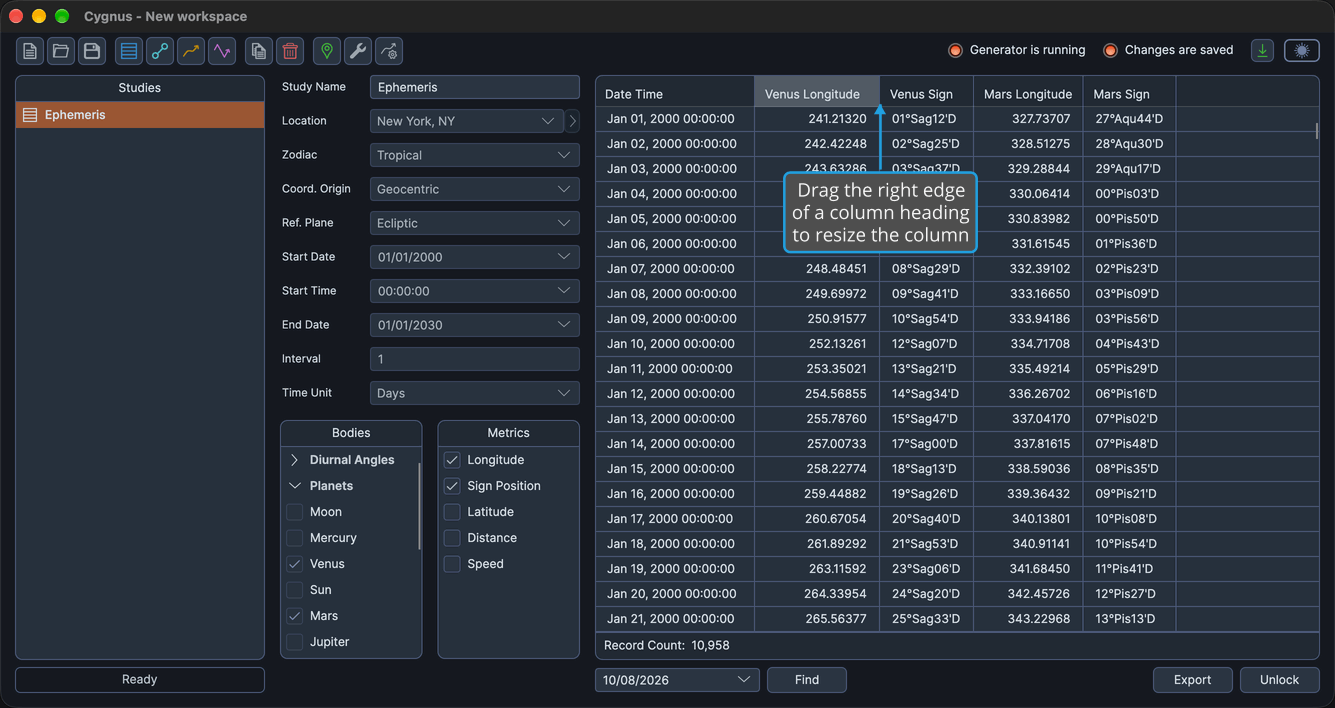
The column takes the new width. The Date Time column stays within its minimum and maximum widths.
To change the order of the columns, see Reorder Record Columns.
Column Structure
The table always starts with the Date Time column. Every other column is generated from the bodies you select, so the actual columns depend on your selections. The table below shows the pattern they follow: {Body} stands for the name of a selected body, and {Inner}/{Outer} for a pair of an inner body and an outer body.
| Block | Column Heading | Contents |
|---|---|---|
| Fixed first column | Date Time | The record's date and time, in the time zone of the study's location. |
| Per body | {Body} Longitude, or {Body} Right Asc under the Equatorial reference plane | Longitude, or right ascension, in decimal degrees to five decimals. |
| Per body | {Body} Sign | Position in the zodiac sign, followed by D (direct) or R (retrograde), with no letter while the body is stationary. Empty under the Equatorial reference plane. |
| Per body | {Body} Latitude, or {Body} Declination under the Equatorial reference plane | Latitude, or declination, in decimal degrees to five decimals. |
| Per body | {Body} Distance | Distance in AU, to five decimals. |
| Per body | {Body} Speed | Speed in longitude in degrees per day, to five decimals. |
| Per pair, Aspect Ephemeris only | {Inner}/{Outer} Cycle Angle | Cycle angle of the pair in decimal degrees, to five decimals. |
| Per pair, Aspect Ephemeris only | {Inner}/{Outer} Phase | Phase of the pair: New (cycle angle 0), Full (180), Waxing (below 180) or Waning (above 180). |
| Per pair, Aspect Ephemeris only | {Inner}/{Outer} Separation | Angular separation of the pair in decimal degrees, to five decimals. |
The Date Time column follows the date order of your operating system's short date format: year-first formats show yyyy MMM dd HH:mm:ss, day-first formats show dd MMM yyyy HH:mm:ss, and all others show MMM dd, yyyy HH:mm:ss.
On an Ephemeris study, the table has the Date Time column plus five body columns for each body checked in the Bodies list, in the order the bodies appear in the list.
On an Aspect Ephemeris study, the five body columns repeat once for each distinct body checked in the Inner Bodies or Outer Bodies list, ordered by aspect rank with faster-moving bodies first. The three pair columns then repeat once for each valid pair (a checked inner body paired with a slower-moving checked outer body), in Inner Bodies list order, then Outer Bodies list order.
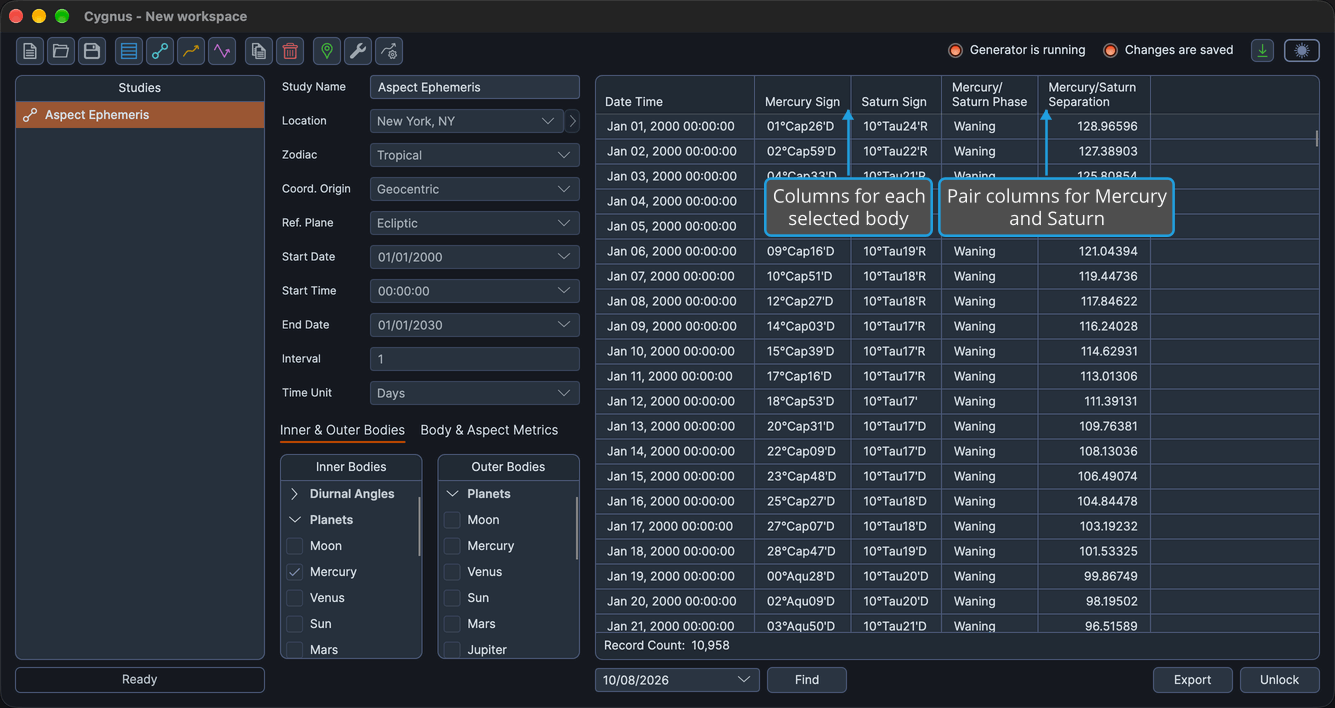
The columns are rebuilt whenever you change the body selection of an unlocked study, and whenever its reference plane changes.
Choose Which Columns Show
Every column in the pattern is created, but only the columns you choose are shown. There are two ways to choose them:
- Check or uncheck metrics in the study's metrics lists. On an Ephemeris study, the Metrics list controls the body columns. On an Aspect Ephemeris study, the Body Metrics list controls the body columns and the Aspect Metrics list controls the pair columns. See Body Metrics List and Aspect Metrics List.
- Right-click any column heading and show or hide individual columns. See Column Visibility Menu.
A new Ephemeris study shows the {Body} Sign columns only. A new Aspect Ephemeris study shows the {Body} Sign columns and the {Inner}/{Outer} Phase and {Inner}/{Outer} Separation columns. Your column choice is saved with the study and restored when the study is opened.
Under the Equatorial reference plane, every {Body} Sign column is hidden and cannot be shown. To change the reference plane, see Location and Reference System.
Related Topics
- Column Visibility Menu: show or hide individual columns.
- Reorder Record Columns: put related columns side by side.
- Find a Record by Date: jump to the record nearest a chosen date.
- Export Records to CSV: save the records with the visible columns in their displayed order.
- Record and Point Count: see how many records a generation produced.