Open a Record's Chart in Compass
See the full astrological chart for a moment you found in the ephemeris. Double-click a record row in the ephemeris table, and the chart opens in Compass, the companion application to Cygnus. Cygnus itself draws no charts.
Compass opens a Mundane chart for the record's date and time, cast for the study's location and Reference System (its zodiac, coordinate origin and reference plane). The chart shows the study's selected bodies; on an Aspect Ephemeris study, it shows the bodies selected in both the Inner Bodies and Outer Bodies lists.
Open a Record's Chart
When Compass is installed, you can open a chart from any Ephemeris or Aspect Ephemeris study that has been generated and whose ephemeris table shows records. If Compass is not installed, double-clicking a record does nothing.
To open the chart for a record:
- Double-click the record row in the ephemeris table.
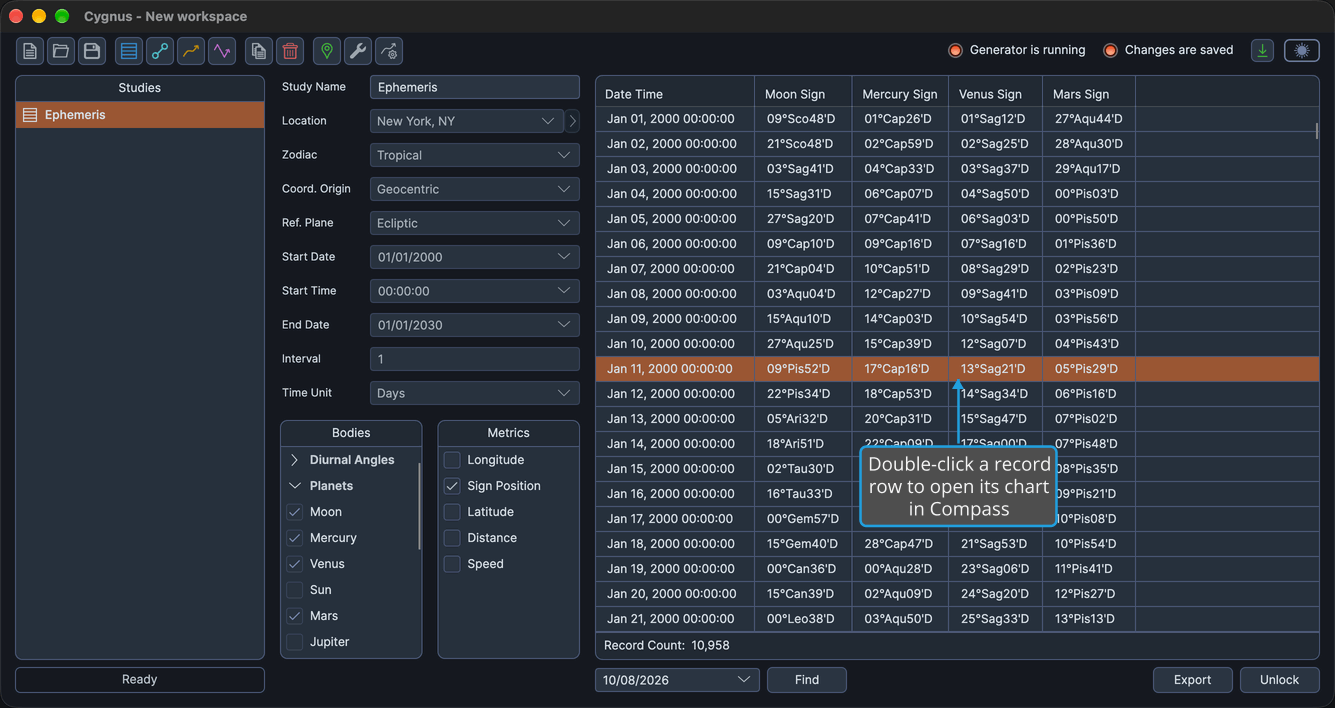
Compass opens the Mundane chart for that record's date and time. Double-clicks on a column heading, a scroll bar or empty space in the table are ignored.
If Compass is installed but not running, Cygnus starts it with the request.
Related Topics
- Ephemeris Table: read and select the generated records.
- Location and Reference System: set the location, zodiac, coordinate origin and reference plane the chart is cast for.
- Bodies List: choose the bodies the chart shows.
- Open a Graph Point's Chart in Compass: open a chart from the graph of a graphic study.