New Workspace
Start a fresh set of studies by creating a new workspace. Choose File → New, click the New button on the Toolbar or press Cmd+N (Ctrl+N on Windows), and answer the Unsaved Changes prompt if one appears.
The new workspace replaces the current one. It is named "New workspace", the title bar reads "Cygnus - New workspace", and the workspace holds no studies. Its workspace defaults start as a copy of the application defaults, and every study you create in the workspace starts from those workspace defaults. You can review both sets of defaults in the Default Settings Editor.
New is unavailable while a workspace is being loaded or saved and while a study is generating.
Create a New Workspace
When the current workspace has no unsaved changes, or has never been saved to a .cygnus file, Cygnus replaces it as soon as you choose New.
If the current workspace has never been saved to a .cygnus file, Cygnus replaces it without offering to save it, and its unsaved changes are lost. To keep them, save the workspace first: see Save Workspace.
- Open the File menu (see Open the File Menu).
- Click New.
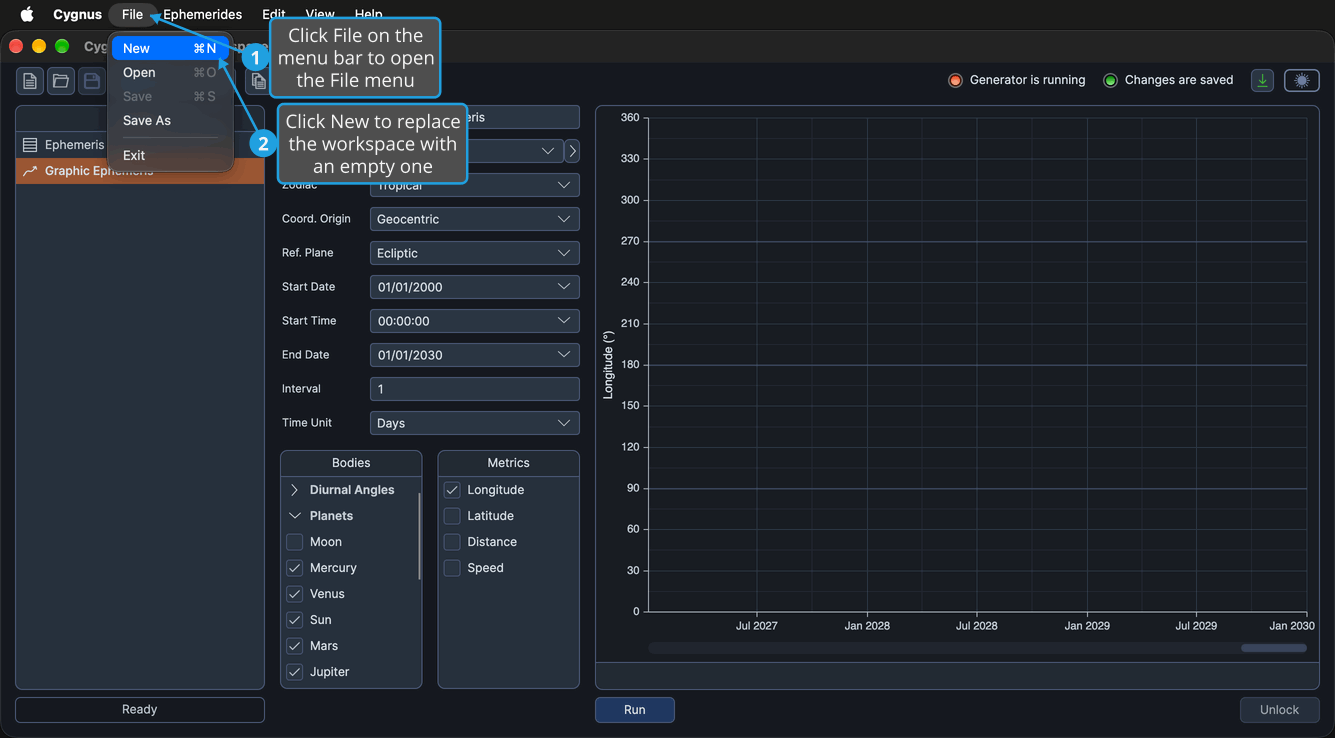
The main window shows an empty workspace named "New workspace". You can also click the New button on the toolbar or press Cmd+N (Ctrl+N on Windows).
Create a New Workspace and Save Changes
When the current workspace has been saved to a .cygnus file before and has unsaved changes, Cygnus asks "Do you want to save your changes before creating a new workspace?" before it replaces the workspace. To save the changes and start a new workspace:
- Open the File menu (see Open the File Menu).
- Click New.
- Save the changes in the Unsaved Changes prompt (see Save Changes from the Unsaved Changes Prompt).
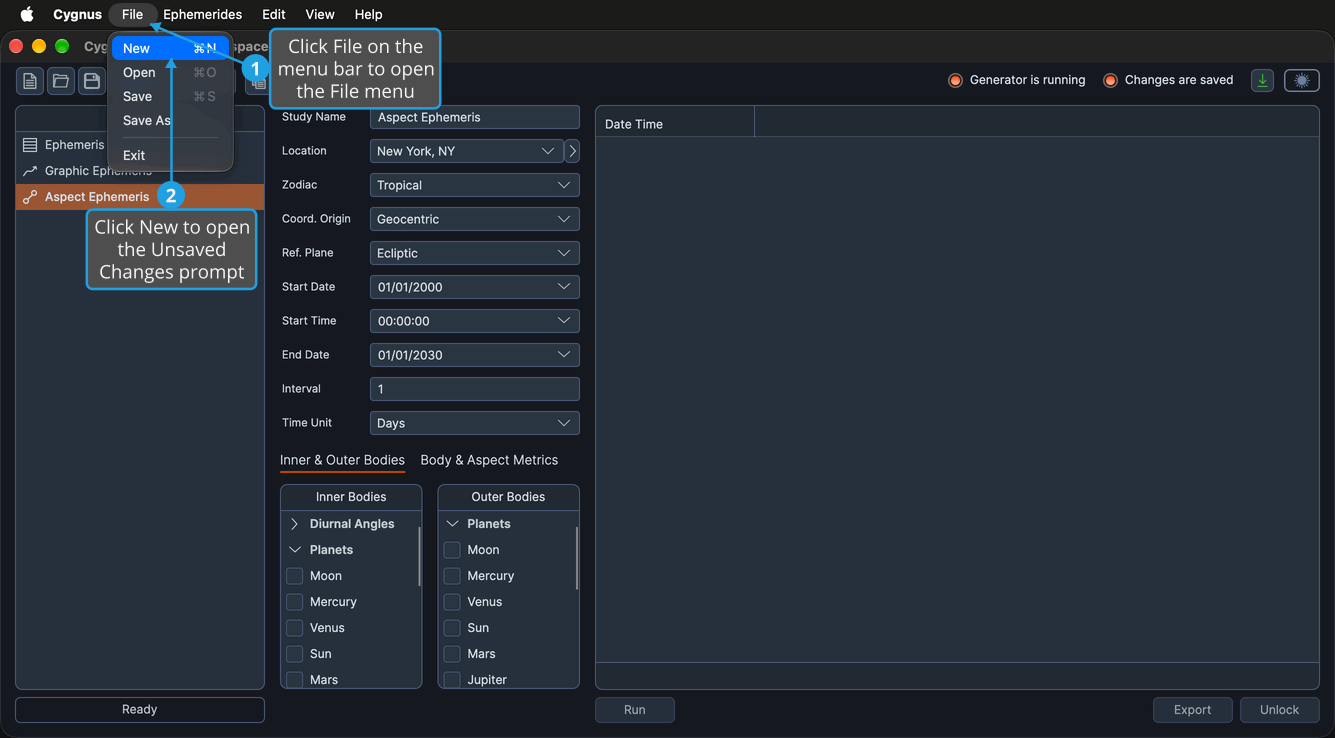
Because the workspace already has a .cygnus file, Cygnus saves the changes to that file without opening a save dialog, then replaces the workspace with an empty one named "New workspace". If the save fails, the current workspace stays open with its changes still unsaved.
To create the new workspace without saving the changes, see Discard Changes from the Unsaved Changes Prompt; to keep the current workspace open, see Cancel from the Unsaved Changes Prompt.