Save Aspect Settings
Keep your aspect orbs and colors for future sessions. Save, at the bottom right of the Aspect Settings Window, writes the chart type's aspect and parallel settings to disk. Until you save, your edits show in open charts of the type but are not kept.
Save the Aspect Settings
Write the chart type's aspect and parallel settings to disk so they last into future sessions. Save is grayed while the window holds no unsaved edits.
- Click the Save button at the bottom right of the Aspect Settings window.
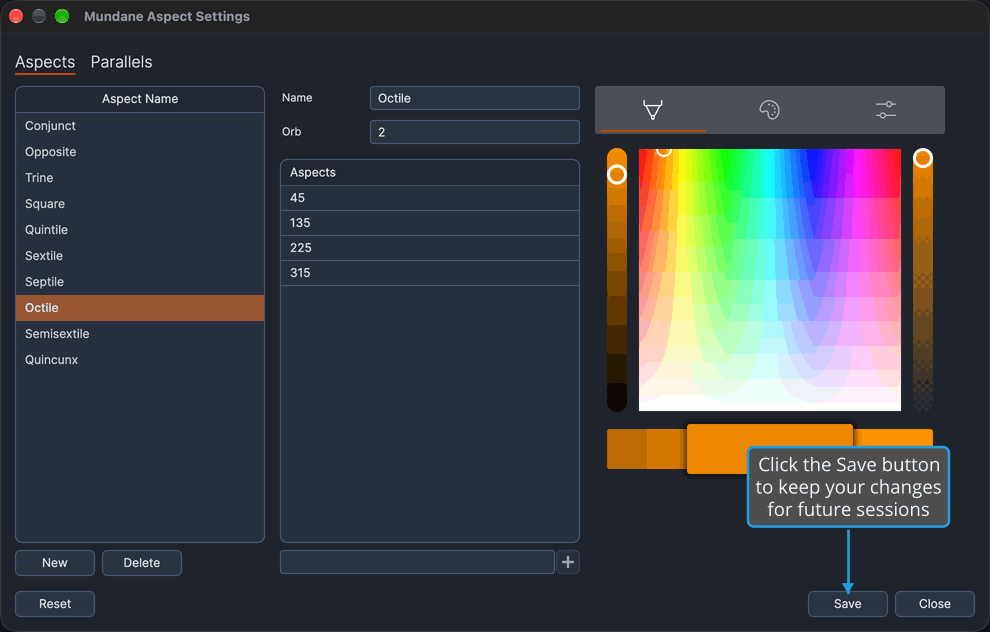
The settings are saved, and Save is grayed again until the next edit. If the save fails, Compass reports the failure and the edits stay unsaved.
Choosing to save your changes when you close the window with unsaved edits saves them the same way; see Save Changes as You Close.
Related Topics
- Aspect Settings Window: close the window and answer the Unsaved Changes prompt.
- Aspect Settings Editor: the aspect settings Save keeps.
- Parallel Aspect Settings: the parallel settings Save keeps.
- Reset Aspect Settings: return to the built-in defaults before saving.
- Save Chart Settings: the matching Save in the Chart Settings editor.