Copy Directions
Copy directions to take a list of dated directions into a spreadsheet, notes or a report. Select one or more rows in the directions list of a Primary Directions, Solar Arc Directions or Secondary Progressions chart, right-click and click Copy, then paste the text elsewhere.
Copy Directions to the Clipboard
Before you start, make sure the directions list holds the rows you want to copy.
To select a run of rows, click the first row and Shift-click the last. To add rows one at a time, Cmd-click (Ctrl-click on Windows) each row.
To copy directions:
- Select the rows to copy in the directions list.
- Right-click one of the selected rows to open its menu, as described in Open the Directions List Row Menu.
- Click the Copy menu item.
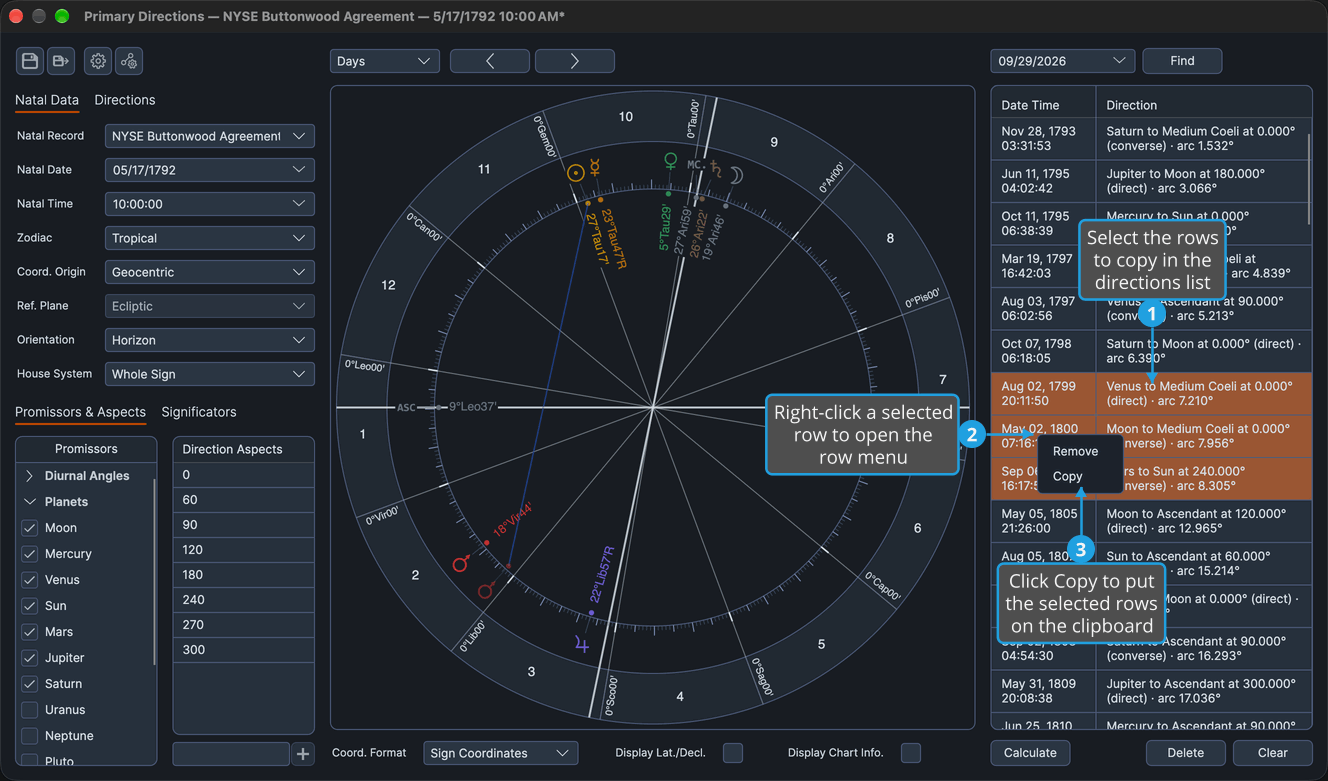
The selected rows are on the clipboard as text, ready to paste elsewhere. To copy a single row, right-click it and click Copy.
What Is Copied
Copy puts one line of text on the clipboard for each selected row, with the row's date and its direction separated by a tab. Paste the lines into a spreadsheet, notes or a report.