Status Indicators
Two small status indicators appear in the upper-right of the main window. Each indicator pairs an industrial-light graphic (lit green when the indicated condition is healthy, lit red when it is not) with a short descriptive label so you can confirm at a glance whether a generator is running and whether your changes have been saved.
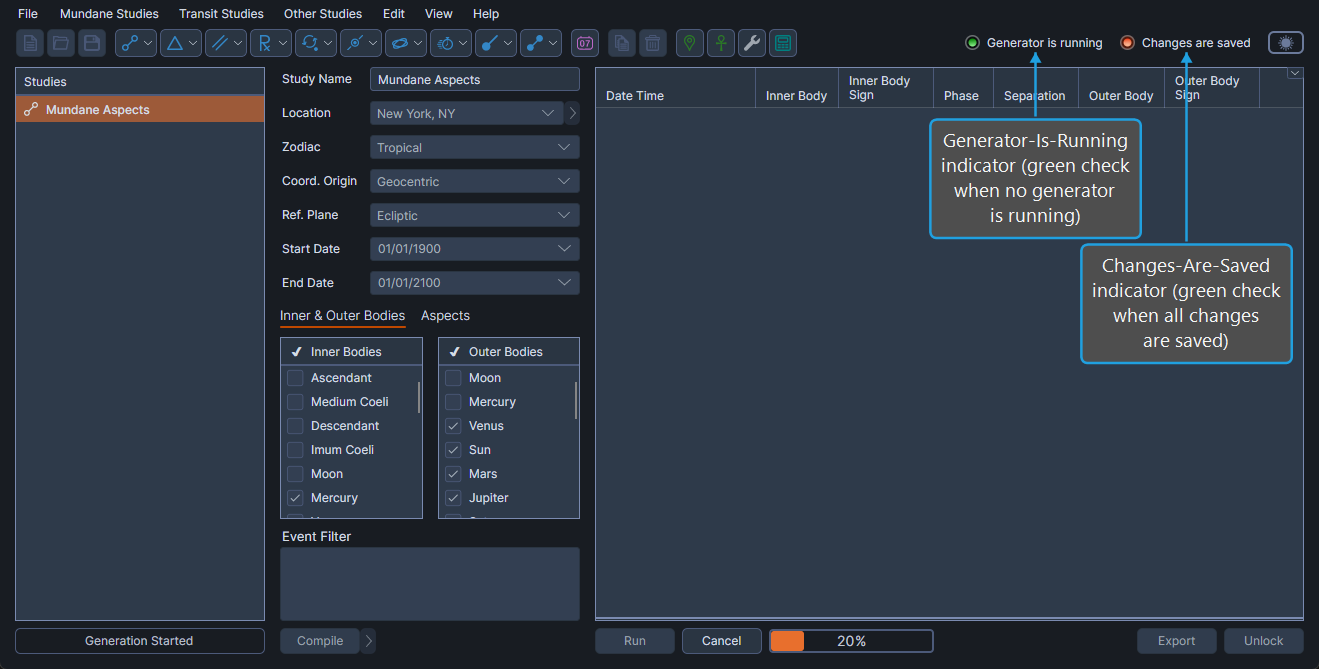
What the Status Indicators Show
| Indicator | What It Tells You |
|---|---|
| Generator-Is-Running | Shows whether an event-generator study is currently producing events. A green light with descriptive text indicates that no generator is running; a red light with descriptive text indicates that a generator is currently running. |
| Changes-Are-Saved | Shows whether the active workspace has been saved since the last edit. A green light with descriptive text indicates that all changes are saved; a red light with descriptive text indicates that the workspace contains unsaved changes. |
The status indicators are read-only. They reflect the current application state and do not respond to clicks.