Exit Application
Exit closes Aquila and ends the session. Aquila checks for unsaved changes before it quits, so leaving without saving is a deliberate choice rather than an accident.
Closing the main window from its title bar is not a shortcut past that check. The window's close button runs the same shutdown path as the Exit command, including the unsaved-changes check.
Leave the Application
To finish the session and close Aquila:
- Open the File Menu.
- Click Exit in the File menu.
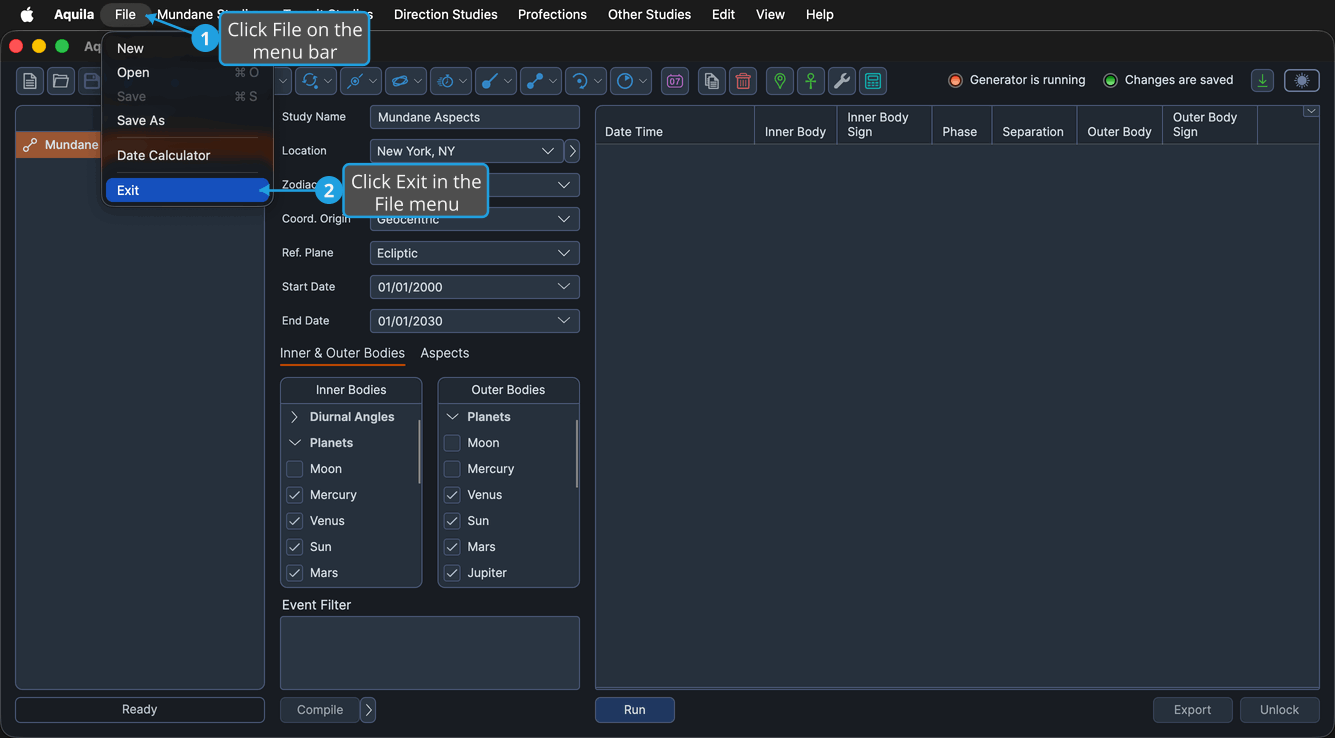
The main window closes and the application quits.
When the workspace holds unsaved changes, Aquila raises an Unsaved Changes prompt before it closes. Click Yes to save the workspace first, No to leave the changes behind, or Cancel to stay in the application.
The Exit command is unavailable while a study is generating events, and while the workspace is locked by a save or a load. Wait for the work in progress to finish, or cancel it, and the command becomes available again.