Theme Toggle
Aquila ships with a Light theme and a Dark theme, and the theme toggle at the top-right corner of the main window flips the whole application between them.
Switching the theme redraws every window at once, including any editor or dialog you have open. Aquila writes your choice to the theme settings, so it opens in the same theme next time you launch it.
Switch Between the Light and Dark Themes
To change the application's appearance:
- Click View on the menu bar.
- Click Toggle Theme in the View menu.
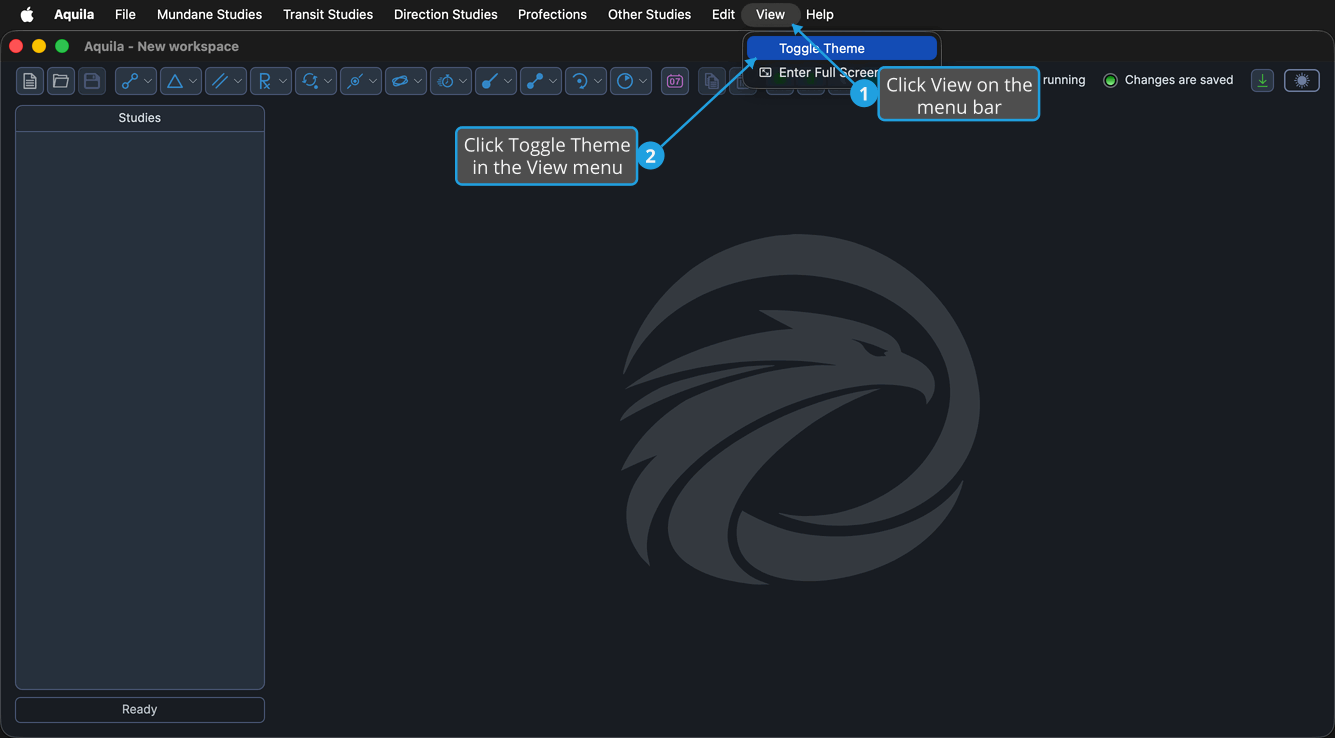
The theme toggle at the top-right of the main window is the same command reached directly: clicking it flips the theme without opening a menu, and it moves to match whenever the menu item is used.