Export Natal Records
The Export command in the Natal Records Editor writes the current natal records database to an external file. Use Export to back up your records or share them with another Aquila installation.
Export Records to a File
To export the current natal records database:
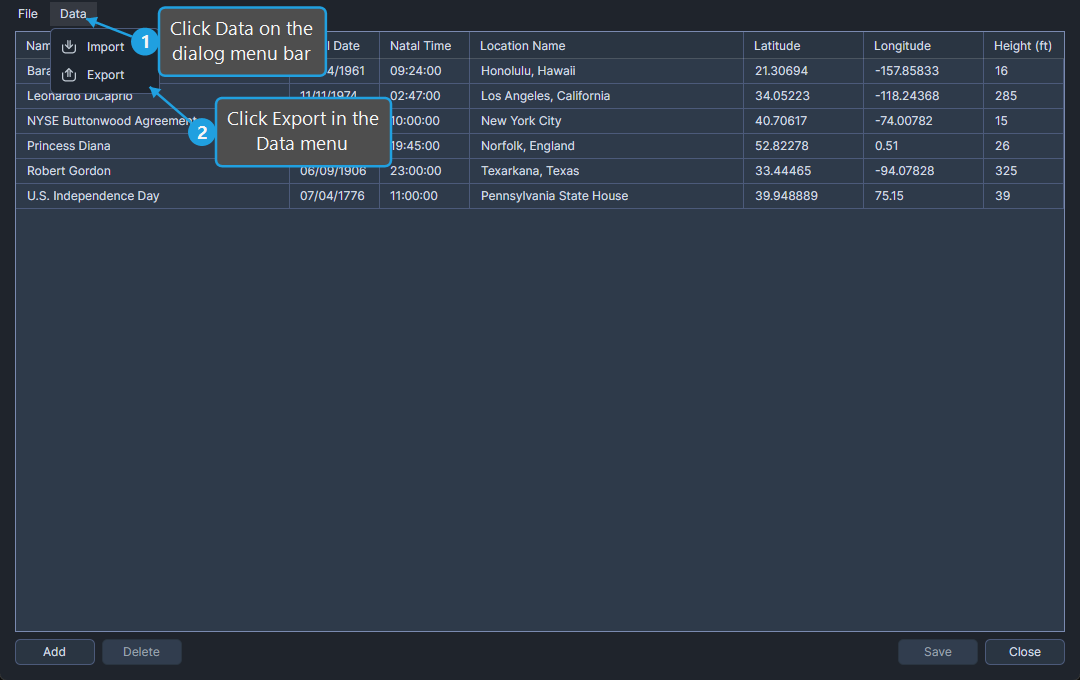
- Click Data on the dialog menu bar.
- Click Export in the Data menu.
- Choose a file path in the Save File dialog and click Save.
Aquila writes every record currently in the natal records table to the chosen file.