Locations Editor
The Locations Editor is a dialog window that maintains the list of locations available throughout Aquila. Every event-generator study requires a location, even when calculations are geocentric or heliocentric, because event date and time are reported in the location's local time using a professional-grade global time zone atlas.
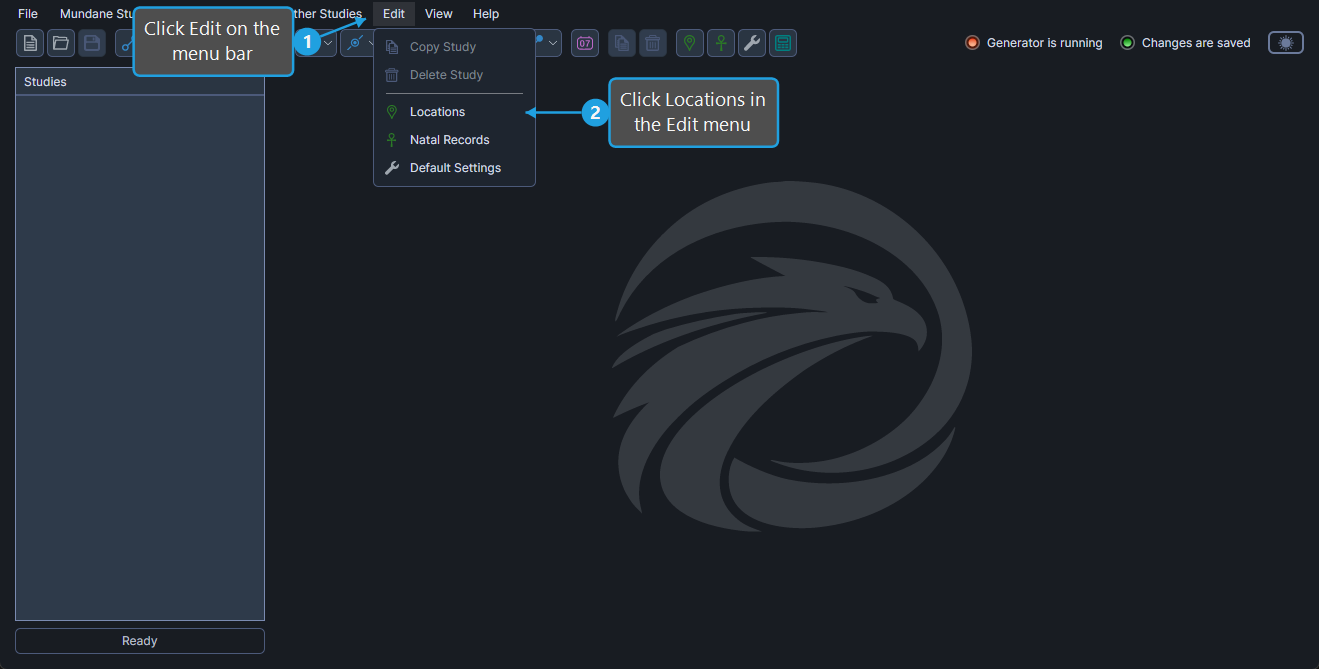
Open the Locations Editor
To open the Locations Editor:
- Click Edit on the menu bar.
- Click Locations in the Edit menu.
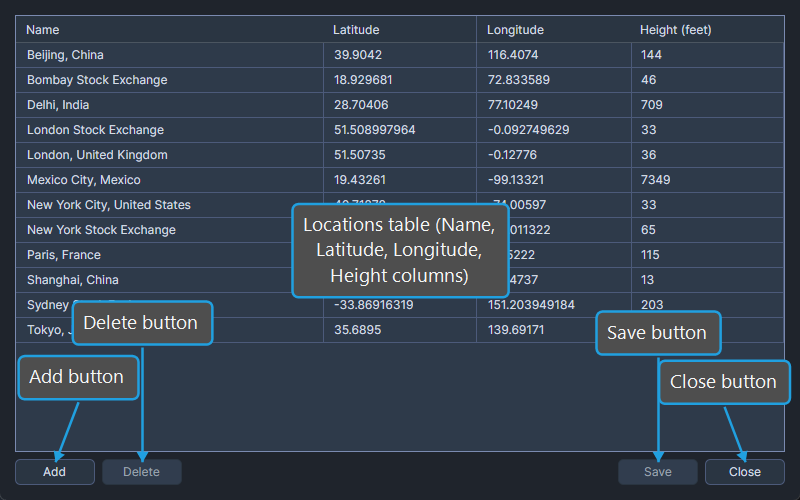
The editor opens centered over the main window with the existing locations listed in the table.
Locations Table Columns
The Locations table contains four columns. Each row represents one saved location.
| Column | Description |
|---|---|
| Name | Display name of the saved location (e.g., "New York City"). |
| Latitude | Geographic latitude in decimal degrees (positive north, negative south). |
| Longitude | Geographic longitude in decimal degrees (positive east, negative west). |
| Height (feet) | Elevation above sea level in feet. |
Edit a Location
To modify a value in any column of an existing location:
- Click the cell to focus it.
- Click again to enter edit mode and type the new value.
- Press
TaborEnterto commit the value.
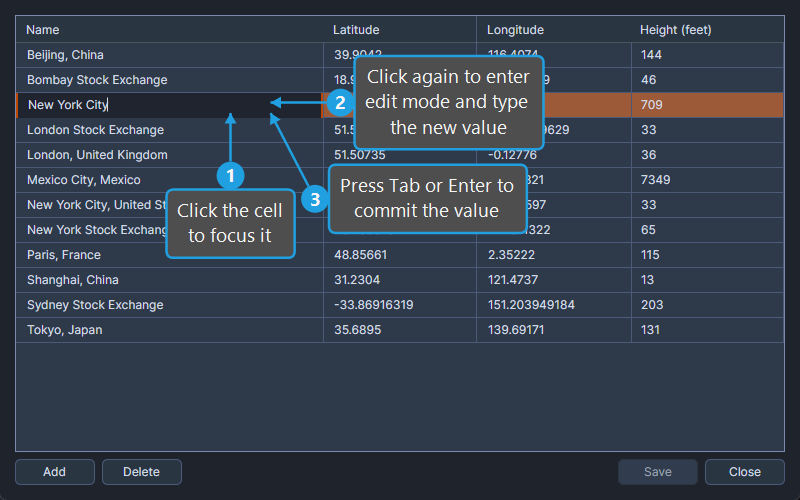
The editor is marked dirty until the changes are saved (see Save Locations).
Manage Locations
The editor exposes three management commands:
- Add Location: Append a new blank row to the table.
- Delete Locations: Remove one or more selected rows.
- Save Locations: Persist all changes to disk.
Close the Locations Editor
To dismiss the Locations Editor:
- Click the Close button.
If unsaved changes exist, save them first using the Save Locations command.