Natal Records Editor
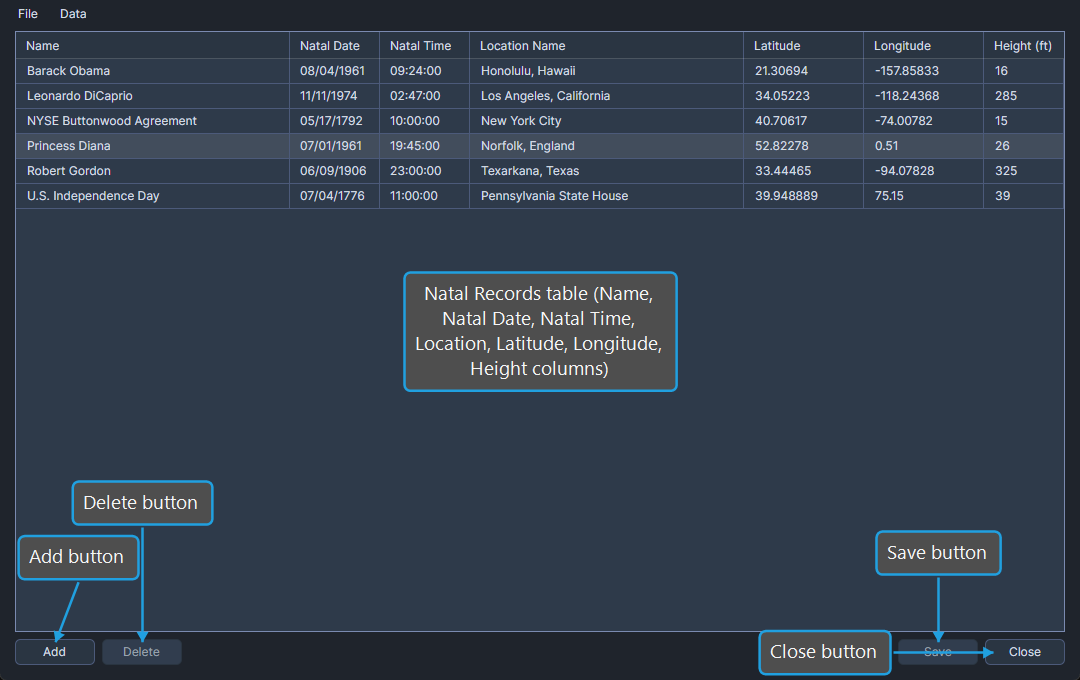
The Natal Records Editor is a dialog window that maintains the list of natal records available to transit studies. A natal record stores the date, time, and location of birth (or any other significant moment) and is referenced by every transit and activation study. A natal record is not a natal chart; it is the underlying birth data that any chart calculation uses.
Open the Natal Records Editor
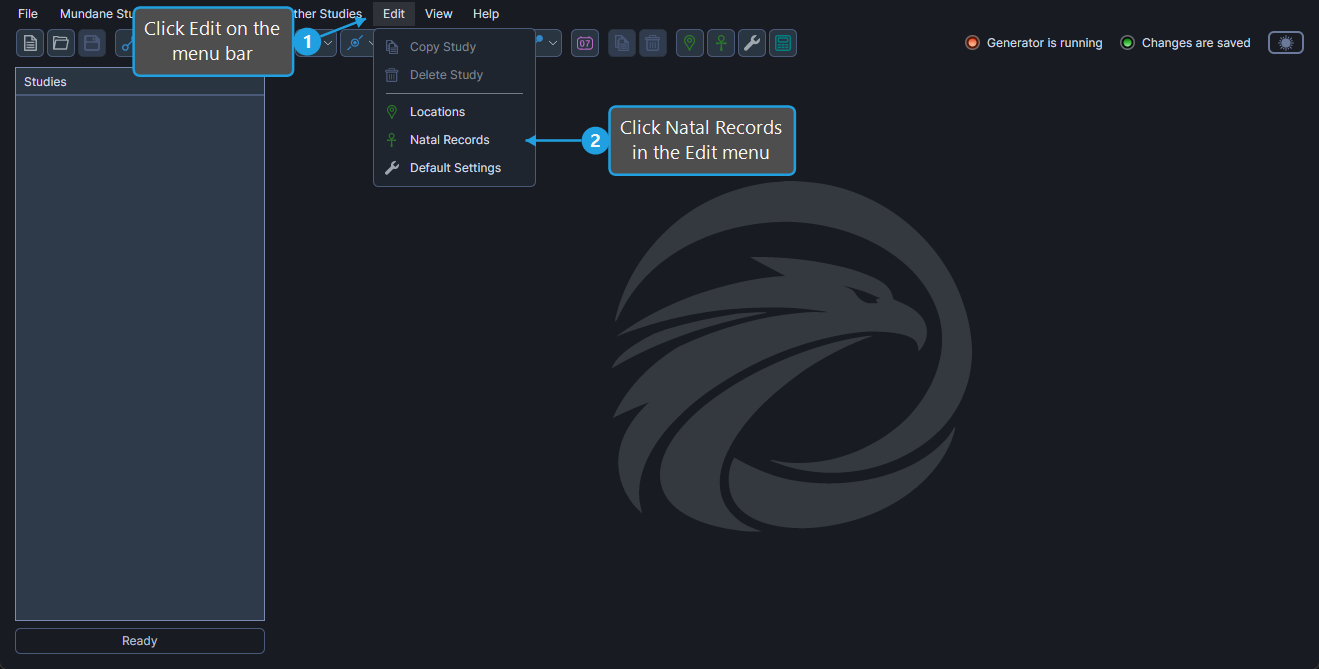
To open the Natal Records Editor:
- Click Edit on the menu bar.
- Click Natal Records in the Edit menu.
The editor opens centered over the main window with the existing records listed in the table.
Natal Records Table Columns
The Natal Records table contains seven columns. Each row represents one saved natal record.
| Column | Description |
|---|---|
| Name | Display name of the natal record (subject name, chart label, etc.). |
| Natal Date | Date of birth or relevant event for the natal record. |
| Natal Time | Time of birth or relevant event. |
| Location Name | Name of the natal record's location. |
| Latitude | Geographic latitude of the natal location in decimal degrees. |
| Longitude | Geographic longitude of the natal location in decimal degrees. |
| Height (feet) | Elevation of the natal location above sea level in feet. |
Edit a Natal Record
To modify a value in any column of an existing record:
- Click the cell to focus it.
- Click again to enter edit mode and type or pick the new value.
- Press
TaborEnterto commit the value.
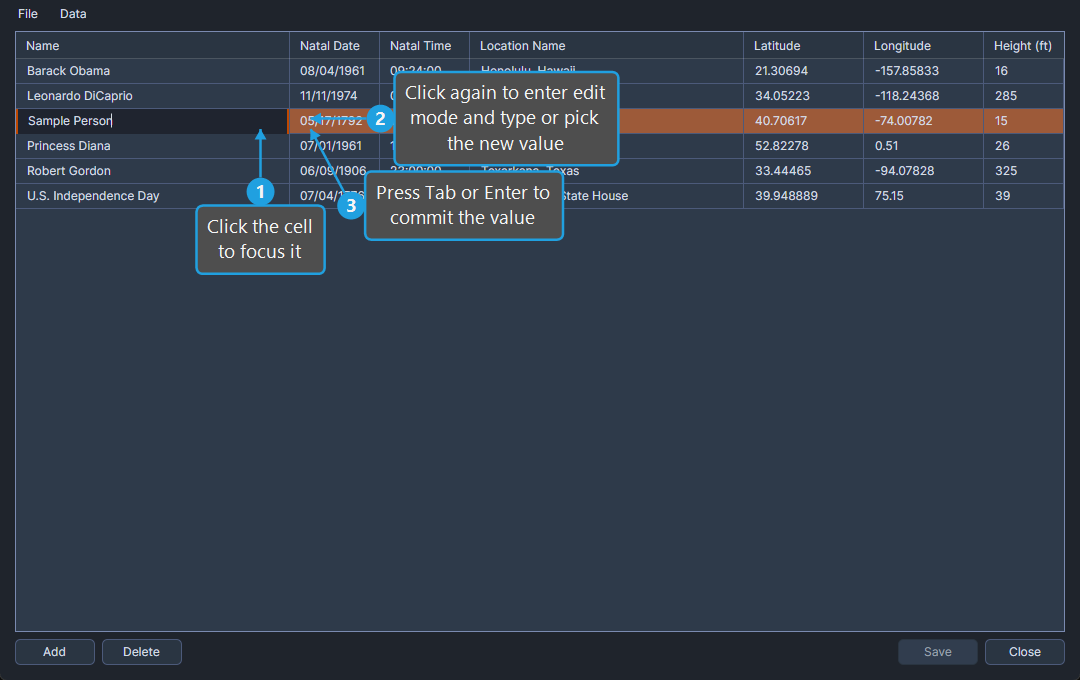
The editor is marked dirty until the changes are saved (see Save Natal Records).
Manage Natal Records
The editor exposes five management commands:
- Add Natal Record: Append a new blank row to the table.
- Delete Natal Records: Remove one or more selected rows.
- Save Natal Records: Persist all changes to disk.
- Import Natal Records: Bring records from an external file into the database.
- Export Natal Records: Save the database to an external file.
Close the Natal Records Editor
To dismiss the Natal Records Editor:
- Click the Close button.