Create New Study
A study is the unit of research within a workspace. Aquila supports 42 study types (41 event-generator studies plus the Timeline Study), accessible from the Menu Bar and Toolbar. Creating a new study adds it to the Studies list and selects it for configuration.
Create a Study from the Menu Bar
To create a new study from the menu bar:
- Click Mundane Studies, Transit Studies, or Other Studies on the menu bar.
- Click a submenu (for example, Aspects, Aspect Patterns, or Declination Studies).
- Click the desired study type to add it to the workspace.
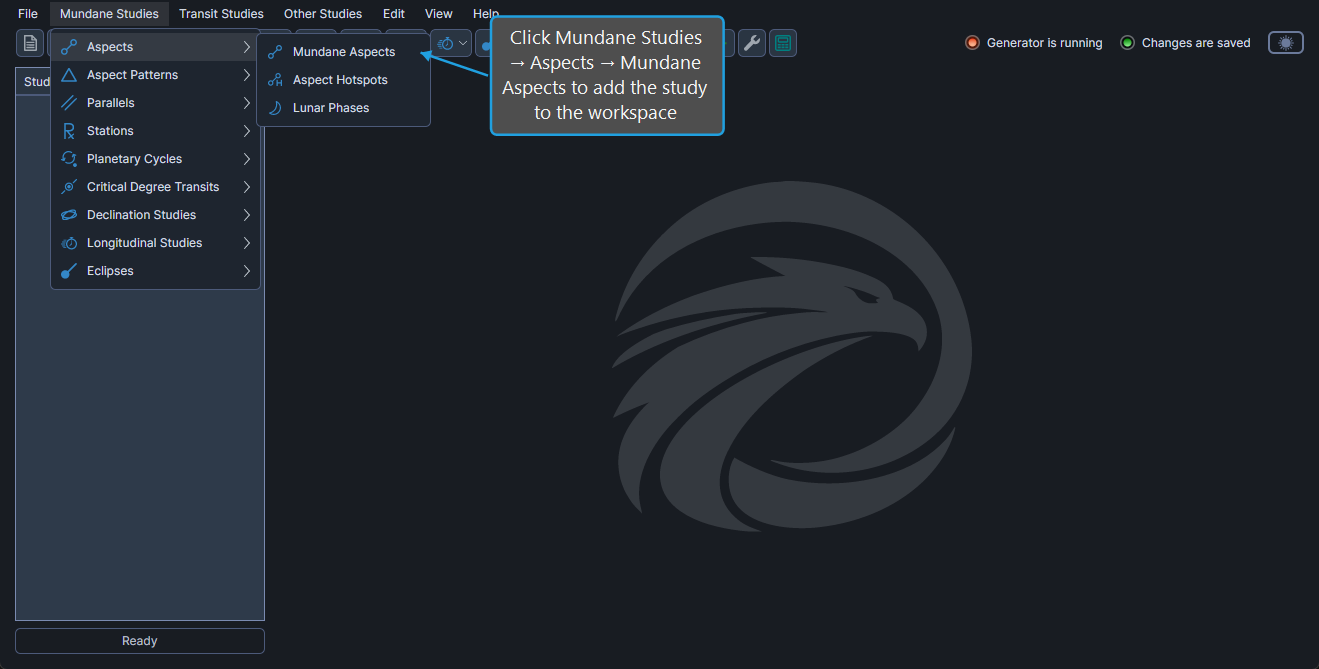
The new study is added to the studies list and selected for configuration. The default settings from the active workspace are applied to the new study (see the Default Settings Editor).
Create a Study from the Toolbar
To create a new study from the toolbar:
- Click a category drop-down button on the toolbar (for example, Aspect Studies, Aspect Patterns, or Declination Studies).
- Click the desired study type in the flyout menu.
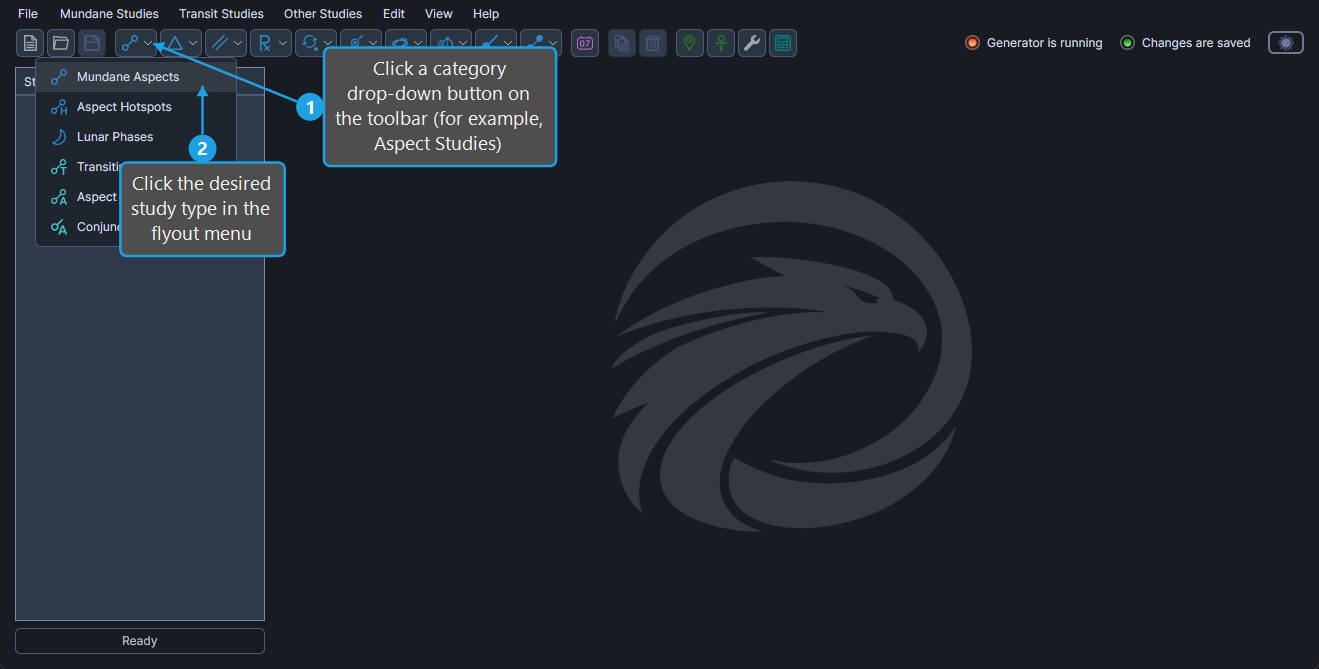
The new study appears in the studies list and is selected for configuration.
Available Study Types
Aquila supports 42 study types (41 event-generator studies plus the Timeline Study). See the Menu Bar reference for the full menu structure and links to every study's documentation.