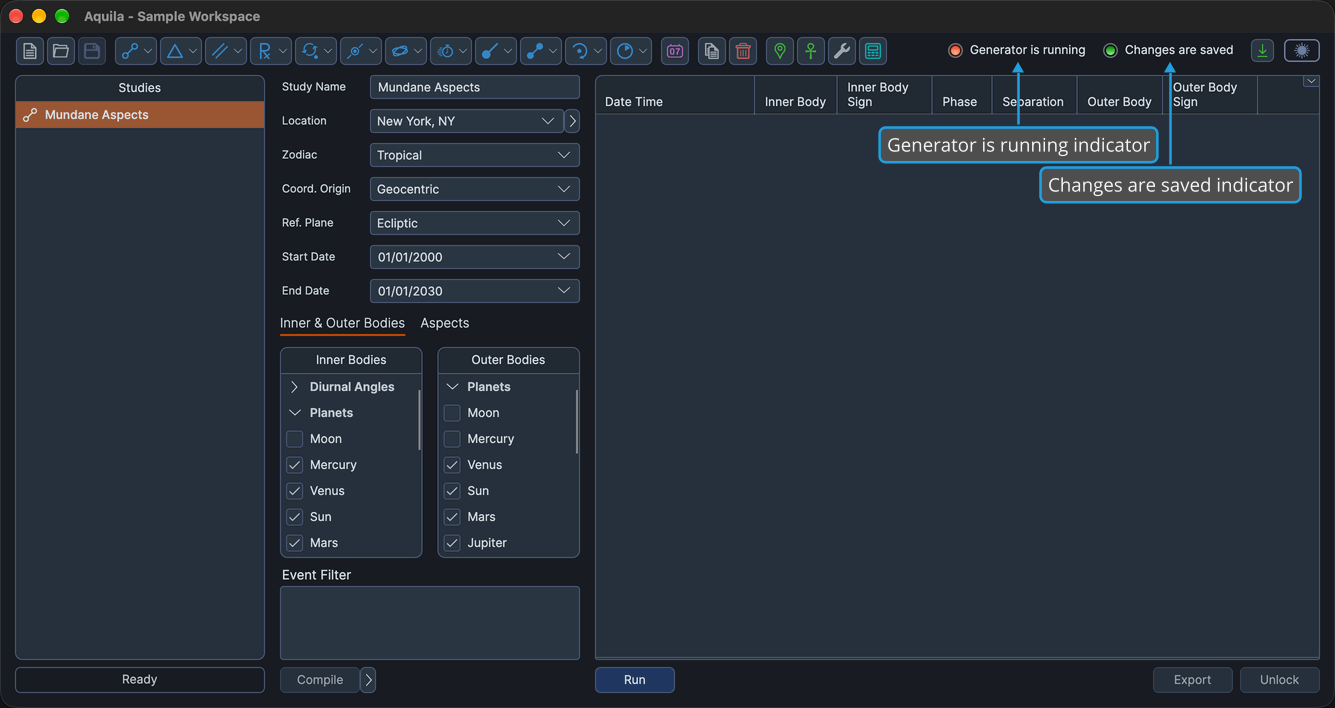
Status Indicators
The status indicators tell you at a glance whether a study is still generating events and whether the workspace needs saving. They are two labeled lights near the right end of the toolbar row.
Read the Indicators
The indicators show only while the main window is at least 1300 pixels wide; widen the window if you cannot see them.
Each indicator shows green while its condition holds and red otherwise:
| Indicator | Green When |
|---|---|
| Generator is running | Any study in the workspace is generating events. |
| Changes are saved | The workspace has no unsaved changes. |
While Changes are saved is red, the workspace has changes you have not saved yet; it turns green again when a save completes, as described in Save Workspace. To learn how a study generates its events, see Generate Events.