Unlock Timeline Study
While a Timeline Study is loaded, its source-study selection is locked so the displayed timeline matches the studies it was built from. Unlocking returns the Generator Studies list to an editable state, so you can change which studies feed the timeline and reload it.
Unlocking the Timeline Study
To unlock a loaded Timeline Study:
- Click the Unlock button.
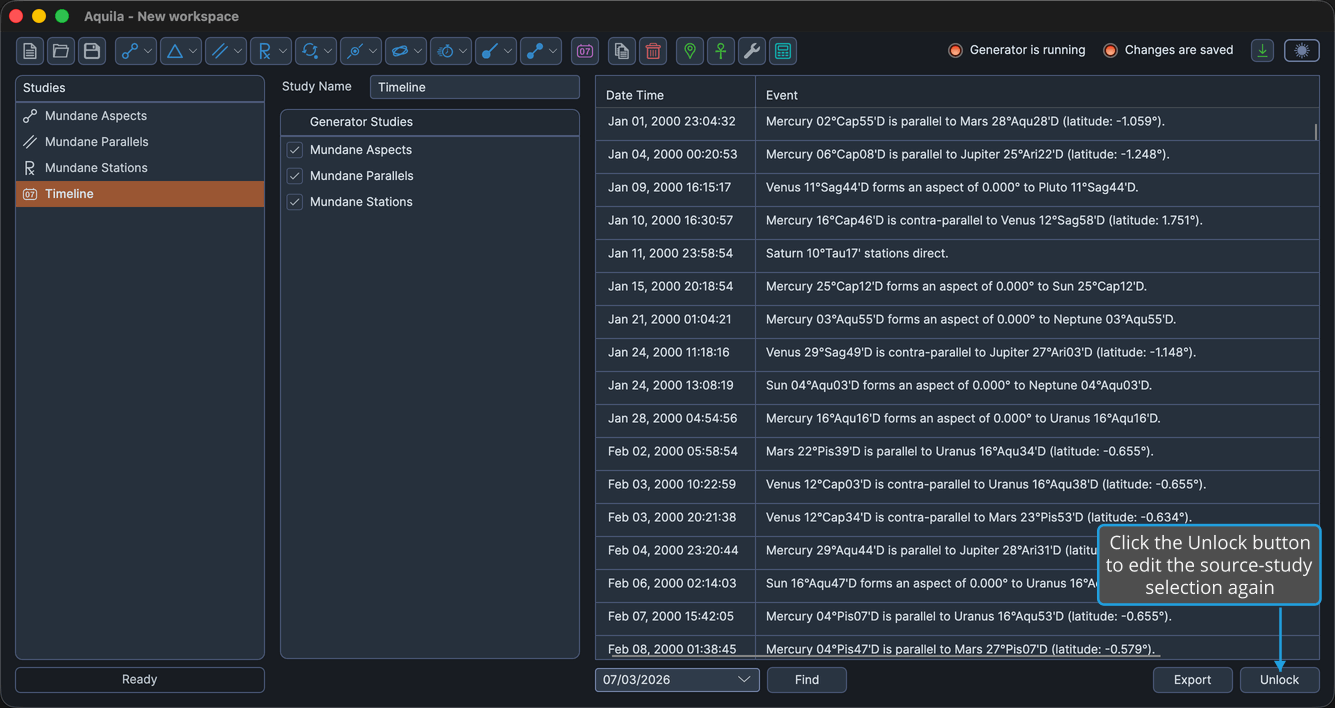
The source-study selection is re-enabled and the Load button reappears, so you can adjust the selection and load the timeline again.