Find Timeline Event by Date
A merged timeline can run to a great many rows, and the period a piece of research turns on is often somewhere in the middle of it. Find jumps the Timeline table to the event closest to a chosen date rather than making the reader scroll to it.
A date field and a Find button appear at the bottom-left of the Timeline view once the timeline is loaded, in the place the Load button occupied.
Find the Nearest Event
To jump the table to a particular period:
- Type a date into the date field at the bottom-left of the Timeline view.
- Click the Find button.
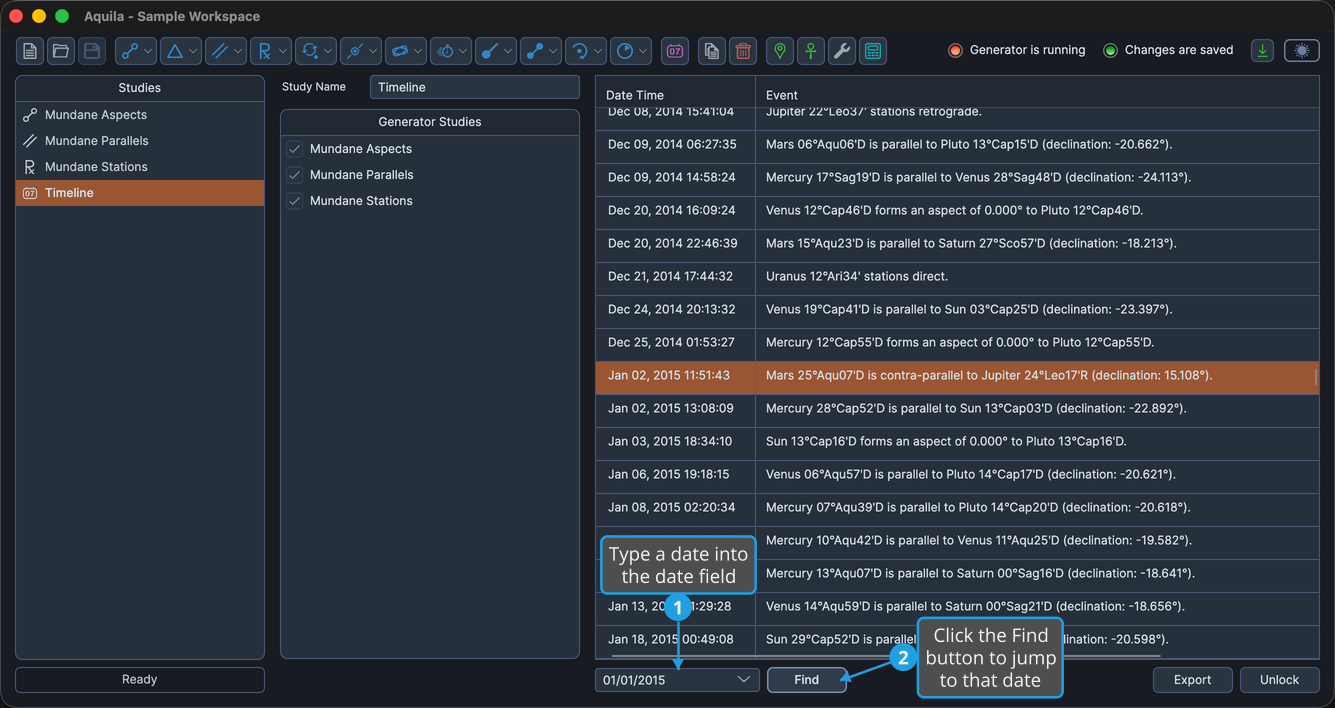
The table scrolls to the event closest to the date entered and selects that row. The match is the nearest event, not an exact one, so a date that falls between two events lands on whichever of them is closer.
tip
Pressing Enter in the date field runs the search without reaching for the Find button.