Copy Event Descriptions
The Copy Event Descriptions command places the textual descriptions of the selected events on the system clipboard, one description per line. Use it when you need only the event narratives without their dates or metric data.
Copy Event Descriptions
To copy event descriptions to the clipboard:
- Select one or more event rows in the events table.
- Right-click the selection and click the Event Descriptions menu item in the context menu.
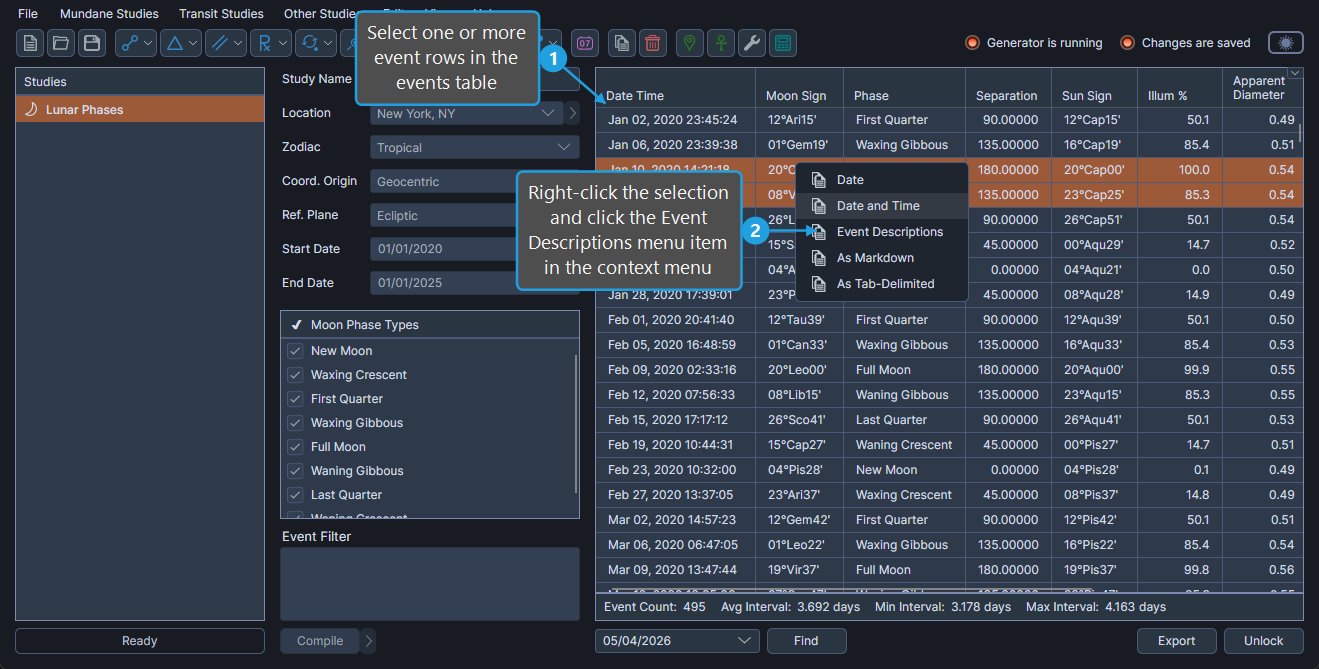
The selected events' descriptions are placed on the clipboard, one per line.