Copy Events As Markdown
The Copy Events As Markdown command places the selected events on the clipboard as a formatted Markdown table. The table reflects the currently visible columns of the events table. Markdown output is ideal for pasting into note-taking applications such as Obsidian, Notion, and Joplin.
Copy Events as a Markdown Table
To copy selected events as a Markdown table:
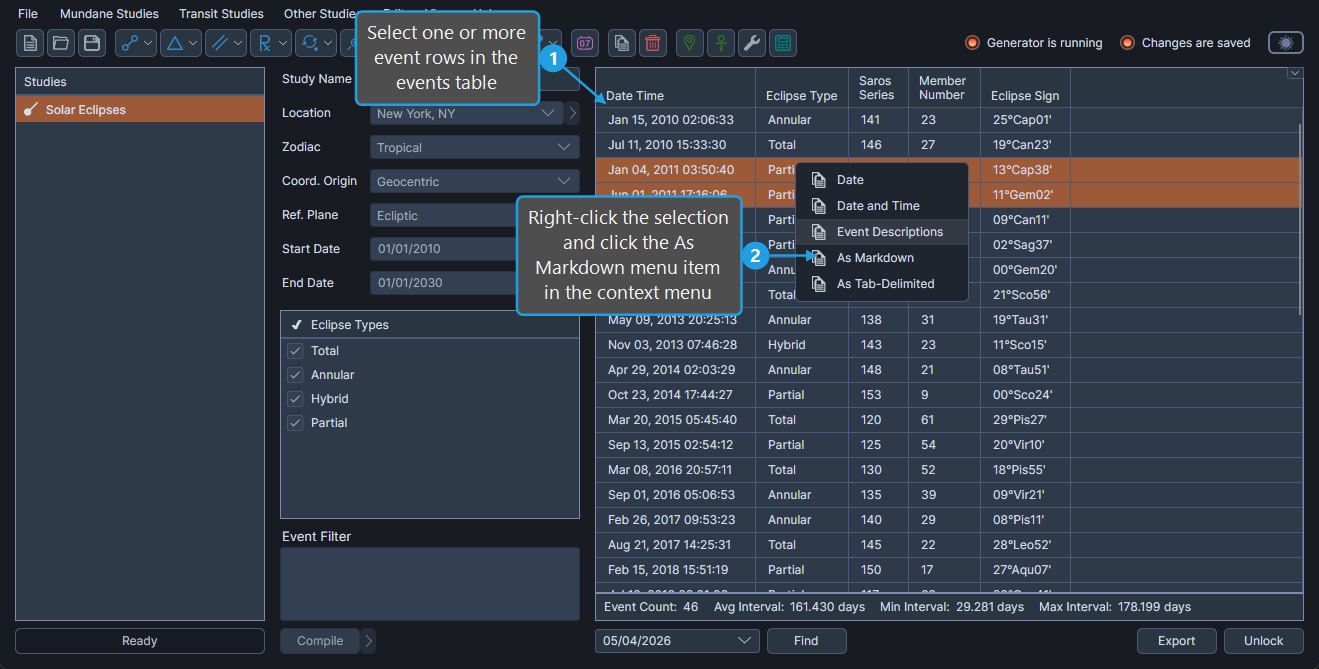
- Select one or more event rows in the events table.
- Right-click the selection and click the As Markdown menu item in the context menu.
The selected events are placed on the clipboard as a Markdown table containing the columns that are currently visible.