Events Table Layout
A column layout is the combination of which columns are visible and the order in which they appear. The events table can remember a default layout so you can restore your preferred arrangement at any time.
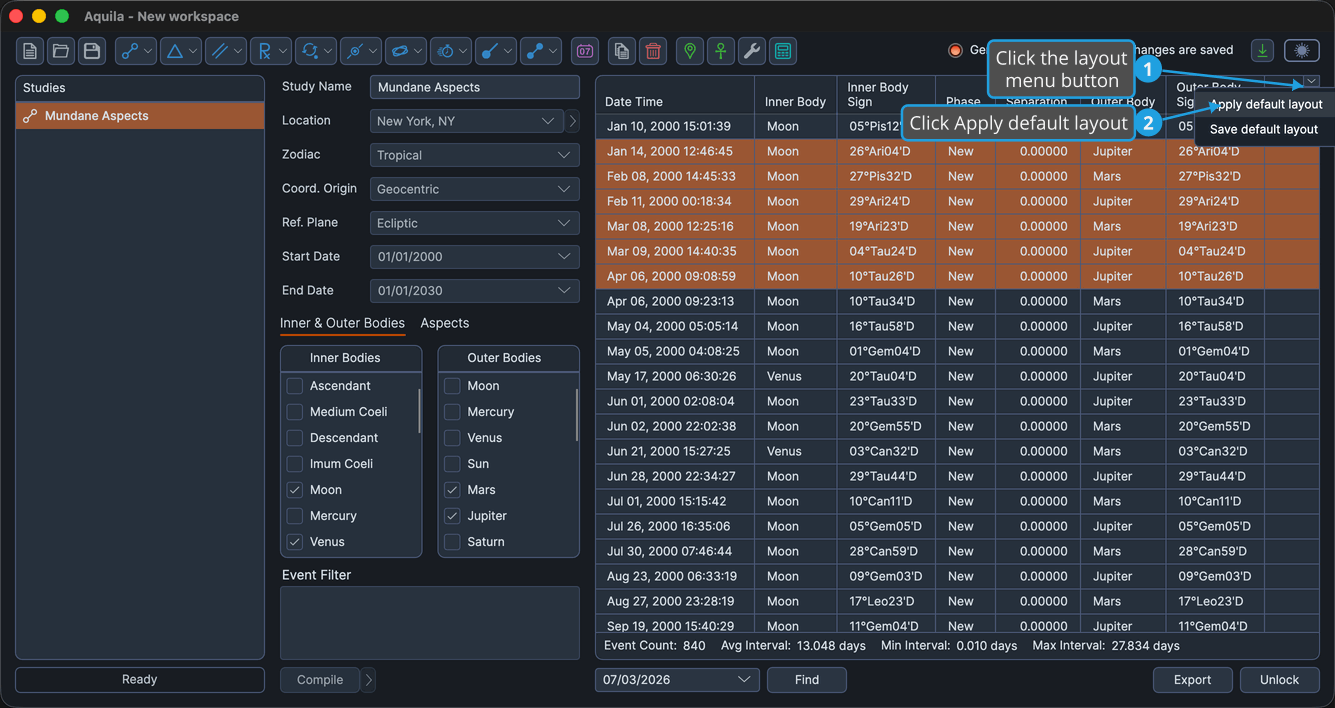
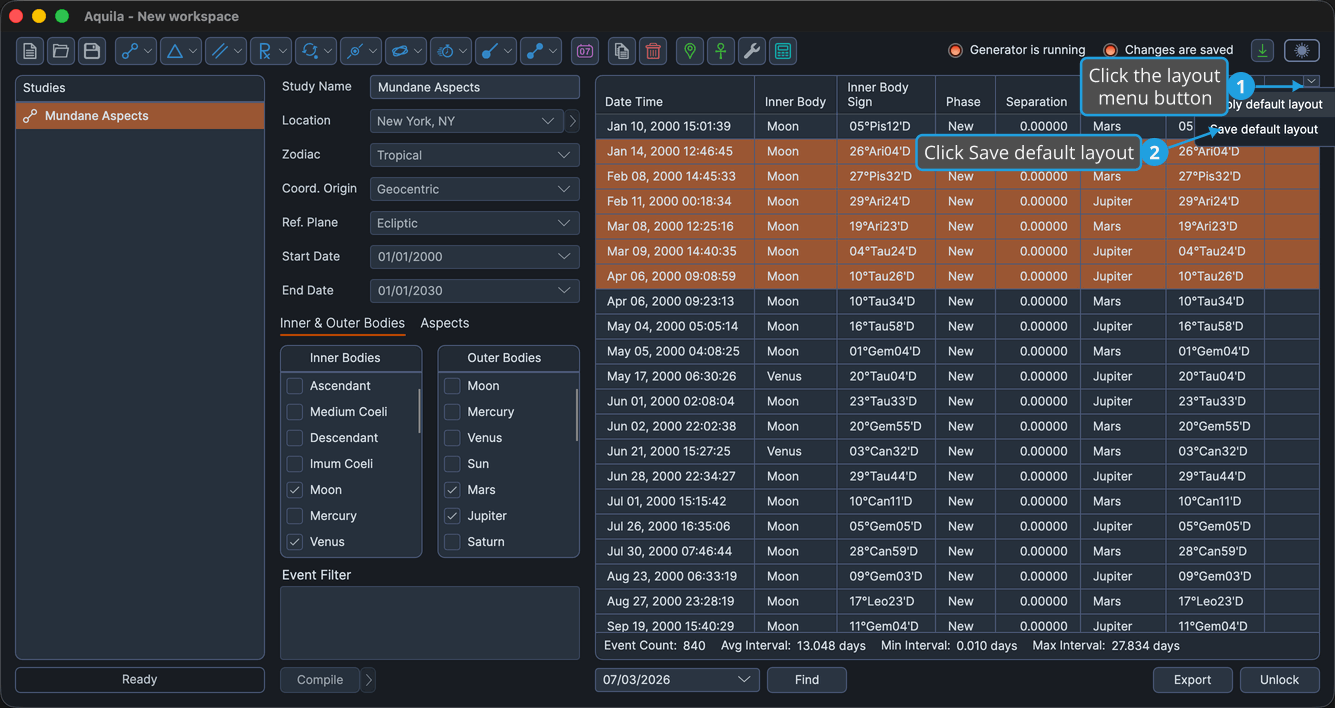
The layout menu button sits on the events table and opens a small flyout with two commands, Save default layout and Apply default layout. Both commands are available once a default layout is enabled.
Save the Default Column Layout
Saving stores the events table's current column visibility and arrangement as the default.
To save the current layout as the default:
- Click the layout menu button on the events table.
- Click Save default layout in the flyout.
Apply the Default Column Layout
Applying restores the events table to the layout you previously saved.
To apply the saved default layout:
- Click the layout menu button on the events table.
- Click Apply default layout in the flyout.