Find Event by Date
When a study produces a large set of results, the Find controls let you jump straight to the events around a date you care about instead of scrolling.
After a study finishes generating events, a date field and a Find button appear near the events table.
Find an Event by Date
To jump to the event nearest a particular date:
- Enter a date in the Find date field.
- Click the Find button.
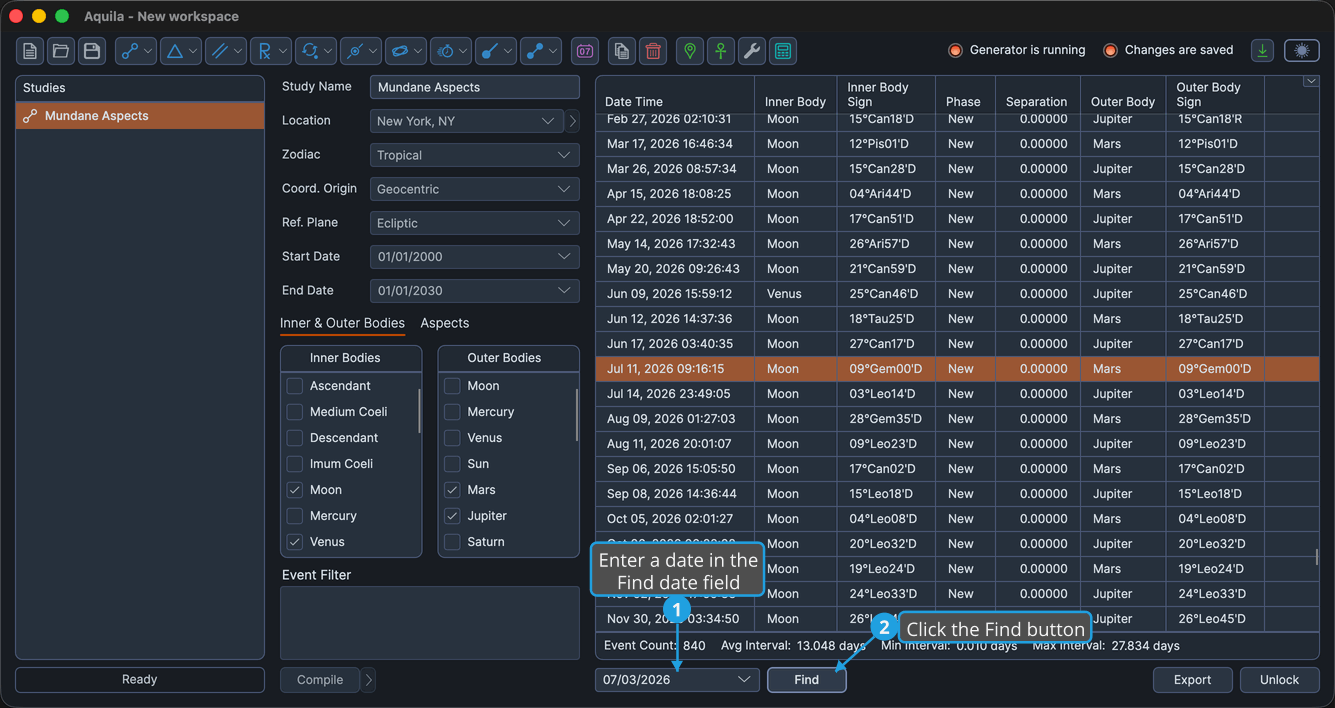
The event closest to the date you entered is selected and scrolled to the center of the table.
tip
Pressing Enter while the date field is focused starts Find without clicking the button.