Progression Settings
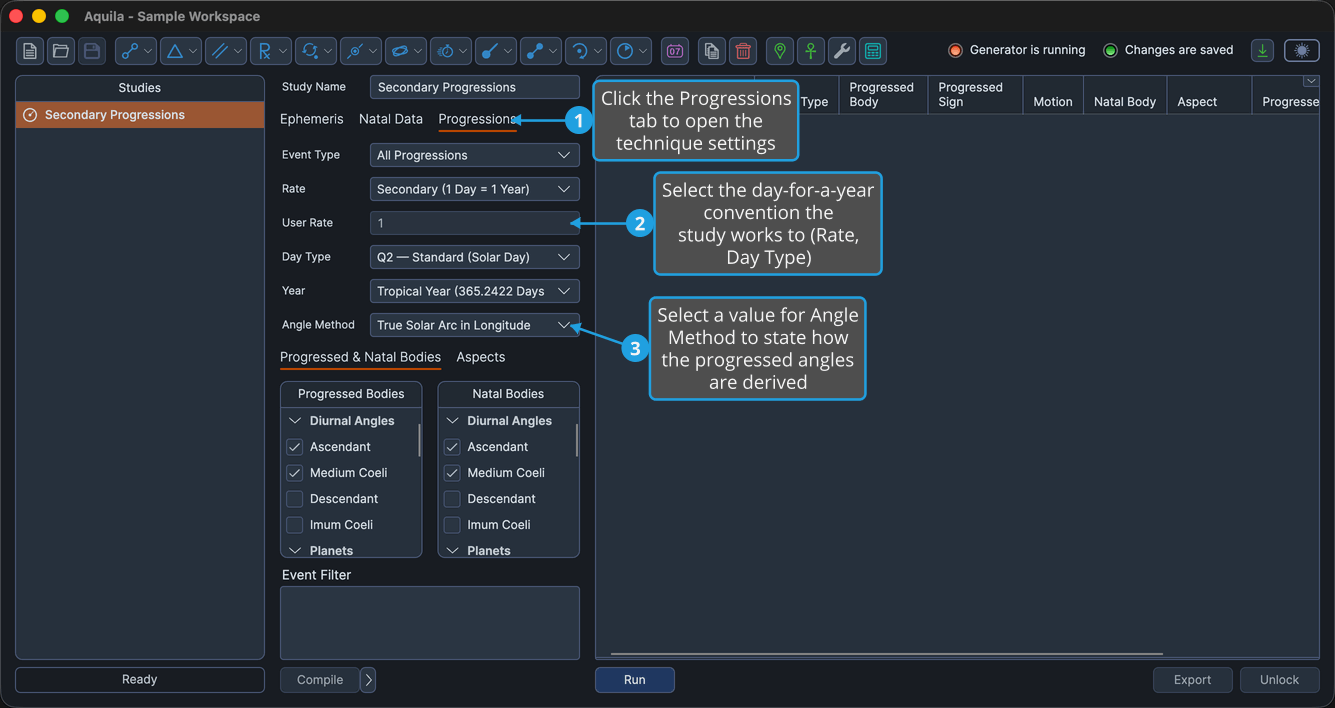
The Progressions tab of the Secondary Progressions Study holds the technique options: Rate, the User Rate box that goes with a user-defined rate, Day Type and Angle Method. The tab also carries the shared Event Type and Year drop-downs.
Schools differ on the day-for-a-year rate, and especially on how the progressed angles are derived, so these settings state which convention applies before any events are generated.
Configure the Progression Settings
To state the day-for-a-year convention the study works to, and how its progressed angles are derived:
- Click the Progressions tab. The technique settings sit on their own tab of the study's settings column.
- State the day-for-a-year convention: select a Rate and a Day Type. The rate decides how much progressed time one year of life buys; the day type decides the length of day that time is measured over. The Day Type drop-down becomes available once the Rate is set to Secondary or Tertiary.
- State how the progressed angles are derived: select a value for Angle Method. It becomes available once a diurnal angle is among the progressed bodies.
Set a User-Defined Progression Rate
The named rates cover the usual conventions. To progress at a rate you state yourself, in progressed days per year of life:
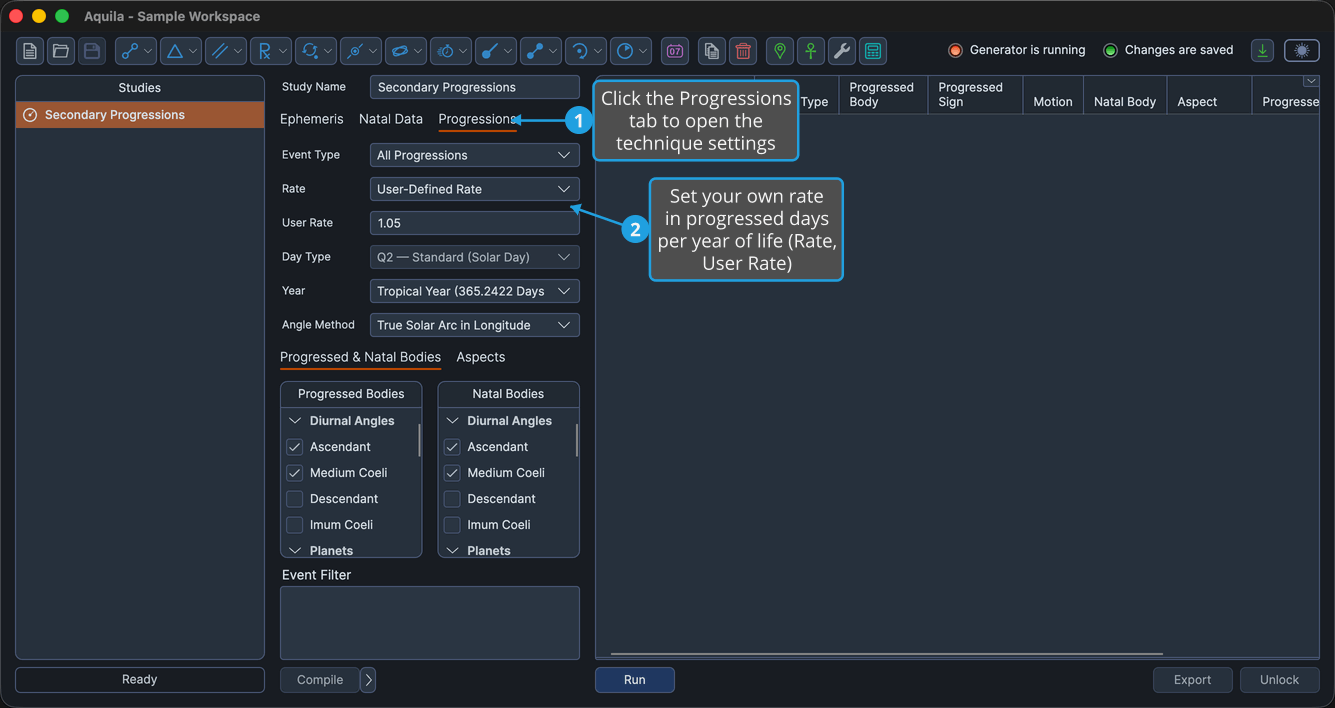
- Click the Progressions tab.
- State a rate of your own: select User-Defined Rate from the Rate drop-down and type the number of progressed days per year of life into the User Rate field. The field is enabled only while the Rate is set to the user-defined value, which is why the drop-down belongs to this step, and it accepts values from 0.01 to 366.
Technique Options
Each setting below shapes the compressed clock the study reads the ephemeris on.
Rate
How many progressed days stand for one year of life. Every rate reduces to a single number that the time mapping multiplies by the elapsed years.
| Option | What It Means |
|---|---|
| Secondary (1 Day = 1 Year) | One ephemeris day per year of life, the classical secondary measure, and the default. |
| Tertiary (1 Day = 1 Lunar Month) | One ephemeris day stands for one tropical month of life, which works out to about 13.37 progressed days per year. A faster clock, giving many more events over the same span. |
| Minor (1 Lunar Month = 1 Year) | One tropical month of ephemeris time stands for one year of life, about 27.32 progressed days per year. Faster still. |
| User-Defined Rate | A rate you supply yourself, in progressed days per year of life, in the User Rate field. It is applied literally. |
Day Type
Which day of ephemeris time is being compressed. The drop-down is enabled only for the day-based rates, Secondary and Tertiary. The minor rate is built on the month rather than the day, and the user rate is applied literally, so neither is affected.
| Option | What It Means |
|---|---|
| Q2 — Standard (Solar Day) | One solar day stands for one year of life. The default. |
| Q1 — Bija (Sidereal Day) | One sidereal day stands for one year of life, shorter by a factor of 0.997269566. Preferred by practitioners working with the sidereal zodiac. |
Angle Method
How the progressed Midheaven advances when a diurnal angle is selected as a progressed body. The drop-down is enabled only when at least one diurnal angle, that is, Medium Coeli, Ascendant, Imum Coeli or Descendant, is selected in the Progressed Bodies list. It is disabled rather than hidden, because it remains part of the study's saved configuration.
| Option | What It Means |
|---|---|
| True Solar Arc in Longitude | The Midheaven advances by the progressed Sun's actual advance in ecliptic longitude. The default. |
| True Solar Arc in Right Ascension | The right ascension of the meridian advances by the progressed Sun's actual advance in right ascension, and the Midheaven follows from it. |
| Naibod in Longitude | The Midheaven advances by the Sun's mean motion, about 0.9856° per year of life, in ecliptic longitude. |
| Naibod in Right Ascension | The same mean rate applied to the right ascension of the meridian. |
All four methods advance the natal meridian symbolically rather than re-reading a rotating sky. The progressed Ascendant is then always derived again from the progressed Midheaven at the natal geographic latitude, and the Descendant and Imum Coeli oppose the Ascendant and Midheaven.
Event Type and Year
Two of the drop-downs on this tab are shared with other studies rather than belonging to the technique itself.
- Event Type chooses between all progressions, direct progressions only and converse progressions only. See Event Type Selection for the full list of values.
- Year fixes how long a year of life is, and, because the reckoning fixes a month as well as a year, what the tertiary and minor rates are built on. See Year Reckoning.
The Year reckoning is the one setting on this study that reaches a rate as well as a date, and it does so only through the month: the secondary rate is a day for a year under either reckoning, and the user rate is always applied literally. The Age at Event column reports ages in the study's own reckoning.