Geocentric Ephemeris Study
A geocentric ephemeris study produces a table of geocentric positions, measured from the center of the Earth, for the celestial bodies you select, sampled at a fixed interval across a date range. This is the conventional positional ephemeris and the Earth-centered view used for most astrological work.
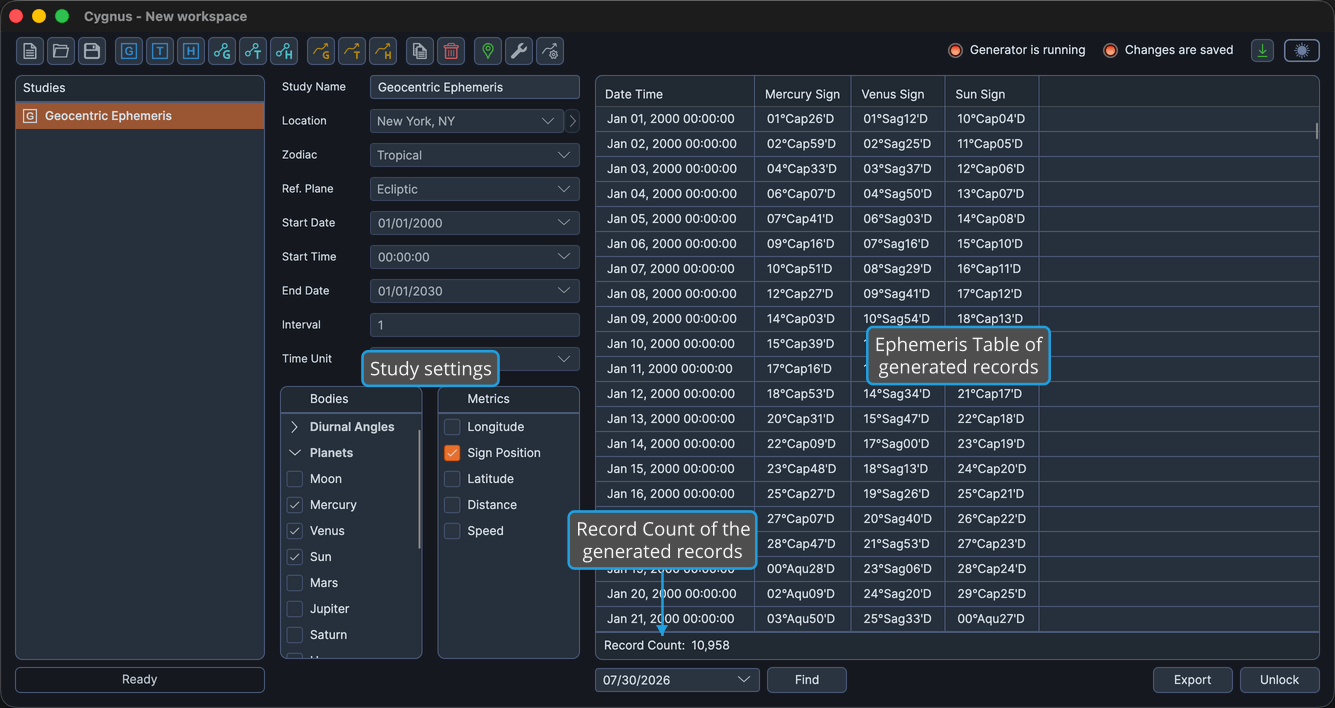
The editor puts the study settings in a column on the left and the generated ephemeris table on the right.
Create and Generate the Study
To produce a geocentric ephemeris:
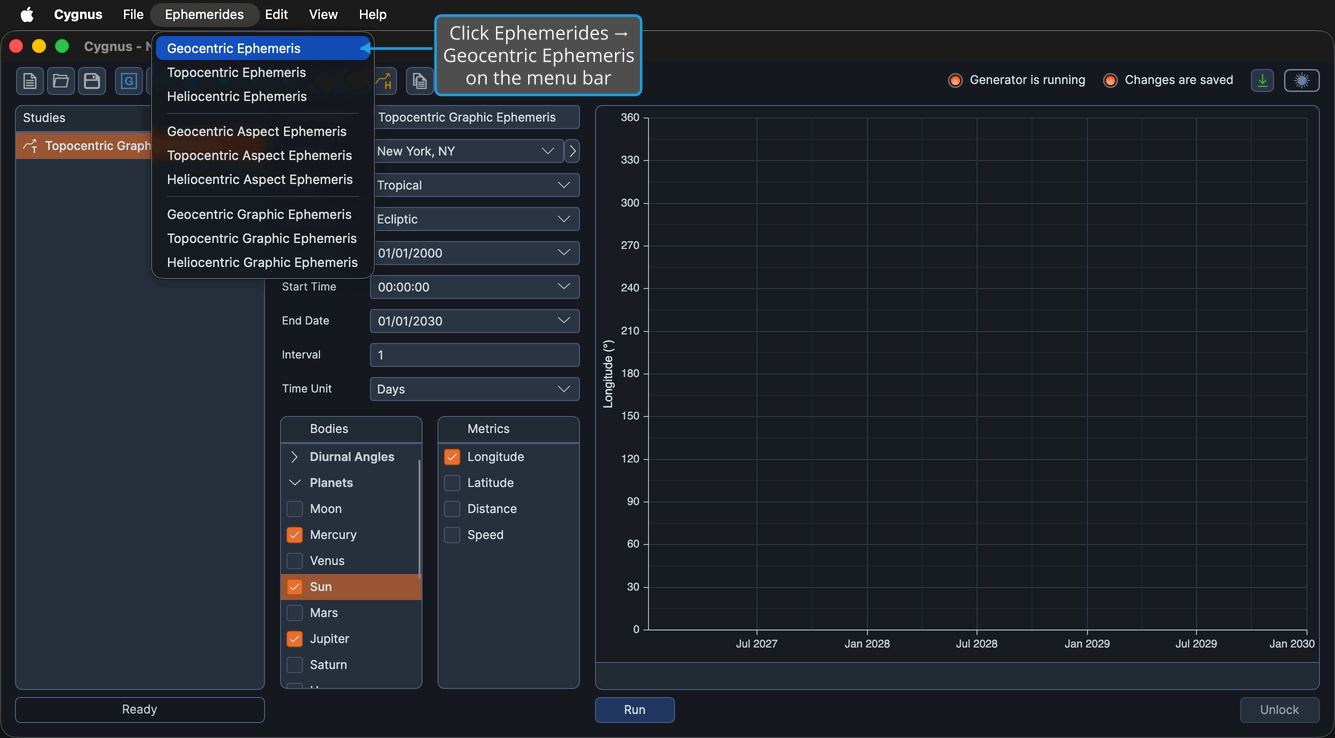
- Click Ephemerides → Geocentric Ephemeris on the menu bar.
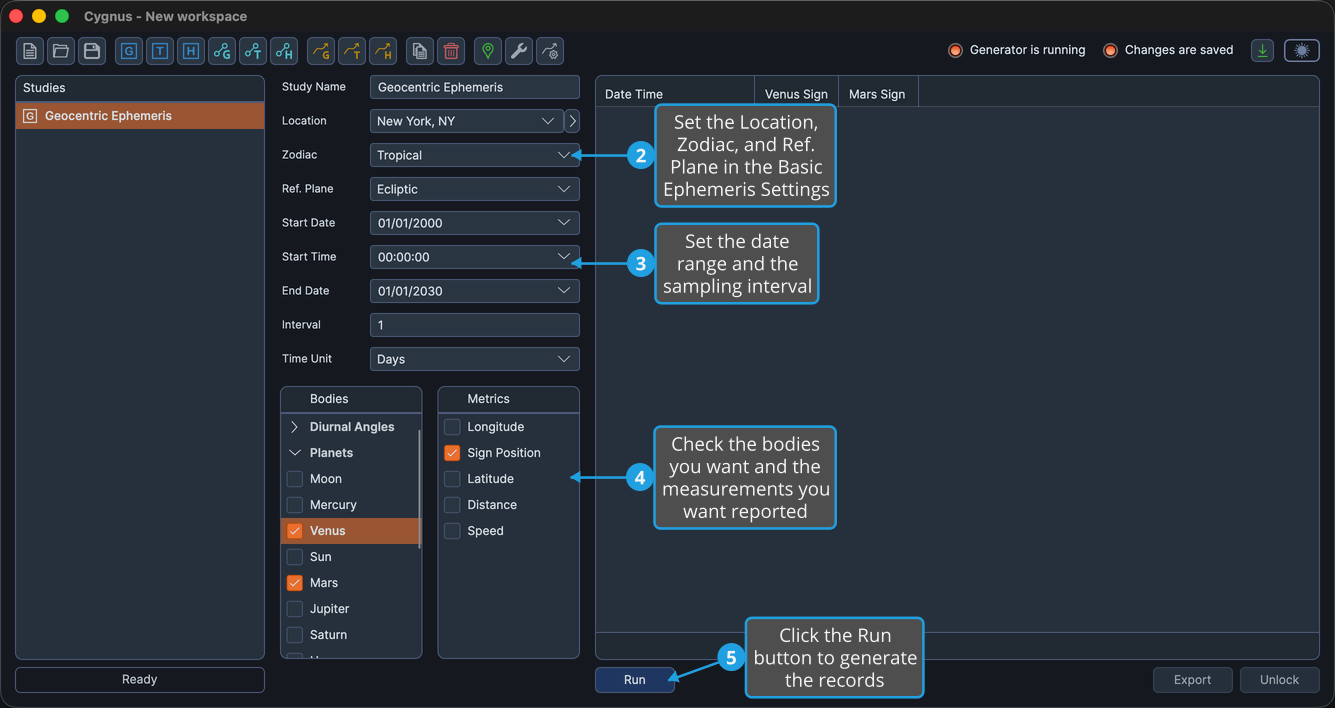
- Configure the Basic Ephemeris Settings (Location, Zodiac, Ref. Plane).
- Configure the Ephemeris Date Range (Start Date, Start Time, End Date, Interval, Time Unit).
- Check the bodies you want in the Bodies list and the measurements you want in the Metrics list.
- Click the Run button beneath the ephemeris table.
Step 1 is performed on the Ephemerides menu:
An Interval of 1 with a Time Unit of Days gives one record per day, which is what most ephemerides are built on.
A location is required even though geocentric positions do not depend on one. Cygnus calculates and displays each record's date and time in the location's time zone, so no ephemeris can be produced without a place. See Locations Editor.
Bodies
A geocentric study offers the full 33-body Earth-frame catalog, grouped under seven collapsible classification headers: Diurnal Angles, Planets, Barycenters, Lunar Axis, Asteroids, Centaurs, and Uranians. See Bodies List for the full catalog and for the gestures that check, uncheck, and group them.
Measurements
Five body metrics are available for the table.
| Ecliptic reference plane | Equatorial reference plane | What it reports |
|---|---|---|
| Longitude | Right Asc | The body's position along the reference plane, in degrees. |
| Sign Position | Sign Position | The body's position expressed within its zodiac sign. |
| Latitude | Declination | The body's position perpendicular to the reference plane, in degrees. |
| Distance | Distance | The body's distance, in AU. |
| Speed | Speed | The body's rate of motion, in degrees per day. |
Every selected body contributes its selected measurements as columns of the ephemeris table, after the fixed Date Time column.
After the Records Are Generated
The study locks when the generation completes, and the Run button becomes invisible until you unlock the study. Meanwhile you can read, arrange, search, copy, and export the results:
- Show or Hide Table Columns
- Reorder Table Columns
- Find Nearest Record
- Copy Records to Clipboard
- Export Records to CSV