Topocentric Aspect Ephemeris Study
A topocentric aspect ephemeris study records positions as observed from a specific point on the Earth's surface, together with the angular relationships between pairs of bodies, sampled at a fixed interval across a date range. It gives you observer-relative aspect data: angles computed from the positions as seen from the place you chose.
Bodies are chosen in two lists, Inner Bodies (the aspecting set) and Outer Bodies (the aspected set), and every valid pairing between the two lists contributes its own aspect columns to the ephemeris table.
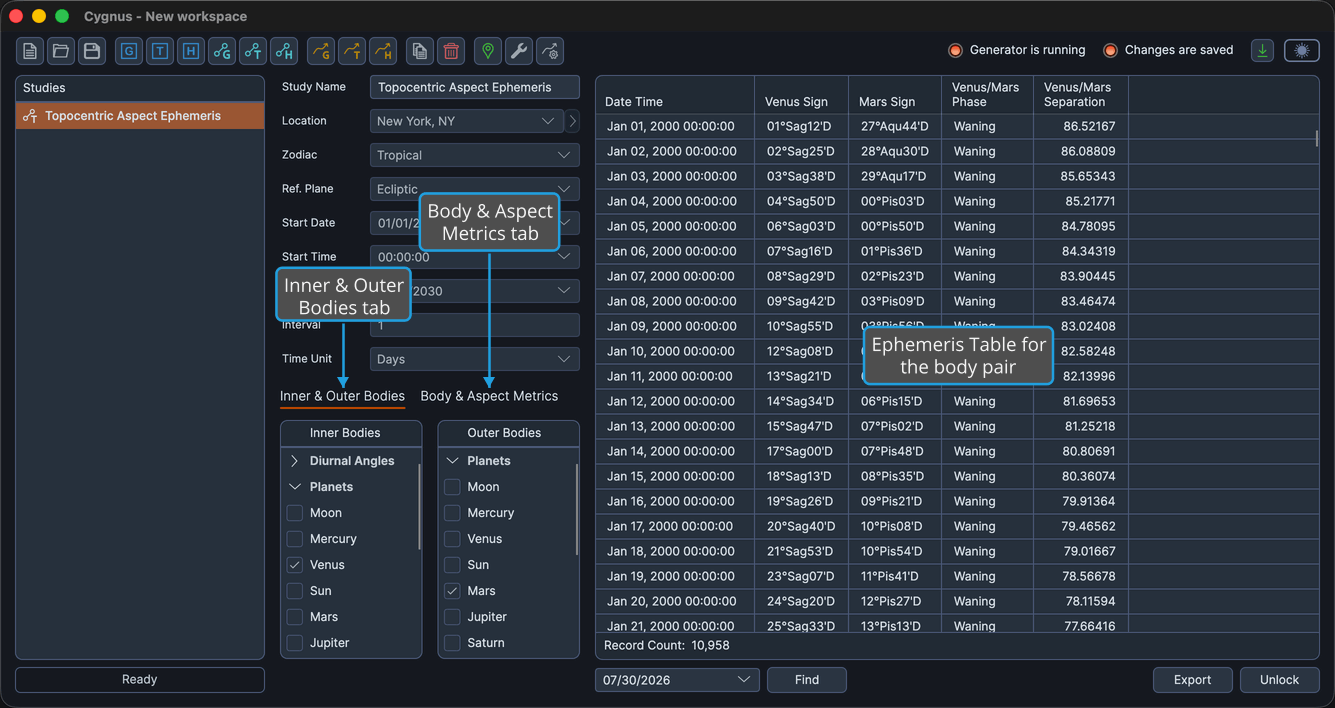
The Two Tabs
The settings column carries two tabs:
- Inner & Outer Bodies: the Inner Bodies and Outer Bodies selection lists, side by side.
- Body & Aspect Metrics: the Body Metrics List and the Aspect Metrics List, side by side.
Create and Generate the Study
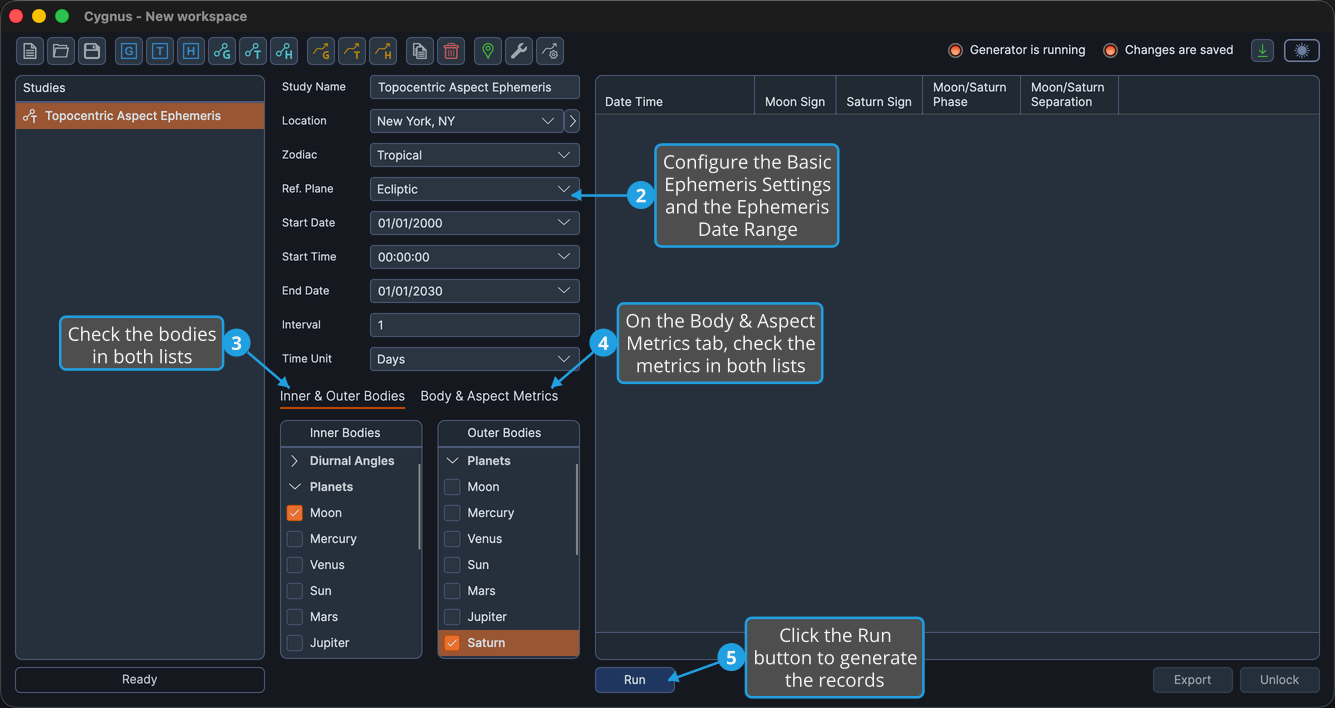
To produce a topocentric aspect ephemeris:
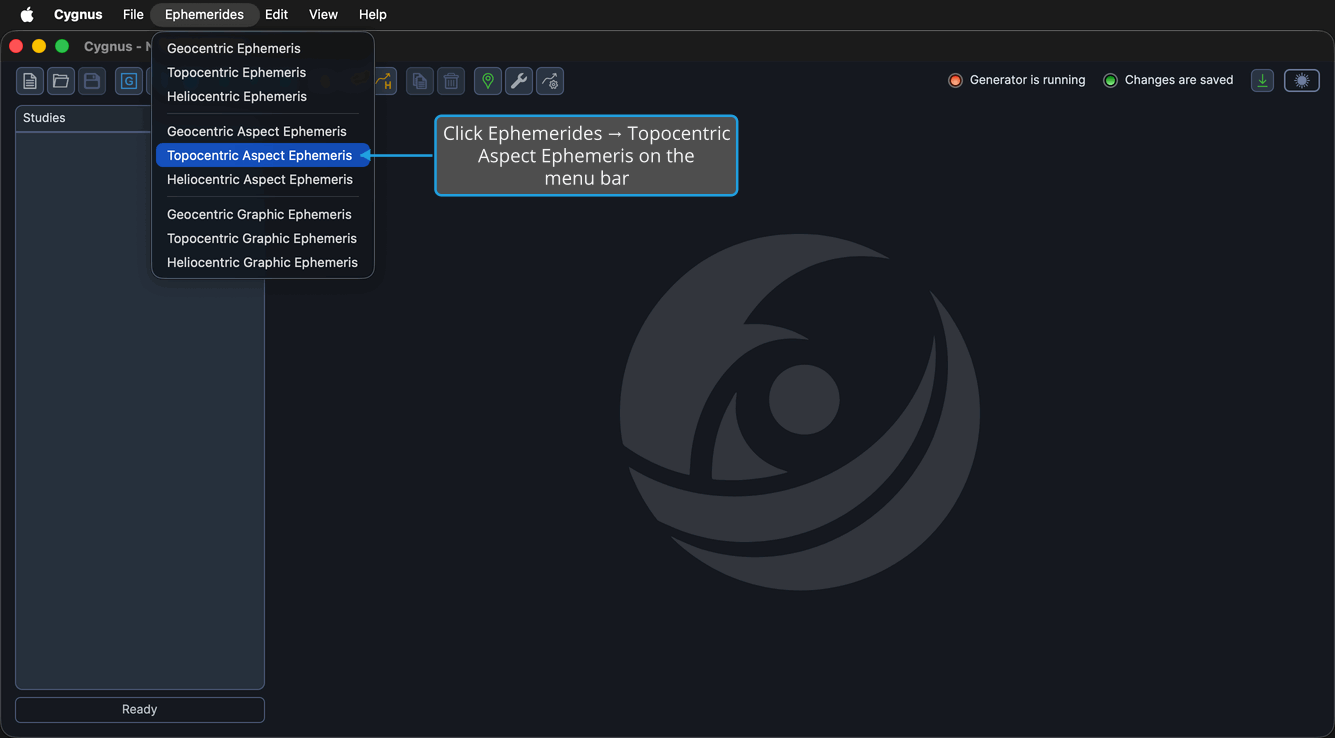
- Click Ephemerides → Topocentric Aspect Ephemeris on the menu bar.
- Configure the Basic Ephemeris Settings (Location, Zodiac, Ref. Plane) and the Ephemeris Date Range (Start Date, Start Time, End Date, Interval, Time Unit).
- On the Inner & Outer Bodies tab, check the bodies in the Inner Bodies and Outer Bodies lists.
- On the Body & Aspect Metrics tab, check the metrics in the Body Metrics and Aspect Metrics lists.
- Click the Run button beneath the ephemeris table.
Step 1 is performed on the Ephemerides menu:
An Interval of 1 with a Time Unit of Days gives one record per day.
The location matters twice here. It fixes the observing point the positions are computed for, and it fixes the time zone each record is dated in. Check its coordinates and height in the Locations Editor before you generate.
Bodies
The Inner Bodies list offers the full 33-body Earth-frame catalog, including the Diurnal Angles group, so an angle such as the Ascendant, computed for your observing point, can take part in the aspect pairs. The Outer Bodies list omits those four angles and offers the remaining 29 bodies, so an angle can be the aspecting (inner) member only. See Bodies List.
Measurements
Two metrics lists share the Body & Aspect Metrics tab.
The Body Metrics list adds positional columns for every selected Inner and Outer body: Longitude, Sign Position, Latitude, Distance in AU, and Speed in degrees per day. Under an Equatorial reference plane the first and third read Right Asc and Declination. On a new aspect study only Sign Position is checked.
The Aspect Metrics list adds relationship columns for every valid body pair.
| Aspect metric | What it reports |
|---|---|
| Cycle Angle | The angular distance from the outer body to the inner body in the direction of zodiacal motion, from 0 to 360 degrees. |
| Phase | Where the pair sits in its cycle: New, Waxing, Full, or Waning. |
| Separation | The shortest angular distance between the two bodies regardless of direction, from 0 to 180 degrees. |
Phase and Separation are checked by default on a new aspect study.
These three metrics are the only aspect-related list in Cygnus. There is no editable list of aspect angles or aspect values anywhere in the application.
After the Records Are Generated
The study locks when the generation completes, and the Run button becomes invisible until you unlock the study. Meanwhile you can read, arrange, search, copy, and export the results:
- Show or Hide Table Columns
- Reorder Table Columns
- Find Nearest Record
- Copy Records to Clipboard
- Export Records to CSV