Event Type Selection
Some studies can produce more than one kind of event. On those studies an Event Type dropdown lets you narrow generation to a single subtype instead of finding every kind at once. For example, a stations study can find retrograde stations, direct stations, or both.
Most Event Type lists include an All option that keeps every subtype, along with the individual subtypes you can isolate.
Choosing an Event Type
- Select a value from the Event Type dropdown.
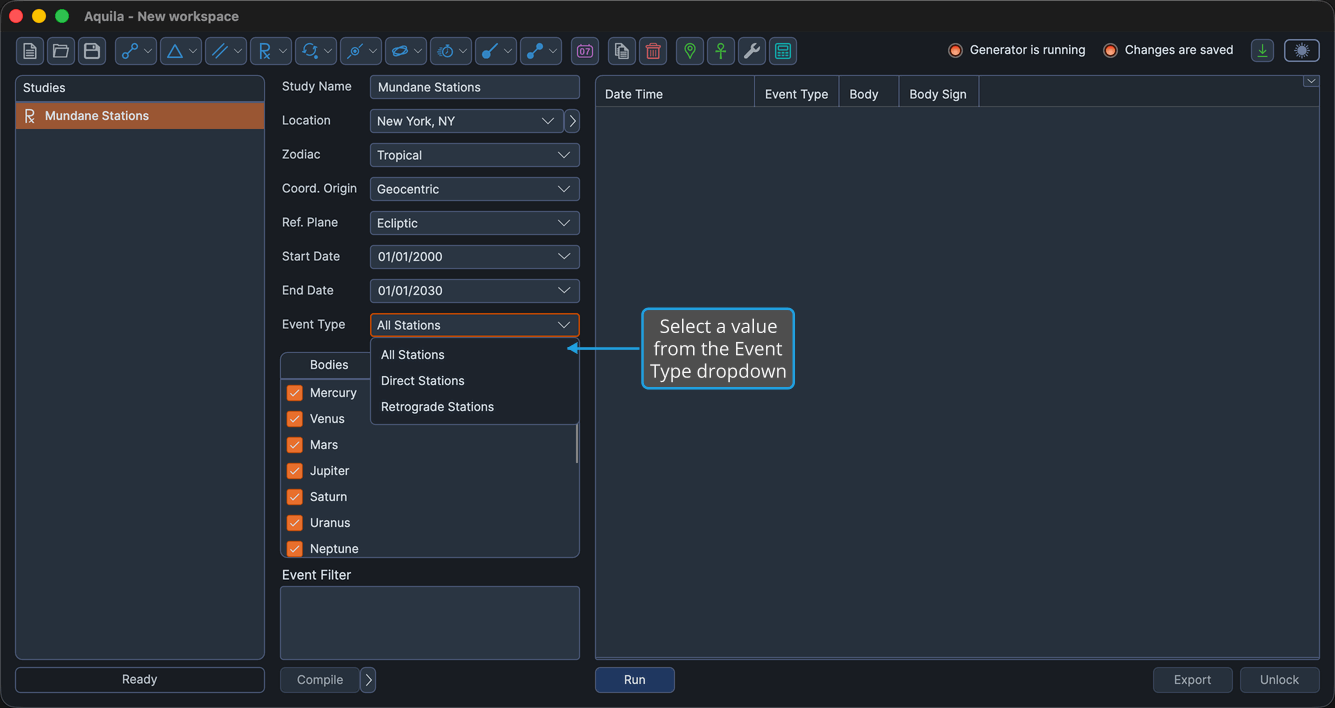
When you generate events, the study generates only the subtype you chose.
Available Event Types by Study
| Study | Event Type options |
|---|---|
| Mundane Parallels | All Aspects, Contraparallel Aspects, Parallel Aspects |
| Mundane Stations | All Stations, Direct Stations, Retrograde Stations |
| Station Hotspots | All Station Hotspots, Retrograde Station Hotspots, Direct Station Hotspots |
| Speed Extrema | All Speed Extrema, Speed Minimums, Speed Maximums |
| Maximum Elongations | All Max Elongations, Max Western Elongations, Max Eastern Elongations |
| Nodal Transits | All Nodal Transits, Ascending Node Transits, Descending Node Transits |
| Solar Limit Transits | All Limit Transits, Northern Limit Transits, Southern Limit Transits |
| Latitude Extrema | All Latitude Extrema, Latitude Minimums, Latitude Maximums |
| Heliacal Phenomenon | Heliacal Rising, Heliacal Setting, Evening First, Morning Last |
| Transiting Parallels | All Transiting Aspects, Transiting Parallels, Transiting Contraparallels |
| Parallel Activations | All Aspect Activations, Parallel Activations, Contraparallel Activations |
| Station Activations | All Station Activations, Retrograde Activations, Direct Activations |
On the Latitude Extrema study, the option labels follow the Reference Plane you choose in the Ephemeris Settings. With an Ecliptic reference plane they read Latitude Extrema, Latitude Minimums, and Latitude Maximums; with an Equatorial reference plane they read Declination Extrema, Declination Minimums, and Declination Maximums.