Hotspot Degrees Table
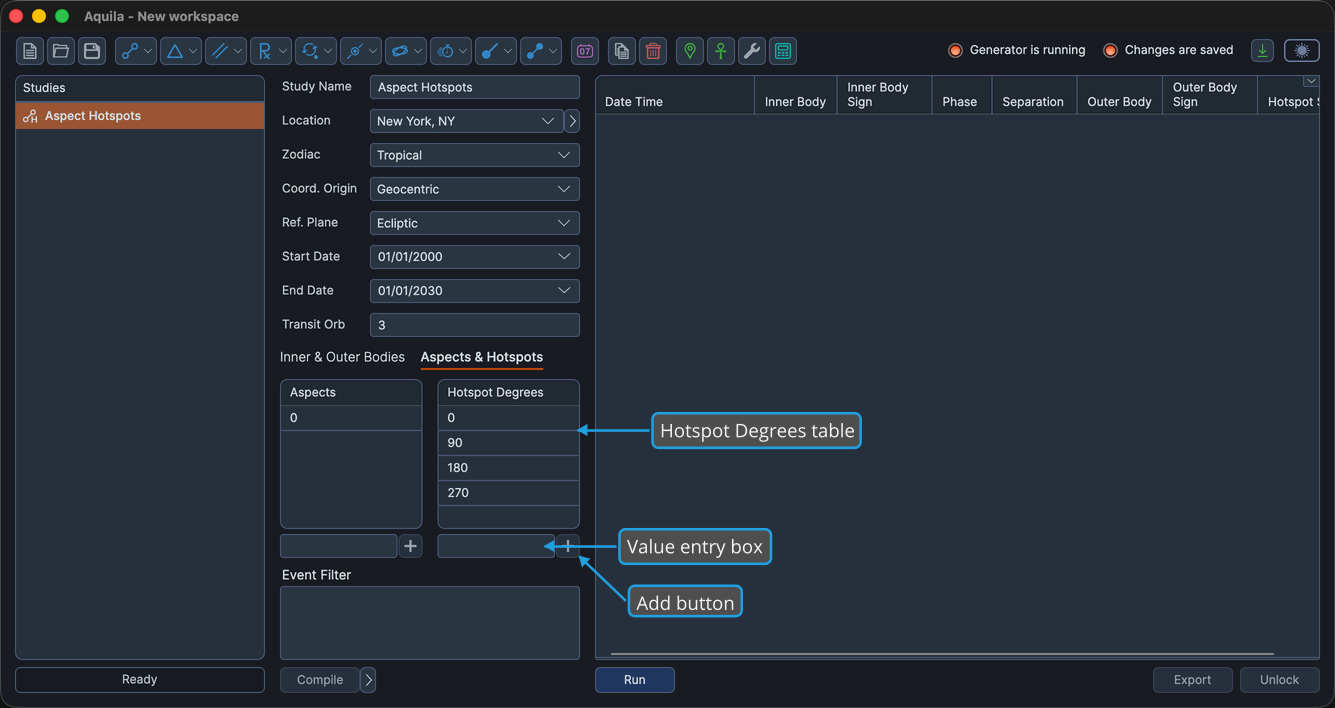
The Hotspot Degrees table is an editable numeric table of fixed zodiac longitudes, in degrees, that you want a study to watch. These values are the critical degrees, or hotspots, the study checks each moving body against.
Table Columns
| Column | Description |
|---|---|
| Hotspot Degrees | A fixed zodiac longitude in degrees that you enter. Each row is one critical degree the study monitors. |
Managing Hotspot Degrees
The Hotspot Degrees table shares the numeric-table controls used throughout Aquila. Type a value into the entry box below the table to add it, and use the table's context menu to remove values. The full gestures are documented on the Aspects Table page:
- Add a Numeric Table Value
- Edit a Numeric Table Value
- Delete Selected Numeric Table Values
- Delete All Numeric Table Values
Saving Value Sets as Presets
You can save a set of hotspot degrees as a named preset and reload it into any numeric table later. See Numeric Table Presets for the full workflow.