Orb Settings
Orb Settings control how much tolerance a study allows when it decides whether bodies are close enough to count as an event. Depending on the study type, you may see a Transit Orb, an Aspect Orb, or both. Each orb is measured in degrees.
New studies start with orb values taken from your workspace defaults, which are in turn seeded from your application defaults. You can change them for any unlocked study.
Transit Orb
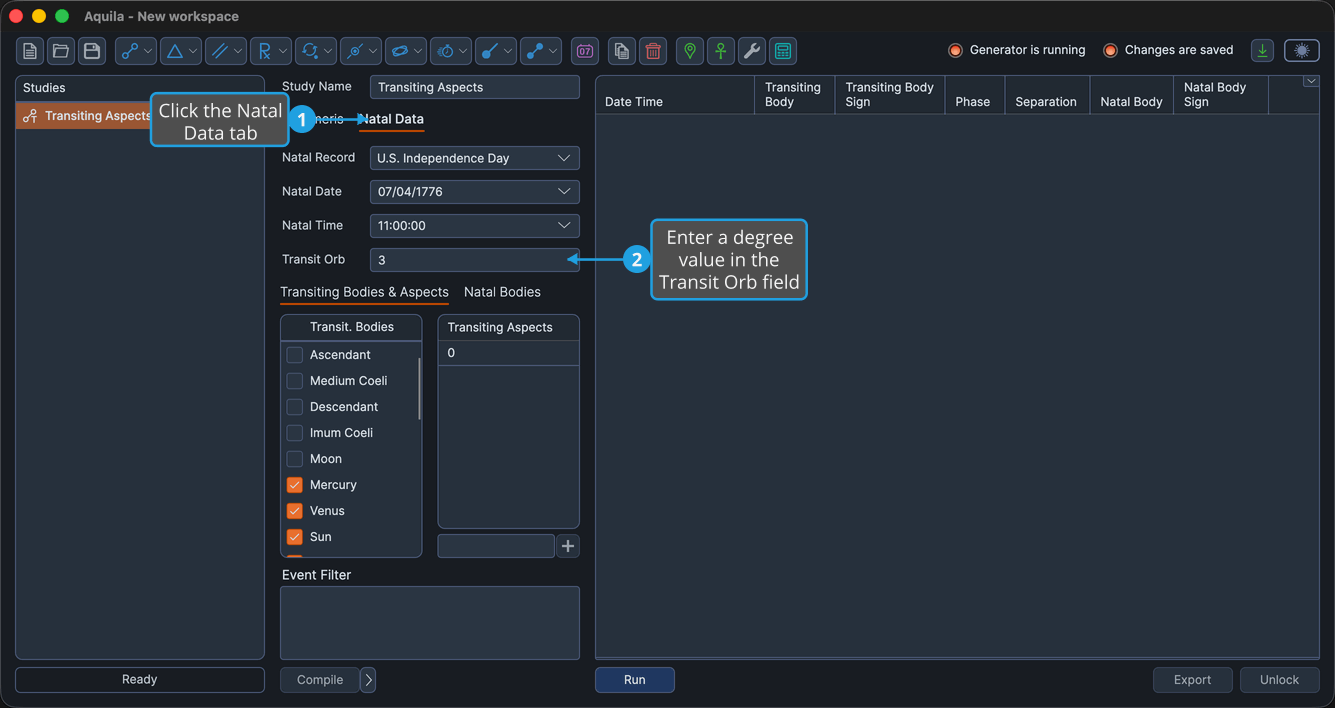
The Transit Orb sets how close, in degrees, an activating conjunction or aspect must come to a natal body or hotspot before the study records an event. On the studies that expose it, the Transit Orb lives on the Natal Data tab.
To set the Transit Orb:
- Click the Natal Data tab.
- Enter a degree value into the Transit Orb field.
Aspect Orb
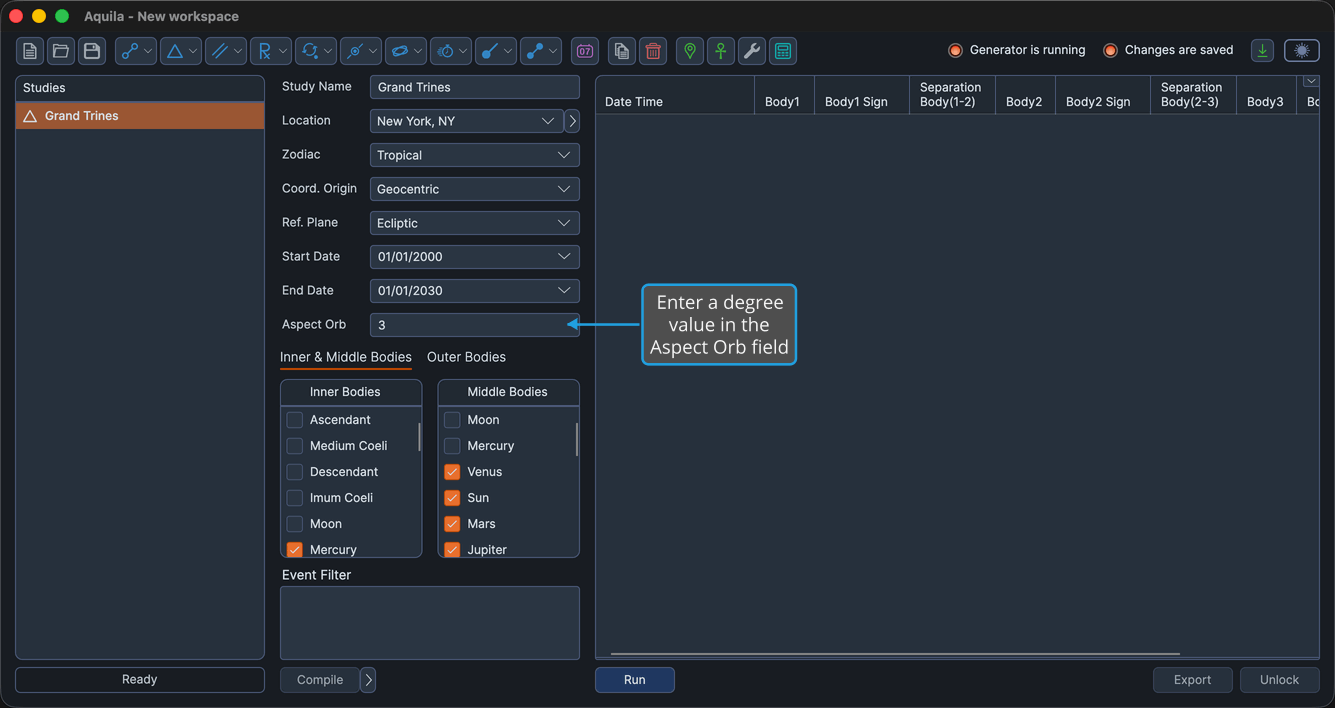
The Aspect Orb sets the tolerance, in degrees, for the aspects that form a multi-body pattern, such as the Grand Trines, Stelliums, T-Squares, and Yods, along with their activations.
To set the Aspect Orb:
- Enter a degree value into the Aspect Orb field.
Orb Settings do not apply to the Aspects table. The cycle angles listed there are matched exactly, with no orb.