Selectable Types List
Some studies let you choose which categories of events to include through a checkbox list of event types. Unlike the bodies list, this list selects kinds of events rather than celestial bodies. It appears in two forms:
- Eclipse Types, on the solar and lunar eclipse studies.
- Moon Phase Types, on the Lunar Phases study.
Checking a type includes it when you generate events; unchecking it leaves it out.
Available Types
On solar eclipse studies, the Eclipse Types list offers:
- Total
- Annular
- Hybrid
- Partial
On lunar eclipse studies, the Eclipse Types list offers:
- Total
- Partial
- Penumbral
On the Lunar Phases study, the Moon Phase Types list offers:
- New Moon
- Waxing Crescent
- First Quarter
- Waxing Gibbous
- Full Moon
- Waning Gibbous
- Last Quarter
- Waning Crescent
Including or Excluding a Single Type
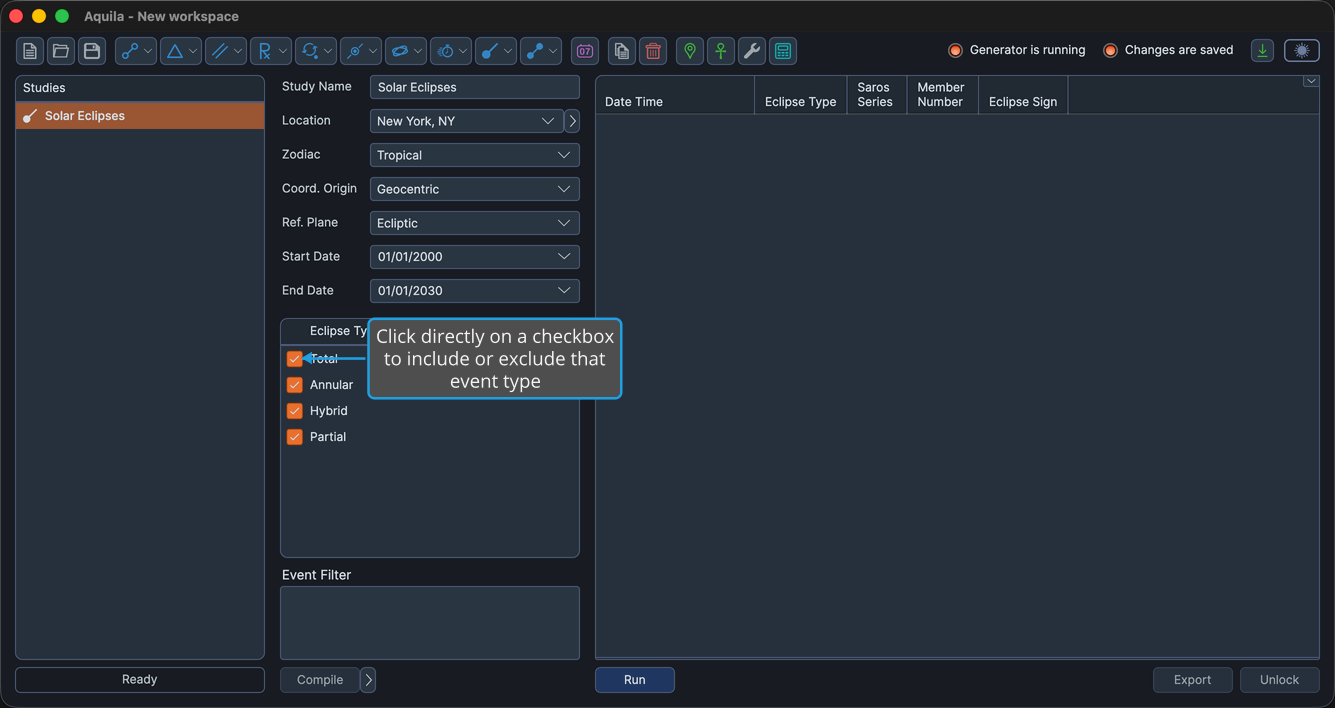
- Click the checkbox beside an event type to include or exclude it.
You can also highlight one or more rows and press Space to toggle every highlighted type at once.
Selecting Several Types at Once
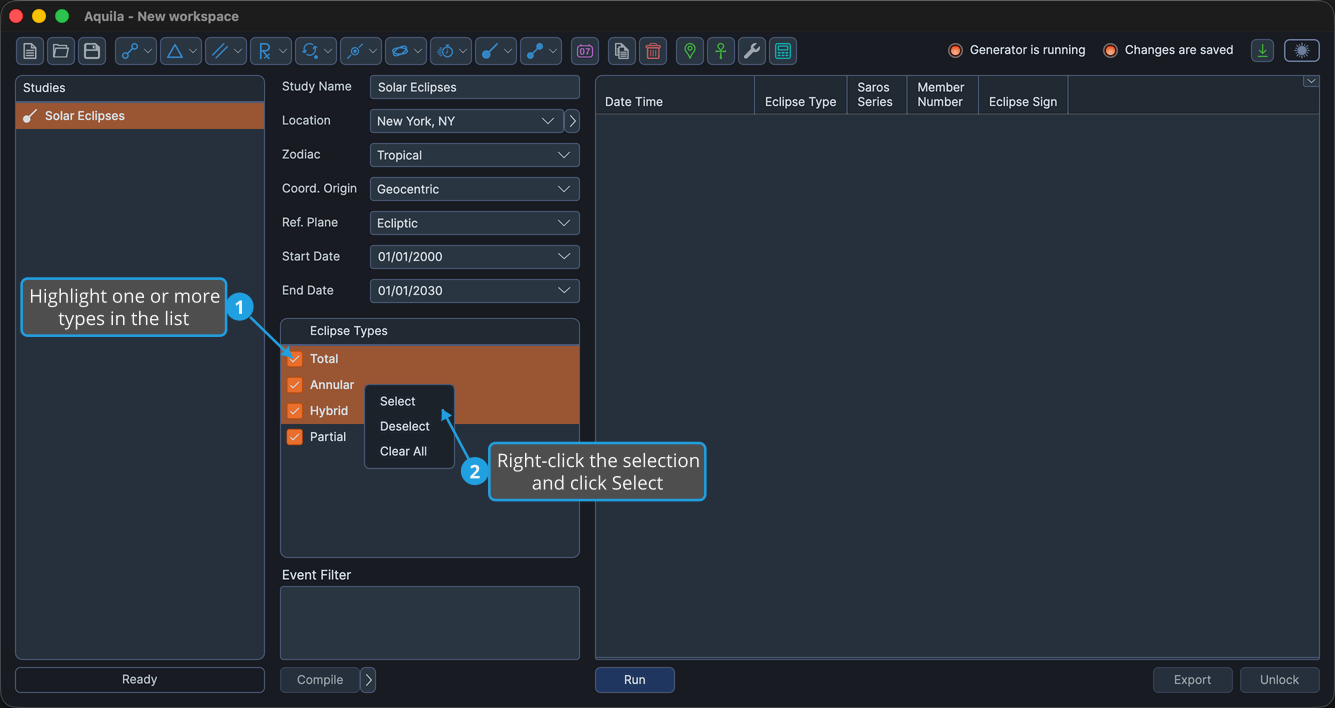
When you want to change many types together, highlight the rows first, then use the right-click menu.
To include several highlighted types:
- Highlight one or more rows in the list.
- Right-click the selection and select Select.
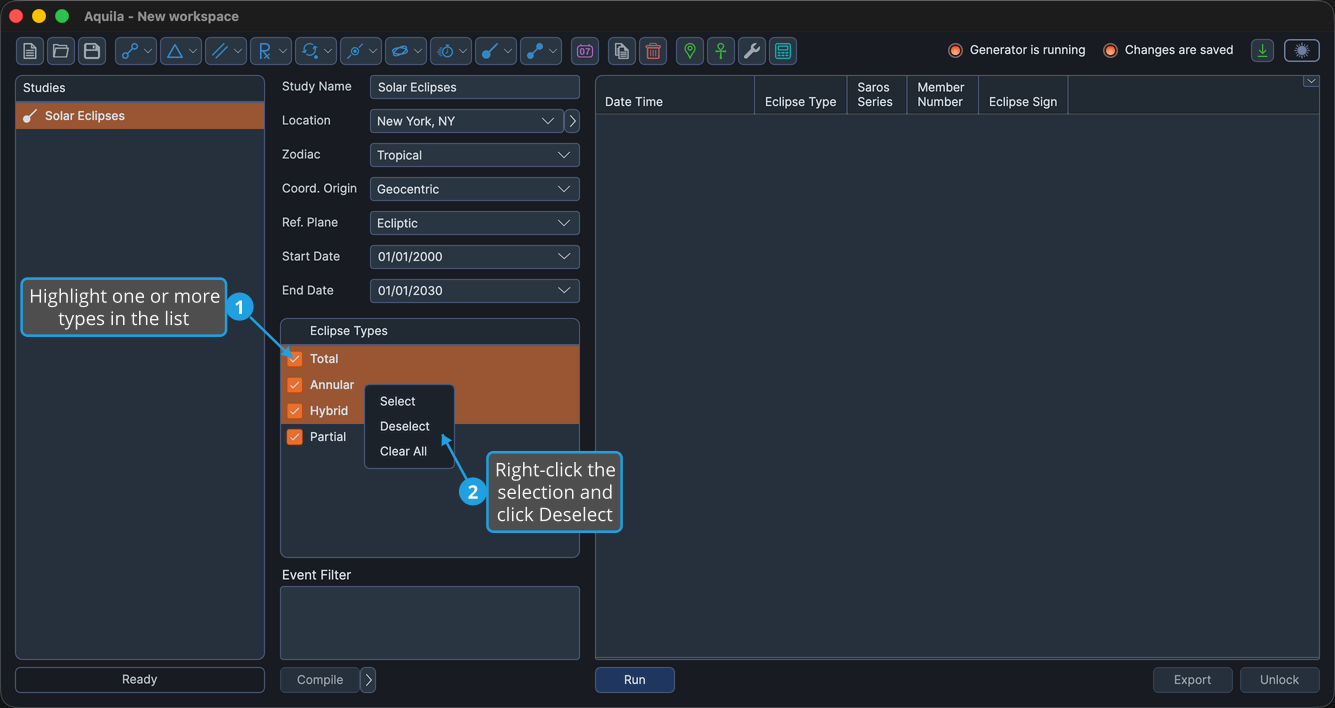
To exclude several highlighted types:
- Highlight one or more rows in the list.
- Right-click the selection and select Deselect.
Clearing the Whole List
To uncheck every type at once:
- Right-click any row in the list and select Clear All.