Natal Data
The natal data settings anchor a natal study to the natal record of the person, company or event you are researching. Natal studies are the Transit Studies and the Direction & Profection Studies.
The settings are three rows:
| Field | Description |
|---|---|
| Natal Record | A searchable drop-down of your natal records. |
| Natal Date | The birth date, filled in from the chosen record. |
| Natal Time | The birth time, filled in from the chosen record. |
The rows are on the Natal Data tab of most natal studies, and on the Event & Natal Data tab of Transiting Parallels, Parallel Activations and Station Activations.
Every procedure on this page starts from a natal study that is selected in the Studies list (see Open an Event Generator Study) and unlocked (see Unlock Study).
Choose the Natal Record
Choose the natal record of the person, company or event you are researching. The record must already exist in your natal records, which you manage in the Natal Records Editor.
Click the Natal Data tab (the Event & Natal Data tab on Transiting Parallels, Parallel Activations and Station Activations) first. On that tab:
- Select the record from the Natal Record drop-down.
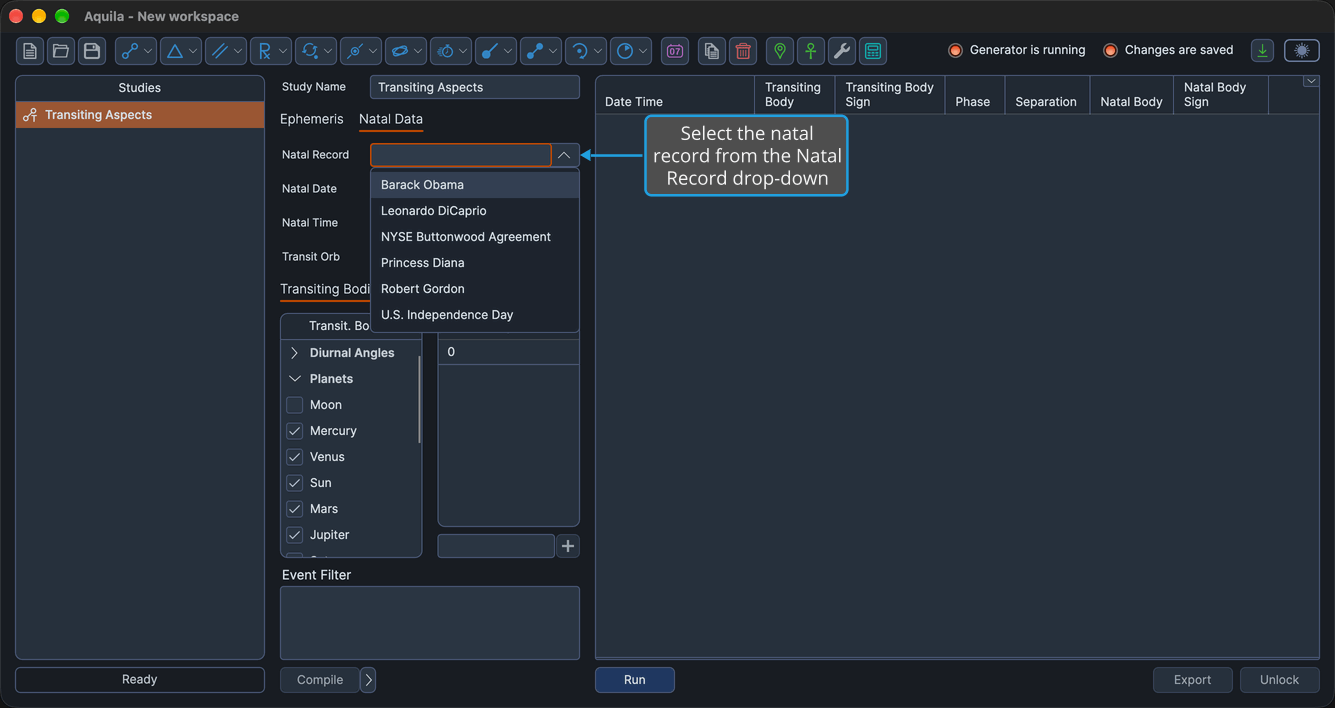
The drop-down is searchable: type part of a record's name in its box to narrow the list.
The Natal Record drop-down shows the chosen record, and Natal Date and Natal Time are filled in with its birth date and time.
Try a Different Birth Date or Time
Natal Date and Natal Time stay editable so that you can test an alternative birth date or time without changing the stored natal record. Normally you leave them as the record gives them.
Before you start, choose the study's natal record (see Choose the Natal Record). Click the Natal Data tab (the Event & Natal Data tab on Transiting Parallels, Parallel Activations and Station Activations) first.
Both boxes already hold the chosen record's birth date and time, so change only the value you want to test:
- Natal Date: type the alternative birth date.
- Natal Time: type the alternative birth time. The time is taken when focus leaves the box.
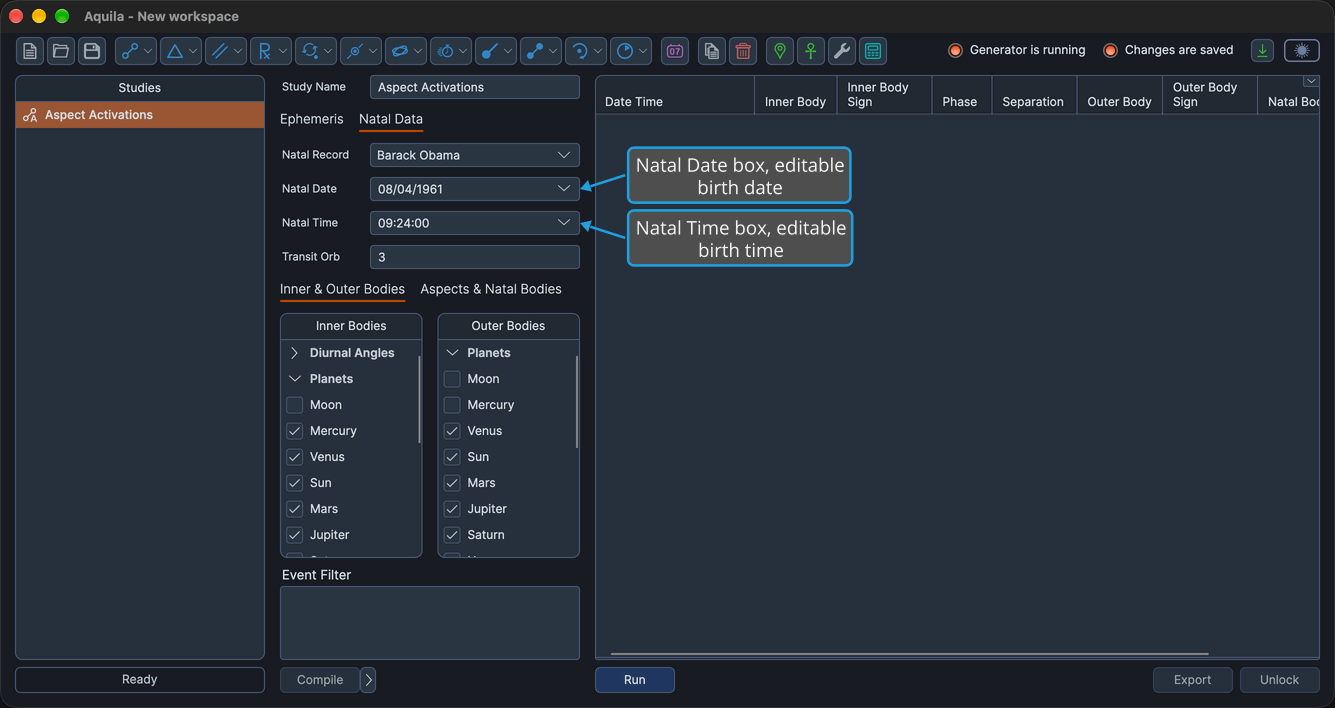
The study uses the entered date and time in place of the record's. The record in the Natal Records Editor is unchanged.
Natal Record Options
The Natal Record drop-down lists your natal records, each by its name, and the closed drop-down shows the study's current record. Typing in the drop-down's box narrows the list to the records whose names match what you type.
You add, edit, delete, import and export natal records in the Natal Records Editor. A record you add there appears in the drop-down without restarting Aquila. Your natal records are shared with the other Rhythm Seven astrology applications. The drop-down is disabled while the study is locked.